You are on the beta version of My Abandonware. The live site is still myabandonware.com. Your favorites and ratings here are copied to the live site. Comments and other changes are not — we delete them every morning at 08:00 Paris time, when this site goes down for about an hour. Leave feedback through this link to Pastel (email required).
The beta goes down at 08:00 Paris time, in a few minutes. We rebuild the database from the live site. It comes back in about an hour.
I have been trying to find this game for years for download that would not crap out - YAY for reliving childhood memories!
0
HoppeDaddy25 Mar. 2026
I've got the game working on Windows 11, and it works great but I'm getting some graphical issues. The screen is black but when I move my mouse over the screen it clears away the black but this resets every time the scene in the game changes. Does anyone have any advice for fixing this?
0
Whyguy11 Mar. 2026
Good news folks, I found out how to get the 2nd disk to work with the Virtual Clone Drive!
For starters, I followed MATT's advice but I had to have two drives instead of one.
I had the 1st disk on drive F but when the time came to switch to the 2nd disk when the "Insert disk 2" prompt appeared, I had to disconnect from the virtual drive disk in order to dismount the 1st disk on drive F and mount the 2nd disk in its place and to re-connect my virtual disk drive, I had to mount the 1st disk on drive E and go through the process DJWAFER suggested to get to the start up menu.
After that, I was back at the "Insert disk 2" prompt where I pressed OK and just like that, I was back in business!
Hope this info proves helpful.
0
Whyguy25 Feb. 2026
I used DJWafer's suggestion to install the whole thing and it worked. My problem now is trying to play the "2nd disk". I tried opening the 2nd .bin file with Virtual Clone Drive and went through the same process as the 1st .bin file but when I try to start it up, it says "Game not Found!". I don't know whether I was supposed to do something else or not but I am at a total loss right now.
0
Seal01 Feb. 2026
I had issues putting in the 2nd CD file, aswell. I read the "troubleshooting guide" which you can access on the menu before starting the game. there's a sections that says:
If the Carmen Sandiego's Great Chase Through Time startup window does not appear automatically on screen: 1. Click Start, point to Programs, then to The Learning Company, and and then the Carmen Sandiego's Great Chase Through Time folder. 2. Click the Carmen Sandiego's Great Chase Through Time menu item to begin the game.
this worked for me. hope this helps!
1
FaithMK10 Dec. 2025
For anyone who may be having audio issues after installing the game in virtualbox, you might want to turn off hyper v/memory intergrity in the settings. That will fix the issue.
0
HoppeDaddy16 Nov. 2025
Using PCem to emulate Windows 98 on my desktop. Played through disk 1 but when it asks to insert disk #2 I get an error message that the game file isn't found for disk 2. Any help would be greatly appreciated!
0
Jaebaebee02 Aug. 2025
I got the game running using DJwafer's instructions. But, every time I pick up the first note in egypt, the game freezes up, and I can't get past that. I could try playing without the notes, I guess. But, wasn't sure if anyone had advice for troubleshooting this issue?
2
gummi22 May. 2025
Got the game to work, aside from the graphic issues it works great. The only issue I seem to keep running into is that it freezes once in a while and I have to restart my computer each time. Any suggestions?
1
ArcaneWind22 Mar. 2025
Has anyone gotten this to work on a steam deck?
0
chaitea13 Jan. 2025
I tried the method by DJWAFER, but after I clicked 'install' when the game opened, it just never installs it. Tried it multiple times, checked that I was doing .bin1, etc. Nothing. ;_;
0
upset24 Sep. 2024
I appreciate hosting all these games but without an included way to guarantee you'll be able to play it's kind of useless
0
Bobby12 Sep. 2024
Hi, is anyone else having an issue with starting Disc 2? I completed Disc 1, now I've opened the 2nd bin file. I run setup32.exe, and the game window opens. But when I try to click on the play button, a window pops up saying "game not found."
1
veed27 Aug. 2024
JACKRULES156 Are you using a PC with WinXP operating system, or PCem with WinXP environment or VirtualBox with WinXP environment, or if something else what is it?
0
jackrules15614 Jul. 2024
not sure if anyone is still following this but I got it working up through disc 1 what do I do to get disc 2 to play?
0
FedexVivi21 Mar. 2024
Right click on Times32.EXE once installation is complete and click on properties. Go to compatibility - select compatibility mode - windows xp service pack 3 - click apply and okay. Run game.
1
Hooya07 Mar. 2024
To everyone having trouble with disk 2 on 95/98 VMS: You must disable autoplay on your cd rom drive else it will not work. Start - Settings - Control Panel. Double click system and then Device Manager. Select the CD Rom entry and open properties. On the Settings tab uncheck the box labeled Auto Insert Notification, click okay and restart. Confirmed working on PCEM and VirtualBox.
0
KittyKat8527 Feb. 2024
So I installed it like GUMSHOE suggested now the game seems very glitchy and jumpy so I don't know if I did it right but so sad can't play it
0
Nire13 May. 2023
I played it on windows xp and it worked out well and finished the game
1
Matt06 Apr. 2023
I have the same issue as NIRE. Does anyone know how to fix the issue? Thanks
1
Nire01 Apr. 2023
I finished disc 1 on windows 95 Virtual Box but when I insert disk 2 it said game not found so that means I can’t get to finish the game completely. Help me that how i get this wrong
1
John13 Feb. 2023
So I tried to install this, but when I get to the part where it asks to install QuickTime, there is no option to skip. The only options are "Install", "Exit", and "Help". Clicking Help" gave an error that said help could not be found. Clicking "Exit" gave the error that said "There was an error installing QuickTime for Windows. Please install the program again." I have not clicked on "Install", as I am concerned it will mess up my computer.
0
Equine rider16 Nov. 2022
I enjoy the mystery games and solving puzzles.
0
Lindsey20 Oct. 2022
Hi Everyone, I am desperatly trying to download Where in the World is Carmen Sandiego "for my daughter" (even though it's probably more for me :P). I bought the physical copy of the CD rom but it's not working on my Windows 10 laptop. After that didn't work, I came here to see if I could download it. Unfortunately, I'm not very computer savvy, so I'm totally lost, and I can't really follow the instructions other users have posted here. After pressing the download button below, a zipped folder popped up with 2 very large BIN files and 2 CUE files (I have no idea what that means). I followed Gumshoe's instructions to download the Oracle Virtualbox, but now I'm stuck! Can anyone help? Thanks in advance!
3
Matt17 Sep. 2022
Regarding Charlie's comment. I was having the same problem too. I assume you're using a Virtual Machine like I was. Here's what I did to fix it:
1. Launch game while Disk 1 is in the CD drive (.iso or .bin) 2. Wait for the prompt to say insert Disk 2. 3. Change virtual disk (iso or .bin) to disk 2. 4. [Important] Remember to re-connect your virtual disk drive. 5. Click OK on the prompt to Insert Disk 2.
That fixed it for me. What I kept missing was my disk drive was disconnected after changing the ISO to the 2nd disk. Hopefully this helps someone in the future.
4
kingabomination20 Jun. 2022
if you're running a 64 bit operating system then don't waste your time trying to install it, just run it in a VM. ill never get those hours back.
2
Charlie07 Apr. 2022
I've tried every recommended way and i still cannot get disc 2 to play it says game not found in every try. Please help. Disc 2 has the bulk of the game on it.
2
HandHorse03 Feb. 2022
Gumshoe's step by step and the included video worked perfectly for me! I just had to be sure the run Virtualbox as an administrator to "Insert Guest Additons" successfully. Your comment helped me a lot! Thanks Gumshoe!
1
Gumshoe10 Jan. 2022
Top comment
I just finished playing this game on my Windows 10 machine, worked beautifully! Here was my procedure:
-Download and extract the game files from this page, gave me two large .bin files and two 1KB .cue files
-Download Oracle VM Virtualbox and install a virtual machine with Windows XP 32 bit. I used this video as a guide: https://www.youtube.com/watch?v=_GYeqWEHzZI Don't forget the Insert Guest Additions step at 9:20, I think this is necessary to allow the virtual machine to work in full screen mode.
-In the virtual machine, I used devices = optical drives = choose a disc file, selected the Cd_gctt1.cue from the directory. I just installed it normally, no tricks. I believe I went to My Computer and double clicked on the D drive to get the game menu to appear with the install option.
-I believe I did what DJWafer said in their step 5, I pressed "Skip" to not overwrite Quicktime (I'm fairly sure this is what I did).
-I had to use right ctrl-C to switch back and forth between scale (full screen) mode. I couldn't switch from disc 1 to disc 2 unless I was in windowed mode. Once the correct disc was in, I switched back to full screen mode.
Hope this helps someone!
13
doomofrave18 Aug. 2021
Unforutnately, I couldn't get it to work, even after following DJWAFER's instructions ;3;
0
Nostalgia_Overload30 Jun. 2021
@DJWafer I followed your guide to a T. I managed to get the first part of the game installed successfully. But now I'm having trouble with Disc 2. Every time I open the installer, it brings me to the menu. But when I try to play the game, I get an error message saying "Game not Found." How can I fix it?
2
LadyKensey26 May. 2021
Top comment
@DJWAFER These instructions almost completely worked for me. Once I got to the install setup32.exe part and clicked install, nothing happened. The 32 bit installer just stayed as a background process and no option to install Quicktime was prompted. I even double checked to make sure I was in the first .bin file which I was. Any ideas of what to try next?
7
Redpandas1223 May. 2021
@DJWAFER Did you get disk 2 (bin file 2) to work? When I open it with virtual clone drive it says game not found.
2
Mantus10 May. 2021
@ DJWAFER you are a lifesaver! Worked perfectly, thank you!
1
DJwafer14 Mar. 2021
Top comment
Here's how I got this to run on a Windows 10 machine : 1. Download file 2. Download and install Virtual Clone Drive https://www.elby.ch/en/products/vcd.html 3. Extract files and open the 1st .bin file with Virtual Clone Drive. It may open a folder with a series of files or it may prompt you asking what to do with a disc. You may also be able to navigate to a virtual CD-rom via your file explorer. When you open this folder there is a setup.exe file begging to be clicked, don't. Instead, navigate to the folder labeled 'Install', inside you will find the correct set-up file labeled setup32.exe. Run this using windows xp pack 3 compatibility (found in properties folder). 4. You should be looking at the start-up menu, congrats! Almost there. Click install. If it prompts you asking you to enter disc one it's because you've been using the 2nd .bin file instead of the first. Each set corresponds to disc 1 and disc 2, go back to the initial download folder and make sure that you're accessing these files through the first .bin file. 5. After the first part of installation it will prompt you to install Quicktime. Follow instructions and when it asks press 'Skip' so that it doesn't search your system and try to overwrite other instances of Quicktime. 6. You should get a message confirming a successful install. 7. Go back to that same setup32.exe file and run it, the start-up menu should now have an option to run the game. 8. Re-live that sweet childhood nostalgia.
note: This got the game running for me with some minor graphics issues. The game is absolutely playable, and there may be a way to sort this out, but I'm not sure. If someone finds a fix for that please share!
ps: I've never written a guide like this before but there didn't seem to be a readily accessible answer to a problem that seemed to be shared by everyone. I hope this helps at least one person. Take care,
21
Ricky08 Mar. 2021
The best way to play this game is on a window xp virtualbox. just make sure its the 32 version not the 64.
2
noobmaster6915 Jan. 2021
if u love this... shud try playing Monkey Island
0
Jess23 Aug. 2020
Was soo excited for the opportunity to play this again but sadly couldn't get it to work :( Tried mounting the .bin file into PowerIso and also converting the .bin to .iso and mounting that but when I open the setup.exe file and click Install, all I get is an error message saying "screen info not found!"
1
todoroki23 Aug. 2020
im doing this for nostalgia
1
Mikey25 May. 2020
DAEMON Tools can't mount the files, states that access is denied.
2
Beckster17 May. 2020
I can't get this to run. I've installed all the correct programs, but when I try to install it, it says that there isn't a program to install it. Help!
3
Beckster15 May. 2020
This was MY JAM back in elementary school! It's actually how I learned a lot of history because my school wasn't the best at teaching history when I got to high school (went to a private K-12 school). I loved every bit of it and cannot wait to try and beat the VILE agents again!
1
SoundBytes31 Mar. 2020
Like WIN I can get the game to work but there's no sound. Any suggestions?
1
Erica29 Mar. 2020
Doesn't work. I have a Surface Pro. Link downloaded two BIN and CUE files. Not sure what to do with those.
-1
bibs16 Mar. 2020
CD1 works fine on Win98 vm but CD2 wont work. Any solutions??
-3
cyncyn26 Dec. 2019
Top comment
Addition,, How do I download and play this game on a Macbook pro?
9
CaptainGimpy24 Nov. 2019
Setup VirtualBox and Run it there. It's Just Easier
1
Rose12 Nov. 2019
I used to love playing this game as a kid.
0
win21 Oct. 2019
got the game to work, but can't hear any sound. what to do?
2
Bala11 May. 2019
LOVINIT How do you use the ISO file after converting it with AnyToISO?
-1
Hawkin07 May. 2019
This is the game right a fter Where in the world is Carmen Sandiego right?
0
lovinit17 Mar. 2019
With the BIN and CUE files you can create an ISO file which can be mounted as a CD (or burned). AnyToISO worked great, just point it at the BIN files and it automatically sees the CUE and makes an ISO. Just mounted the ISOs for a Win98 virtual machine, installed the game and QuickTime 2.1 and it plays flawlessly!
2
ugh26 Dec. 2018
Top comment
I second ZC's question. I can't get this to run
8
zc12 Oct. 2018
how do i play this?
-2
Data24 Aug. 2018
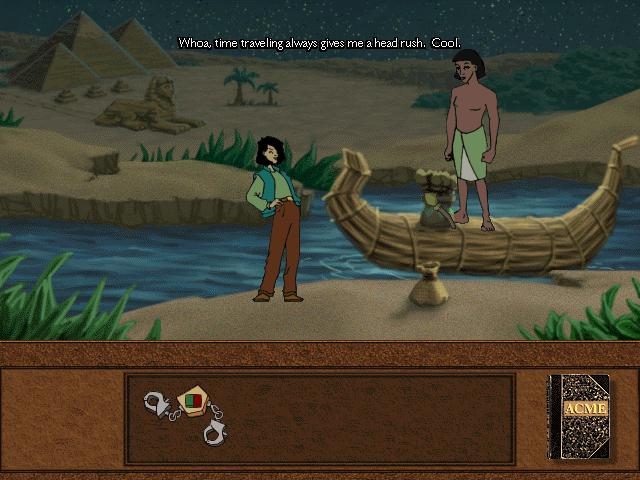
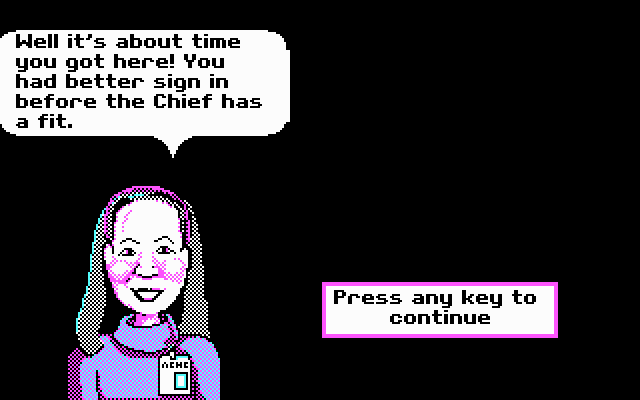
This was a fun game when I was a kid. I honestly didn't remember it till I saw the screenshot of the Egyptian guy and that iconic handcuff, then it hit me like a wave of nostalgia.
1
No comment nor review for this game at the moment.







 English



Comments and reviews
I have been trying to find this game for years for download that would not crap out - YAY for reliving childhood memories!
I've got the game working on Windows 11, and it works great but I'm getting some graphical issues. The screen is black but when I move my mouse over the screen it clears away the black but this resets every time the scene in the game changes. Does anyone have any advice for fixing this?
Good news folks, I found out how to get the 2nd disk to work with the Virtual Clone Drive!
For starters, I followed MATT's advice but I had to have two drives instead of one.
I had the 1st disk on drive F but when the time came to switch to the 2nd disk when the "Insert disk 2" prompt appeared, I had to disconnect from the virtual drive disk in order to dismount the 1st disk on drive F and mount the 2nd disk in its place and to re-connect my virtual disk drive, I had to mount the 1st disk on drive E and go through the process DJWAFER suggested to get to the start up menu.
After that, I was back at the "Insert disk 2" prompt where I pressed OK and just like that, I was back in business!
Hope this info proves helpful.
I used DJWafer's suggestion to install the whole thing and it worked. My problem now is trying to play the "2nd disk". I tried opening the 2nd .bin file with Virtual Clone Drive and went through the same process as the 1st .bin file but when I try to start it up, it says "Game not Found!". I don't know whether I was supposed to do something else or not but I am at a total loss right now.
I had issues putting in the 2nd CD file, aswell.
I read the "troubleshooting guide" which you can access on the menu before starting the game. there's a sections that says:
If the Carmen Sandiego's Great Chase Through Time startup window does
not appear automatically on screen:
1. Click Start, point to Programs, then to The Learning Company, and
and then the Carmen Sandiego's Great Chase Through Time folder.
2. Click the Carmen Sandiego's Great Chase Through Time menu item to
begin the game.
this worked for me. hope this helps!
For anyone who may be having audio issues after installing the game in virtualbox, you might want to turn off hyper v/memory intergrity in the settings. That will fix the issue.
Using PCem to emulate Windows 98 on my desktop. Played through disk 1 but when it asks to insert disk #2 I get an error message that the game file isn't found for disk 2. Any help would be greatly appreciated!
I got the game running using DJwafer's instructions. But, every time I pick up the first note in egypt, the game freezes up, and I can't get past that. I could try playing without the notes, I guess. But, wasn't sure if anyone had advice for troubleshooting this issue?
Got the game to work, aside from the graphic issues it works great. The only issue I seem to keep running into is that it freezes once in a while and I have to restart my computer each time. Any suggestions?
Has anyone gotten this to work on a steam deck?
I tried the method by DJWAFER, but after I clicked 'install' when the game opened, it just never installs it. Tried it multiple times, checked that I was doing .bin1, etc. Nothing. ;_;
I appreciate hosting all these games but without an included way to guarantee you'll be able to play it's kind of useless
Hi, is anyone else having an issue with starting Disc 2? I completed Disc 1, now I've opened the 2nd bin file. I run setup32.exe, and the game window opens. But when I try to click on the play button, a window pops up saying "game not found."
JACKRULES156
Are you using a PC with WinXP operating system, or PCem with WinXP environment or VirtualBox with WinXP environment, or if something else what is it?
not sure if anyone is still following this but I got it working up through disc 1 what do I do to get disc 2 to play?
Right click on Times32.EXE once installation is complete and click on properties. Go to compatibility - select compatibility mode - windows xp service pack 3 - click apply and okay. Run game.
To everyone having trouble with disk 2 on 95/98 VMS: You must disable autoplay on your cd rom drive else it will not work. Start - Settings - Control Panel. Double click system and then Device Manager. Select the CD Rom entry and open properties. On the Settings tab uncheck the box labeled Auto Insert Notification, click okay and restart. Confirmed working on PCEM and VirtualBox.
So I installed it like GUMSHOE suggested now the game seems very glitchy and jumpy so I don't know if I did it right but so sad can't play it
I played it on windows xp and it worked out well and finished the game
I have the same issue as NIRE. Does anyone know how to fix the issue? Thanks
I finished disc 1 on windows 95 Virtual Box but when I insert disk 2 it said game not found so that means I can’t get to finish the game completely. Help me that how i get this wrong
So I tried to install this, but when I get to the part where it asks to install QuickTime, there is no option to skip. The only options are "Install", "Exit", and "Help". Clicking Help" gave an error that said help could not be found. Clicking "Exit" gave the error that said "There was an error installing QuickTime for Windows. Please install the program again." I have not clicked on "Install", as I am concerned it will mess up my computer.
I enjoy the mystery games and solving puzzles.
Hi Everyone,
I am desperatly trying to download Where in the World is Carmen Sandiego "for my daughter" (even though it's probably more for me :P). I bought the physical copy of the CD rom but it's not working on my Windows 10 laptop. After that didn't work, I came here to see if I could download it. Unfortunately, I'm not very computer savvy, so I'm totally lost, and I can't really follow the instructions other users have posted here. After pressing the download button below, a zipped folder popped up with 2 very large BIN files and 2 CUE files (I have no idea what that means). I followed Gumshoe's instructions to download the Oracle Virtualbox, but now I'm stuck! Can anyone help? Thanks in advance!
Regarding Charlie's comment. I was having the same problem too. I assume you're using a Virtual Machine like I was. Here's what I did to fix it:
1. Launch game while Disk 1 is in the CD drive (.iso or .bin)
2. Wait for the prompt to say insert Disk 2.
3. Change virtual disk (iso or .bin) to disk 2.
4. [Important] Remember to re-connect your virtual disk drive.
5. Click OK on the prompt to Insert Disk 2.
That fixed it for me. What I kept missing was my disk drive was disconnected after changing the ISO to the 2nd disk. Hopefully this helps someone in the future.
if you're running a 64 bit operating system then don't waste your time trying to install it, just run it in a VM. ill never get those hours back.
I've tried every recommended way and i still cannot get disc 2 to play it says game not found in every try. Please help. Disc 2 has the bulk of the game on it.
Gumshoe's step by step and the included video worked perfectly for me! I just had to be sure the run Virtualbox as an administrator to "Insert Guest Additons" successfully. Your comment helped me a lot! Thanks Gumshoe!
I just finished playing this game on my Windows 10 machine, worked beautifully! Here was my procedure:
-Download and extract the game files from this page, gave me two large .bin files and two 1KB .cue files
-Download Oracle VM Virtualbox and install a virtual machine with Windows XP 32 bit. I used this video as a guide: https://www.youtube.com/watch?v=_GYeqWEHzZI Don't forget the Insert Guest Additions step at 9:20, I think this is necessary to allow the virtual machine to work in full screen mode.
-In the virtual machine, I used devices = optical drives = choose a disc file, selected the Cd_gctt1.cue from the directory. I just installed it normally, no tricks. I believe I went to My Computer and double clicked on the D drive to get the game menu to appear with the install option.
-I believe I did what DJWafer said in their step 5, I pressed "Skip" to not overwrite Quicktime (I'm fairly sure this is what I did).
-I had to use right ctrl-C to switch back and forth between scale (full screen) mode. I couldn't switch from disc 1 to disc 2 unless I was in windowed mode. Once the correct disc was in, I switched back to full screen mode.
Hope this helps someone!
Unforutnately, I couldn't get it to work, even after following DJWAFER's instructions ;3;
@DJWafer I followed your guide to a T. I managed to get the first part of the game installed successfully. But now I'm having trouble with Disc 2. Every time I open the installer, it brings me to the menu. But when I try to play the game, I get an error message saying "Game not Found." How can I fix it?
@DJWAFER These instructions almost completely worked for me. Once I got to the install setup32.exe part and clicked install, nothing happened. The 32 bit installer just stayed as a background process and no option to install Quicktime was prompted. I even double checked to make sure I was in the first .bin file which I was. Any ideas of what to try next?
@DJWAFER Did you get disk 2 (bin file 2) to work? When I open it with virtual clone drive it says game not found.
@ DJWAFER you are a lifesaver! Worked perfectly, thank you!
Here's how I got this to run on a Windows 10 machine :
1. Download file
2. Download and install Virtual Clone Drive https://www.elby.ch/en/products/vcd.html
3. Extract files and open the 1st .bin file with Virtual Clone Drive. It may open a folder with a series of files or it may prompt you asking what to do with a disc. You may also be able to navigate to a virtual CD-rom via your file explorer. When you open this folder there is a setup.exe file begging to be clicked, don't. Instead, navigate to the folder labeled 'Install', inside you will find the correct set-up file labeled setup32.exe. Run this using windows xp pack 3 compatibility (found in properties folder).
4. You should be looking at the start-up menu, congrats! Almost there. Click install. If it prompts you asking you to enter disc one it's because you've been using the 2nd .bin file instead of the first. Each set corresponds to disc 1 and disc 2, go back to the initial download folder and make sure that you're accessing these files through the first .bin file.
5. After the first part of installation it will prompt you to install Quicktime. Follow instructions and when it asks press 'Skip' so that it doesn't search your system and try to overwrite other instances of Quicktime.
6. You should get a message confirming a successful install.
7. Go back to that same setup32.exe file and run it, the start-up menu should now have an option to run the game.
8. Re-live that sweet childhood nostalgia.
note: This got the game running for me with some minor graphics issues. The game is absolutely playable, and there may be a way to sort this out, but I'm not sure. If someone finds a fix for that please share!
ps: I've never written a guide like this before but there didn't seem to be a readily accessible answer to a problem that seemed to be shared by everyone. I hope this helps at least one person. Take care,
The best way to play this game is on a window xp virtualbox. just make sure its the 32 version not the 64.
if u love this... shud try playing Monkey Island
Was soo excited for the opportunity to play this again but sadly couldn't get it to work :( Tried mounting the .bin file into PowerIso and also converting the .bin to .iso and mounting that but when I open the setup.exe file and click Install, all I get is an error message saying "screen info not found!"
im doing this for nostalgia
DAEMON Tools can't mount the files, states that access is denied.
I can't get this to run. I've installed all the correct programs, but when I try to install it, it says that there isn't a program to install it. Help!
This was MY JAM back in elementary school! It's actually how I learned a lot of history because my school wasn't the best at teaching history when I got to high school (went to a private K-12 school). I loved every bit of it and cannot wait to try and beat the VILE agents again!
Like WIN I can get the game to work but there's no sound. Any suggestions?
Doesn't work. I have a Surface Pro. Link downloaded two BIN and CUE files. Not sure what to do with those.
CD1 works fine on Win98 vm but CD2 wont work. Any solutions??
Addition,, How do I download and play this game on a Macbook pro?
Setup VirtualBox and Run it there. It's Just Easier
I used to love playing this game as a kid.
got the game to work, but can't hear any sound. what to do?
LOVINIT How do you use the ISO file after converting it with AnyToISO?
This is the game right a fter Where in the world is Carmen Sandiego right?
With the BIN and CUE files you can create an ISO file which can be mounted as a CD (or burned). AnyToISO worked great, just point it at the BIN files and it automatically sees the CUE and makes an ISO. Just mounted the ISOs for a Win98 virtual machine, installed the game and QuickTime 2.1 and it plays flawlessly!
I second ZC's question. I can't get this to run
how do i play this?
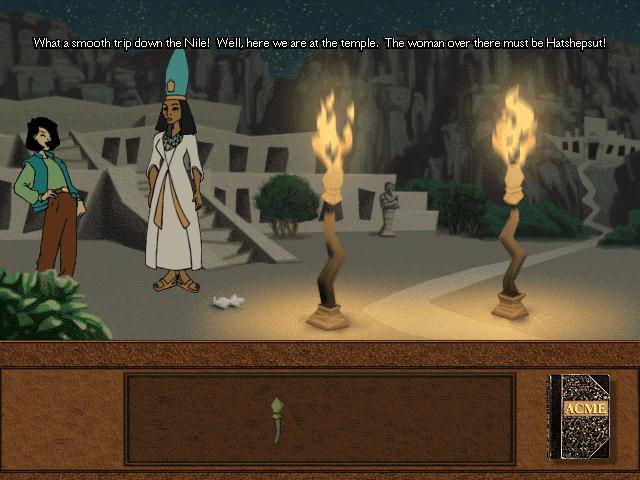
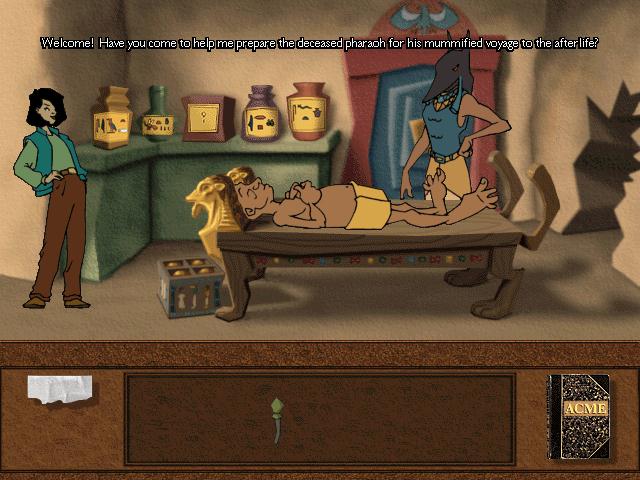
This was a fun game when I was a kid. I honestly didn't remember it till I saw the screenshot of the Egyptian guy and that iconic handcuff, then it hit me like a wave of nostalgia.
No comment nor review for this game at the moment.