


How to Play
Old NoCD showed many generic warnings, it is safe to use. We uploaded that NoCD as alternative NoCD, in case if someone will have troubles with first NoCD
The game with NoCD has been tested on Windows 7 64-bit and Windows 10, it works fine, the game supports widescreen. The game was using infamous StarForce DRM that can break your system, so make sure to install NoCD before the first launch of the game! You may experience some small troubles when you play the game on modern systems, check our Guide and Notes for more details
Install & play guide (for English CD version):
- Mount the disc image. You will need the utility for mounting disc image files, like WinCDEmu, UltraISO, Alcohol 52%/Alcohol 120% or Daemon Tools Lite
- Install the game (if autorun doesn't work - simply launch the installation from Setup.exe inside the disc). It is recommended to install the game not in default path, but in some other, non-system folder, like
C:/Games/DR vs AK - Skip the installation of GameSpy, it was an apps for the multiplayer game, it doesn't work anymore
- At the end of installation, the installer will ask if you want to restart the computer - press "No", otherwise the StarForce drivers will be installed on the next loading
- After you installed the game - install NoCD, simply copy the files from the archive and put it into game folder, agree to replace the original files. The English version is already pre-patched to v1.18, it doesn't require the patch
- Open the game folder and find AK.exe. Right click on AK.exe -> Properties -> Compatibility -> Set "Run this app in compatibility mode with Windows XP" and "Run as administrator"
- Launch the game and play. If the game doesn't work in compatibility mode with Windows XP - try to launch it in compatibility mode with other version of Windows (Windows 98, 2000, etc.)
If the installation instruction sounds hard for you, you can use Full-Rip variant - it is the archive with pre-installed game v1.18 with NoCD included. Also, we added DRM-Free setup from War Games Trilogy compilation. Unlike CD version, that setup has no protection, simply install & play. But it seems it has a slightly different UI with bigger fonts, so we uploaded both versions
Notes:
- If the installation doesn't start - try to launch Setup.exe in compatibility mode with old version of Windows (98, 2000 or XP)
- It is recommended to install all versions of Microsoft Visual C++ Redistributable and NET Framework for the correct work of the game. Also it is recommended to install K-Lite Codec Pack for the correct work of in-game videos
- The game works on DirectX 9, so if you're using Windows 8, 8.1, 10 or 11 - you need to enable DirectPlay: Go to Control Panel, and select 'Programs'. Select 'Turn Windows features on and off', click on 'Legacy Components' and check the box 'DirectPlay'. Select OK, once the installation is done, restart your computer
- Be careful, the game was using infamous StarForce DRM that can break your system! That DRM can ruin your computer, especially if you use 32-bit variant of Windows OS! Don't run the game right after the installation, use NoCD BEFORE the first launch of the game, to avoid the installation of StarForce DRM drivers
- If you want to change the key bindings - run ShorcutEditor.exe. Be careful, that file is protected with StarForce DRM too, so don't run it before you replace ShorcutEditor.exe with exe-file from NoCD
- The game natively supports wide screen resolutions up to 1920x1080 (for 16:9 displays) and 1920x1200 (for 16:10 displays)
- If you have problem with broken sound effects or stuttering sound - try to cap the game's framerate with one of framerate limiter utilites. D-Day, another game on same engine, was having the issue when the sound started stuttering on high FPS; however, there should be no such trouble in this game. If it didn't work - try to set the sound quality to 24 bit, 48000 Hz or 24 bit, 44100 Hz. Read this guide how to do that
- If the text in the game is not visible or broken, do the next: go to Control Panel -> Font Options, remove Agency FB or Agency FB Bold font, then open game folder, copy Agency.TTF file to the Windows fonts directory (
C:/Windows/Fontsby default); then restart your computer. Do that only if you have troubles with broken fonts in the game - The multiplayer part of the game was working through GameSpy servers which were shut down over a decade ago. You can use OpenSpy or other alternative tools to play the game in online multiplayer
- Realism Mod by sawark changes the in-game balance to make the game more harder and interesting for experienced players. The author tested the mod on English & Polish versions, but it should be compatible with any language version. Check this page for more details about the mod and possible updates
- Don't forget to check PCGamingWiki if you have troubles!
 English
  Czech
Czech  German
  Spanish
  Estonian
  Hungarian
  Japanese
  Polish
  Russian
  Chinese







Comments and reviews
Why does the Muliplayer not work? Well, we try to used it with RadminVPN, we found us.
But you cant make the button to ready & then not start... can someone help us?
is there a way to play multiplayer with these games because everytime i host a multiplayer session i cant ready myself nor my teammatss
map editor dont work. Not sure if it is for multiplayer or champaign or both.
Oh, and turn off the DXVK
For those who want to play on linux. I installed the game (hungarian version) on my steam deck with lutris and used Wine-ge-8-26-x86_64, it works with it.
Worked once, but evertime I try to start it now it just shows a white screen in a window
I installed the game and all. it even starts up. But there are no text. I can se zu GUI an even can klick on invisibel buttons. just cant see Text writen.
I've tried to run the game on Linux without success. Selecting Windows XP compatibility did not work, I've also tried adding the game to Heroic Launcher and Steam and running it with other different compatibility settings and nothing. The closest the game's been to launching is a small black screen. Any help will be greatly appreciated.
Below is the output of wine ./AK.exe with Windows XP compatibility settings:
0074:err:environ:init_peb starting L"C:\\windows\\syswow64\\winedevice.exe" in experimental wow64 mode
007c:fixme:ntoskrnl:PsSetCreateThreadNotifyRoutine stub: 00ED05C0
008c:err:environ:init_peb starting L"C:\\windows\\syswow64\\winedevice.exe" in experimental wow64 mode
wine: Unhandled page fault on write access to 7A7C9014 at address 00ED0C59 (thread 0094), starting debugger...
00a4:err:environ:init_peb starting L"C:\\windows\\syswow64\\winedbg.exe" in experimental wow64 mode
0064:err:ole:start_rpcss Failed to start RpcSs service
003c:err:service:process_send_command service protocol error - failed to read pipe r = 0 count = 0!
003c:fixme:service:scmdatabase_autostart_services Auto-start service L"prosync1" failed to start: 1053
00c8:err:environ:init_peb starting L"C:\\windows\\syswow64\\winedevice.exe" in experimental wow64 mode
wine: Unhandled page fault on read access to FFFFFFFF at address 00EDD264 (thread 00d0), starting debugger...
00e0:err:environ:init_peb starting L"C:\\windows\\syswow64\\winedbg.exe" in experimental wow64 mode
003c:err:service:process_send_command service protocol error - failed to read pipe r = 0 count = 0!
003c:fixme:service:scmdatabase_autostart_services Auto-start service L"prohlp02" failed to start: 1053
00f4:err:environ:init_peb starting L"C:\\windows\\syswow64\\winedevice.exe" in experimental wow64 mode
wine: Unhandled page fault on read access to FFFFFFFF at address 00EDB83F (thread 00fc), starting debugger...
010c:err:environ:init_peb starting L"C:\\windows\\syswow64\\winedbg.exe" in experimental wow64 mode
003c:err:service:process_send_command service protocol error - failed to read pipe r = 0 count = 0!
003c:fixme:service:scmdatabase_autostart_services Auto-start service L"prodrv06" failed to start: 1053
0160:fixme:wineusb:query_id Unhandled ID query type 0x5.
0160:fixme:wineusb:query_id Unhandled ID query type 0x5.
0160:fixme:wineusb:query_id Unhandled ID query type 0x5.
0160:fixme:wineusb:query_id Unhandled ID query type 0x5.
0160:fixme:wineusb:query_id Unhandled ID query type 0x5.
0160:fixme:wineusb:query_id Unhandled ID query type 0x5.
0160:fixme:wineusb:query_id Unhandled ID query type 0x5.
0160:fixme:wineusb:query_id Unhandled ID query type 0x5.
0160:fixme:wineusb:query_id Unhandled ID query type 0x5.
0160:fixme:wineusb:query_id Unhandled ID query type 0x5.
0160:fixme:wineusb:query_id Unhandled ID query type 0x5.
0198:err:environ:init_peb starting L"Z:\\home\\user\\Games\\Heroic\\Prefixes\\default\\DRvsAK\\drive_c\\Program Files (x86)\\Monte Cristo\\DR vs AK\\AK.exe" in experimental wow64 mode
0198:err:module:loader_init "TENGINE.DLL" failed to initialize, aborting
0198:err:module:loader_init Initializing dlls for L"Z:\\home\\user\\Games\\Heroic\\Prefixes\\default\\DRvsAK\\drive_c\\Program Files (x86)\\Monte Cristo\\DR vs AK\\AK.exe" failed, status c0000142
A muitos anos estou procurando o Desert Rats vs. Afrika Korps, hoje por acaso achei ele, tenho ele no CD, mas o mesmo esta danificado.
buenas tardes, tengo problemas para iniciar el juego de la version en español. cada vez que le doy click a la aplicacion me pide que reinicie el programa. lo hago pero vuelve a aparecerme una y otra vez el mensaje. le pedi ayuda a la ia y me dice que descargue la version NOCD pero no hay una version en español. si hay una version nocd en español me gustaria que me dijeran cual es. gracias.
Small update - we've found the DRM-Free variant for English version, we uploaded it as DRM-Free setup
Another glorious day in the corps! A day in the Marine Corps is like a day on the farm. Every meal is a banquet, every paycheck a fortune, every formation a parade! I LOVE THE CORPS!
We updated this page, added more language versions plus Full-Rip of English version, because the game was using StarForce DRM
Spanish :
https://archive.org/details/afrika.-korps.vs.-desert.-rats.-espanol.by.-tiode.y.-abraxas.-delirium.-group.para
Simplified Chinese (with patch) :
https://archive.org/details/DRVSAK_CHS
To get this game to run on wine you will have to configure wine to run as Windows XP, otherwise it will not boot, if you're housing the Heroic launcher, you can do that by going to config and winecfg, furthermore in Heroic you'll need to turn off DXVK and just all the little settings there. The performance isn't great, but at least it is playable!
Ига требует перезагрузки системы. После перезагрузки системы снова требует перезагрузки...
Что делать?
SAVKE456 If no letter on start menu, just follow what NAZREEN say and reboot your PC after unzip the fix files
NAZREEN Yep, 1.18 Fixed Files solved the problem. Thank you!
Never mind about my last comment, I solved it by installing from the ISO download somehow.
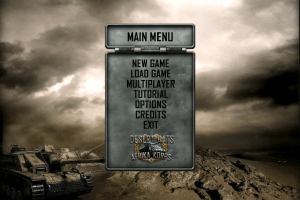
Hello, I have a problem with the game, can anyone help? In the opening intro there are no subtitles (like when the screen turns grey when it should show their names but it doesn't) and more importantly when there are no letters of any kind in the main menu. I can click and open stuff but again everything is blank, I can't see what im pressing.
NAZREEN thanks it worked for me
Windows 11 installation
Install hangs with a black screen after copying all the files, open Task Manager and End Task. This will leave the already installed files on your PC. Create a desktop shortcut to the exe file and you should be good to go :)
to fix crash issue during mission Operation Torch, u need to redownload the no-cd ak.exe use the v1.18 no cd,the last updated one here
https://gamecopyworld.com/games/pc_afrika_korps_vs_desert_rats.shtml
the issue is caused by the corrupted ak.exe supplied with rip pre-patched & iso
Loved these games, all of Monte Cristo games were really good (Men Of War etc).
I have the same problem, operation torch crashes. Its a Windows 10 problem, there is no fix for it. :(
I am having a issue with prepatched version, on allied mission, operation torch, it crashes at the intro to the mission. anyone else have this issue?
I didnt have the issue back when i had my original disc.
Check Full RIP pre patched version, there no DRM (No-CD is inside "Crack" folder). I installed & played that version, works fine on Win7-x64 in full widescreen
Oh this is spooky.
I was thinking of if you were going to bring this here, like, yesterday or something.
Good game, I bought it when it was first released, but had some nasty DRM from what I remember.
No comment nor review for this game at the moment.