



How to Play
The game with NoCD has been tested on Windows 7 64-bit and Windows 10, it works fine, the game supports widescreen. You may experience some small troubles when you play the game on modern systems, check our Guide and Notes for more details
Install & play guide:
- Mount the disc image. You will need the utility for mounting disc image files, like WinCDEmu, UltraISO, Alcohol 52%/Alcohol 120% or Daemon Tools Lite
- Install the game (if autorun doesn't work - simply launch the installation from Setup.exe inside the disc). It is recommended to install the game not in default path, but in some other, non-system folder, like
C:/Games/Moscow to Berlin - If you install English version from our website, you don't have to use NoCD. That version is from DRM-Free re-release, it has no protection
- Open the game folder and find M2B.exe. Right click on M2B.exe -> Properties -> Compatibility -> Set "Run this app in compatibility mode with Windows XP" and "Run as administrator"
- Launch the game and play. If the game doesn't work in compatibility mode with Windows XP - try to launch it in compatibility mode with other version of Windows (Windows 98, 2000, etc.)
English version on our website doesn't have any DRM-protection, it is the version from DRM-Free re-release. You can simply install & play
Notes:
- If the installation doesn't start - try to launch Setup.exe in compatibility mode with old version of Windows (98, 2000 or XP)
- It is recommended to install all versions of Microsoft Visual C++ Redistributable and NET Framework for the correct work of the game. Also it is recommended to install K-Lite Codec Pack for the correct work of in-game videos
- The game works on DirectX 9, so if you're using Windows 8, 8.1, 10 or 11 - you need to enable DirectPlay: Go to Control Panel, and select 'Programs'. Select 'Turn Windows features on and off', click on 'Legacy Components' and check the box 'DirectPlay'. Select OK, once the installation is done, restart your computer
- Be careful, the game was using infamous StarForce DRM that can break your system! Most versions of the game, including the original English release, was protected by StarForce DRM. That DRM can ruin your computer, especially if you use 32-bit variant of Windows OS! Don't run the game right after the installation, use NoCD BEFORE the first launch of the game, to avoid the installation of StarForce DRM drivers
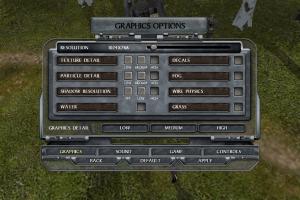
- The game natively supports wide screen resolutions up to 1920x1080 (for 16:9 displays) and 1920x1200 (for 16:10 displays)
- In the directory with installed game, you can find
Localfolder, it contains the language files for many languages, including English, French, German, Italian, Spanish and others, here's the full list of files. You can switch the game to another language by replacing LockitText.txt inLocal/Englishfolder: for example, if you want to switch the language to French, copy LockitText.txt fromLocal/Frenchfolder and replace the file inLocal/Englishfolder (don't forget to make the copy of original LockitText.txt). This way you can switch the text in the game, the audio will remain the same. In the case of some languages, the text may not be displayed if the language is not supported by your system - There's a small bug in the game when the tanks Panzer IIIH, Panther and few models of T-34 tanks are not displayed in the in-game encyclopedia, even though they are presented in the game. Also, there's another small bug when the name of T-34 tank is not shown when you move the cursor on it. The fix by sawark fixes both issues, the author tested it on English & Polish versions but that fix should work with all other languages too, check this page for more details
- If you have problem with broken sound effects or stuttering sound - try to cap the game's framerate with one of framerate limiter utilites. D-Day, the earlier game on same engine, was having the issue when the sound started stuttering on high FPS; however, there should be no such trouble in this game. If it didn't work - try to set the sound quality to 24 bit, 48000 Hz or 24 bit, 44100 Hz. Read this guide how to do that
- The multiplayer part of the game was working through GameSpy servers which were shut down over a decade ago. You can use OpenSpy or other alternative tools to play the game in online multiplayer
- Don't forget to check PCGamingWiki if you have troubles!
 English
  Czech
Czech  German
  Estonian
  Russian







Comments and reviews
We updated this page, added more language versions
No comment nor review for this game at the moment.