








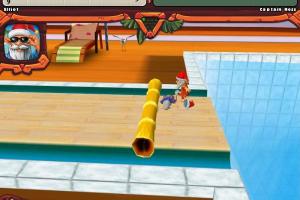

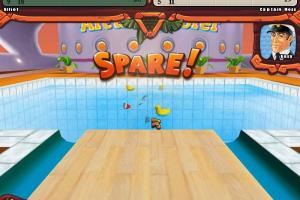
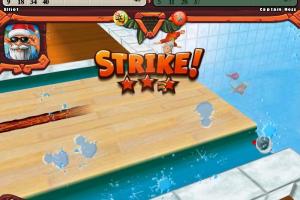
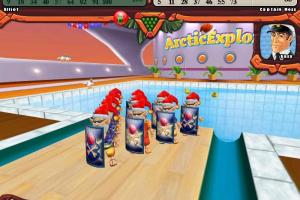







How to Play
Notes:
- You can change multiple graphics settings in CoreConfig.xml.cr in the game directory. For example, you can enable custom screen resolutions, including ultrawide. To change the screen resolution, open CoreConfig.xml.cr in Notepad and edit
ScreenWidthandScreenHeight. The downside of that method is that UI doesn't scale, so on high screen resolutions it will look small. Don't changeViewportScalein CoreConfig.xml.cr - it will make the UI larger, but the menu and bowling ball turning will be broken! - You can also change FOV (Field of View) and framerate cap in same CoreConfig.xml.cr file. To change FOV, edit the line
CameraFov(by default it is 60). If you want to change the framerate cap - editMaxFPS, you can safely enter any numbers up to 144 FPS, there should be no game-breaking issues on high FPS
 English





Comments and reviews
i really love playing elf bowling so much since i was a kid. i really miss playing that game. but im so sad that it go discontinued. i wish the elf bowling games or not discontinued
This is one of the best Bowling games I've played apart from Gutterball 2, which amazingly still has online high scores both daily, weekly, monthly and all time best.
Hawaiian Bowling used to be available on Steam, but they removed it for some reason. Thankfully being a fan of the Elf Bowling series, I bought it over 15 years ago; now, it's free for all to enjoy.
This is also available bundled together with The Last Insult version (sixth release) as a Holiday pack:
https://www.myabandonware.com/game/elf-bowling-holiday-pack-yni
i love elf bowling hawaiian vacation
missing file
I Used To Play Elf Bowling Hawaiian And 1 1/7 the last insult All The Time
wonderful game!
Thanks so much for the config fix! Im playing on a tv on Windows 11 and was so frustrated!!
No comment nor review for this game at the moment.