You are on the beta version of My Abandonware. The live site is still myabandonware.com. Your favorites and ratings here are copied to the live site. Comments and other changes are not — we delete them every morning at 08:00 Paris time, when this site goes down for about an hour. Leave feedback through this link to Pastel (email required).
The beta goes down at 08:00 Paris time, in a few minutes. We rebuild the database from the live site. It comes back in about an hour.
Game installs and runs fine but the game wont open in full screen :(
0
Sacorny20 Mar. 2025
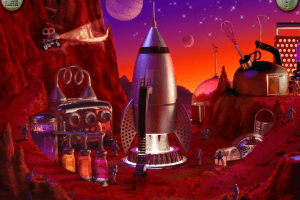
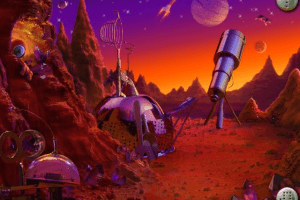
I ran into a problem with running this game with CDEmu. whenever I click the rocket ship for the second set of space riddles, for some reason, it had a script error. I am not sure how to fix it
0
fattie03 Feb. 2025
where the sigma ohio skibiti baddies at. I do not spy them. #thug4life
-17
JAY14 Jan. 2025
UPDATE:
I got it to work! The reason why I kept getting "This application cannot run" on start had nothing to do with the CD type showing as DVD instead of CD-ROM. For some reason on my 2k display, the game file wasn't able to automatically run at its native resolution which is 640x480. I found out I have to right-click, go to "Properties", and check the "Run in 640x480 resolution" option. I also check the "Run this program in compatibility mode for: Windows XP (Service Pack 3)" option, but I'm not sure if it's needed for this game. It WAS needed for another game I was troubleshooting which is where I got the idea to check for this solution on this game. SO HAPPY I GOT IT TO WORK!
4
gumball14 Jan. 2025
when I was a kid I like this game a lot. But now I don't like this game. It's so easy.
-8
kitkat03 Nov. 2024
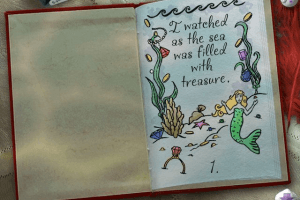
works great! having weird issue though where when there's a video portion the screen will turn black save the moving piece (ex. when the mermaid comes on screen and speaks, everything but her turns black)
0
JAY04 Sep. 2024
Update: So I know what the issue is (I think), but I'm not sure how to fix it. The mounting programs that I tried using cannot mount it as CD-ROM. No matter how many times I try or how many different drive letters I try, if I select CD-ROM as the type of drive it will ALWAYS show as BD-ROM which the game cannot run on. I tried downloading the French version as well as the ISO file from archive.org and the same problem persists. I also tried Daemon Lite as a different mounting software, but the same problem persists. The game will not mount as CD-ROM, but instead will mount as DVD by default or, if you change the type to CD-ROM manually through your mounting software, will show as BD-ROM which will not be runnable. It always ends in "This application cannot run" error window. I'd really like to know what operating system and mounting software the other people are able to run the game with...really want to play this game now as the others work fine but this one is becoming the "white whale" for me!
0
Jay24 Aug. 2024
So I've been using WinCDEmu to run all my older games that I'm downloading ISO files for. This one I canNOT get to run. After downloading the I SPY Fantasy ISO file (extracted, of course), I use WinCDEmu to mount it, changing the format to CD-ROM from DVD. I tried it in my Windows XP VirtualBox environment as well, but neither worked. After running Setup and installing the files for the game, I'll click "Play" and I always get this error: "This application was not able to run." Have no idea why this one isn't working, as I've already downloaded and played two of the other I SPY games on the same system using the same method. Help! T_T
0
Alex17 Aug. 2024
I’m having the exact same problem as Sam, I can’t find any solution to this problem on this website or anywhere
0
Lissa23 Apr. 2024
I used to be able to play this game by just installing it, but now it says I need to insert the disk and no matter what I do, it doesn't seem to be working, does anyone know what to do?
4
Sam21 Mar. 2024
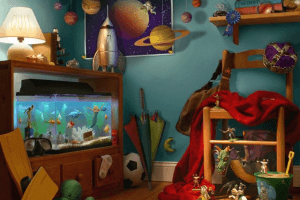
Black screens come up when I am solving the final puzzle. When I was putting the power crystals into the fuel tank, the screen would go black except where the fuel tank was and would not go back to normal after, unless I exited out of the rocket ship first and then returned. The mermaid area did the same black screen when the dolphin found the treasure for me and lastly while making the dragon shrinking potion the same blackened screen would appear and not go away until I refreshed the scene by backing out and returning. It seems to be an issue with the old abandoned copies of this game as Ivehad this same issue with another copy from the old games website.
0
Keket27 Dec. 2023
So the game installed fine however when I went to play it a message popped up saying to insert the disc so I am unable to run it....I spy mystery and school days also pop up the same message about inserting a disc; however, fun house and treasure hunt both work fine. Any ideas why this would happen? I'm pretty let down ):
-1
sarah6821 Oct. 2023
I was able to install the game using Daemon tools lite and the game is run-able, albeit with a few black screens here and there but when I try to play the second part of the space puzzle the game has a "an index out of rage" error message and crashes.
0
SkyRider08 Sep. 2023
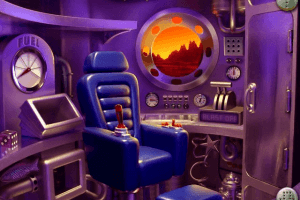
This game works pretty okay but there are some weird picture quality happening. Like when I click on a crystal ball for fueling the rocket the screen becomes black and when I move the ball around it erases the black screen. When I played this game back in the day it was never like that.
1
Grayson05 Nov. 2022
I'm going to get a i spy What else to say w the
0
I hate ispy03 Oct. 2022
Yuck!
-10
broosc25 Mar. 2021
idk what any of you guys are talking about, the game works perfectly for me
0
BD11 Jan. 2021
GAMER sorry, i meant GRINGO
-3
BD11 Jan. 2021
GAMER and JACOB, install Daemon Tools lite then mount the iso file to install and play. ISO is like a virtual cd and daemon tools create the virtual drive for it
2
Gringo04 Jun. 2020
GAMER can you explain exactly how you did it PLEASE
2
gamer22 Apr. 2020
Once you download the iso file i used a program called CDEmu to emulate a cd, just when running the emulator choose "CD-ROM" as an option and not "data drive"
-1
Guess Who31 Jul. 2019
Top comment
So JACOB really should make an apology to the people of this website, I think.
21
Guess Who31 Jul. 2019
Top comment
JACOB also needs to learn a little bit about what an ISO is, what the difference is with a real CD ROM, before accusing other people of scamming.
8
Guess Who31 Jul. 2019
JACOB needs to cool down, be polite and just BUY his games before accusing other people of ripping him off (which is not the case anayway...)
3
JustJinxxIt14 Jul. 2019
Top comment
Easy to install on PC! Just unzip, mount, run the installer and launch! It works really well so far, I've played the entire space level. I noticed that during the portion where you fuel up the rocket the screen goes black. You can still interact with everything and once you put all the crystals in and blast off it clears away all the black so don't panic if it happens!
13
Jacob24 Apr. 2019
I was really hoping of Downloading this game for FREE for WINDOWS but it seems you have scammed me and decided to be like "when people and kids see this, they are gonna expect to download and play this. but sadly they have to have the CD ROM disc to play" like. that's really F'd up and not right. you need to give people what they came for when they download your games. not rip them off
-33
Jacob24 Apr. 2019
it would be nice and APPRECIATED if these games were all FREE like you stated in your title and Not Lies like having me click on games that is made for windows but you Expect me to have a ISO CD ROM to play I spy. and how bout add FREE Windows download games for Putt-Putt games (no not the golf Putt Putt, the Little Purple car of Cartown) instead of being like "I'm gonna go awol and have people buy these type of games through Steam" you know, it's never a good idea to make a website that contains FREE games but then throw people off with having them buy the game on Steam nor is it a good idea to provide a game that requires a ISO CD ROM disc to play. that tells everyone that you are ripping them off for prohit rather than keeping your word on the whole FREE Game issue. you need to get your act straight and keep what you promised us people
-29
No comment nor review for this game at the moment.










 English
  French



Comments and reviews
I like spy games!
Why do I need a CD-ROM to play?
Game installs and runs fine but the game wont open in full screen :(
I ran into a problem with running this game with CDEmu. whenever I click the rocket ship for the second set of space riddles, for some reason, it had a script error. I am not sure how to fix it
where the sigma ohio skibiti baddies at. I do not spy them. #thug4life
UPDATE:
I got it to work! The reason why I kept getting "This application cannot run" on start had nothing to do with the CD type showing as DVD instead of CD-ROM. For some reason on my 2k display, the game file wasn't able to automatically run at its native resolution which is 640x480. I found out I have to right-click, go to "Properties", and check the "Run in 640x480 resolution" option. I also check the "Run this program in compatibility mode for: Windows XP (Service Pack 3)" option, but I'm not sure if it's needed for this game. It WAS needed for another game I was troubleshooting which is where I got the idea to check for this solution on this game. SO HAPPY I GOT IT TO WORK!
when I was a kid I like this game a lot. But now I don't like this game. It's so easy.
works great! having weird issue though where when there's a video portion the screen will turn black save the moving piece (ex. when the mermaid comes on screen and speaks, everything but her turns black)
Update: So I know what the issue is (I think), but I'm not sure how to fix it. The mounting programs that I tried using cannot mount it as CD-ROM. No matter how many times I try or how many different drive letters I try, if I select CD-ROM as the type of drive it will ALWAYS show as BD-ROM which the game cannot run on. I tried downloading the French version as well as the ISO file from archive.org and the same problem persists. I also tried Daemon Lite as a different mounting software, but the same problem persists. The game will not mount as CD-ROM, but instead will mount as DVD by default or, if you change the type to CD-ROM manually through your mounting software, will show as BD-ROM which will not be runnable. It always ends in "This application cannot run" error window. I'd really like to know what operating system and mounting software the other people are able to run the game with...really want to play this game now as the others work fine but this one is becoming the "white whale" for me!
So I've been using WinCDEmu to run all my older games that I'm downloading ISO files for. This one I canNOT get to run. After downloading the I SPY Fantasy ISO file (extracted, of course), I use WinCDEmu to mount it, changing the format to CD-ROM from DVD. I tried it in my Windows XP VirtualBox environment as well, but neither worked. After running Setup and installing the files for the game, I'll click "Play" and I always get this error: "This application was not able to run." Have no idea why this one isn't working, as I've already downloaded and played two of the other I SPY games on the same system using the same method. Help! T_T
I’m having the exact same problem as Sam, I can’t find any solution to this problem on this website or anywhere
I used to be able to play this game by just installing it, but now it says I need to insert the disk and no matter what I do, it doesn't seem to be working, does anyone know what to do?
Black screens come up when I am solving the final puzzle. When I was putting the power crystals into the fuel tank, the screen would go black except where the fuel tank was and would not go back to normal after, unless I exited out of the rocket ship first and then returned. The mermaid area did the same black screen when the dolphin found the treasure for me and lastly while making the dragon shrinking potion the same blackened screen would appear and not go away until I refreshed the scene by backing out and returning. It seems to be an issue with the old abandoned copies of this game as Ivehad this same issue with another copy from the old games website.
So the game installed fine however when I went to play it a message popped up saying to insert the disc so I am unable to run it....I spy mystery and school days also pop up the same message about inserting a disc; however, fun house and treasure hunt both work fine. Any ideas why this would happen? I'm pretty let down ):
I was able to install the game using Daemon tools lite and the game is run-able, albeit with a few black screens here and there but when I try to play the second part of the space puzzle the game has a "an index out of rage" error message and crashes.
This game works pretty okay but there are some weird picture quality happening. Like when I click on a crystal ball for fueling the rocket the screen becomes black and when I move the ball around it erases the black screen. When I played this game back in the day it was never like that.
I'm going to get a i spy
What else to say w the
Yuck!
idk what any of you guys are talking about, the game works perfectly for me
GAMER sorry, i meant GRINGO
GAMER and JACOB, install Daemon Tools lite then mount the iso file to install and play.
ISO is like a virtual cd and daemon tools create the virtual drive for it
GAMER can you explain exactly how you did it PLEASE
Once you download the iso file i used a program called CDEmu to emulate a cd, just when running the emulator choose "CD-ROM" as an option and not "data drive"
So JACOB really should make an apology to the people of this website, I think.
JACOB also needs to learn a little bit about what an ISO is, what the difference is with a real CD ROM, before accusing other people of scamming.
JACOB needs to cool down, be polite and just BUY his games before accusing other people of ripping him off (which is not the case anayway...)
Easy to install on PC! Just unzip, mount, run the installer and launch! It works really well so far, I've played the entire space level. I noticed that during the portion where you fuel up the rocket the screen goes black. You can still interact with everything and once you put all the crystals in and blast off it clears away all the black so don't panic if it happens!
I was really hoping of Downloading this game for FREE for WINDOWS
but it seems you have scammed me and decided to be like "when people and kids see this, they are gonna expect to download and play this. but sadly they have to have the CD ROM disc to play" like. that's really F'd up and not right. you need to give people what they came for when they download your games. not rip them off
it would be nice and APPRECIATED if these games were all FREE like you stated in your title and Not Lies like having me click on games that is made for windows but you Expect me to have a ISO CD ROM to play I spy. and how bout add FREE Windows download games for Putt-Putt games (no not the golf Putt Putt, the Little Purple car of Cartown) instead of being like "I'm gonna go awol and have people buy these type of games through Steam" you know, it's never a good idea to make a website that contains FREE games but then throw people off with having them buy the game on Steam nor is it a good idea to provide a game that requires a ISO CD ROM disc to play. that tells everyone that you are ripping them off for prohit rather than keeping your word on the whole FREE Game issue. you need to get your act straight and keep what you promised us people
No comment nor review for this game at the moment.