



The chances of anything coming from Mars are a million to one
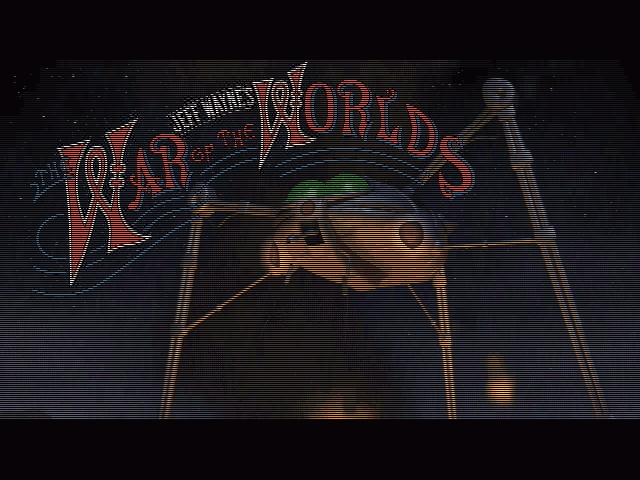
War of the Worlds has quite a history in the various media. It's been the original book, a radio broadcast which scared the hell out of America, a film, a musical, a recent TV series that is best ignored and now a PC game. For those of you who don't know, the story is simple enough; in the late nineteenth century Martians decide they can't survive on Mars anymore, so they decide to invade Earth. They choose Britain as their primary target, because of its economic and military significance. The game is actually based on the Jeff Wayne musical, rather than solely on the HG Wells book. This has some bonuses, most notably in the quality of the music. Once Wayne's soundtrack blasts out in the opening video, you're in familiar territory.
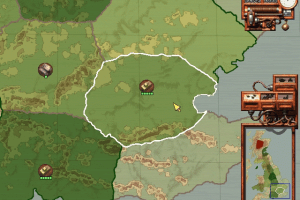
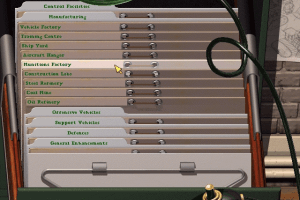
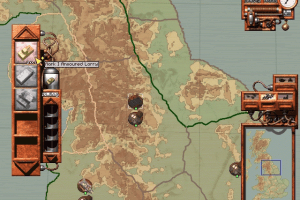
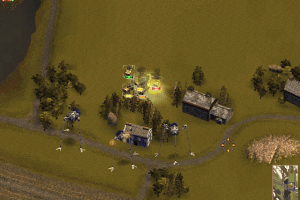
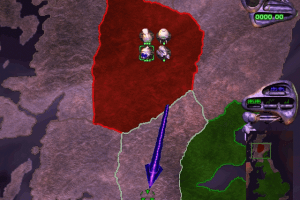
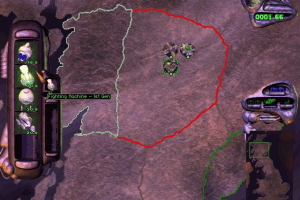
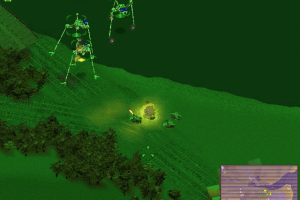
You can choose one of two campaigns, the human or the Martian. The objective of each is to destroy your enemy's main base. The game is split into two modes. The war map, from which you can view resource levels, troop movements and factory output, is a rather nice map of Britain. The battle map has beautifully rendered landscapes upon which you can build factories, defences, facilities etc and attempt to shoot the hell out of the enemy. Changing between the two levels is a bit slow for my liking, although I don't have the fastest CD-ROM drive around, which may be the reason. Since you have to change modes to build stuff, that slowness can get a bit irritating.
Holding the line
Whichever side you're playing, the Martians take Scotland very quickly and the game then becomes focused on a frontline around Northumberland. It gets to the stage where both sides have fortified sectors on the border and are performing hit and run attacks on the other side's bases. The key being that when a main base is destroyed the sector automatically loses all its defences and facilities, as well as the ability to attack from that sector. A problem with this is that the border usually consists of three sectors, not really leaving much option for where attacks are likely to come from. This partly comes from the number of sectors on the map, but also I think from the choice of only using Britain as a setting. A world or European map might have offered more possibilities. Anyway, once this border is set up the fight is for who can make the most powerful machines or destruction and get them into combat fastest.
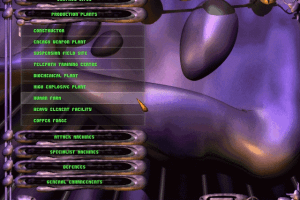
Resource management is the key, as always, to the game. Each side has three resources; there's Steel, Oil and Coal for humans, whereas the Martians require Copper, Heavy Elements and Human blood. Your machines build facilities to mine these resources in territories you control. You can only build in, and attack from, a sector where you have a communications base. Which makes these facilities a high priority, though luckily you get a few to start with.
One thing I was originally concerned about was whether the game would be imbalanced in favour of the Martians. Luckily this is not the case, and the game is actually very well balanced, while still giving the impression that the Martian vehicles are much more powerful than the humans. This works mainly because the Martian vehicles take longer to build and so are less numerous than the human ones. A Martian heat ray can fry a lorry in a shot or two, but when a Martian unit has twenty lorries to deal with, then some damage is bound to be done.
The AI is for the most part good. I often found the computer exploiting my weak points or attacking one sector. If I moved troops there, it would react and attack another sector instead. Unfortunately the AI didn't seem to make it to the pathfinding of the individual units, who occasionally wander blindly across the landscape into their own base's defences, like the wire walls, and blow themselves up!
All's Wells?
There are two main problems with War of the Worlds. The first is that the game occasionally crashes when entering the battle map (and is slow changing modes when it does work). The second is that when you have a great number of vehicles on screen the game slows down quite a bit, even in low-res modes. This can make major offensives against well-defended areas far too slow. There is also only one difficulty level, so if you find the game too hard or too easy there's little you can do about it. Once you've completed the two campaigns there's not much incentive to try it again.
Overall War of the Worlds is a good game. It has a nice combination of strategic and tactical play. It's enjoyable, but is let down by the game speed in mass combats and the lack of replay value. It's worth checking out if you're looking for a game which is a bit different or if you're a fan of HG Wells or the Jeff Wayne musical.
Review By GamesDomain
 English
  French
  German
  Spanish
  Italian





Comments and reviews
The Project Horsell Repack v0.9 is great. However, the dialog and menus are all in French. To change this to English, for example, open the VOX file in the game menu. Move all the .WOW files with the letters FR, IT and DE into a newly created folder. Now only the English files are present. This has worked for me. This game is bloody brilliant, try it. Many thanks to the creators of Project Horsell Repack v0.9.
Well, I solved my issue. I just moved all non-English-language text, audio, and video files into nested folders within their respective directories, so the game only sees the English ones. I also just left the game folder in my downloads folder.
Game works fine now, had a quick go as the martions earlier. I forgot how much the AI cheats, lol, got attacked in Glasgow (sector 9) by an ironclad 8 DAYS in, and all i had was 1 unit of scouts.
I've had a couple of people mention it being stuck in French, but I haven't been able to reproduce it at all. DM me on Reddit (DanRedfield_82) and we'll see if we can get it sorted.
If you've got it installed in a directory like "free games" or something, then I guess it could be possible in some circumstances that the game sees the "fr" and automatically set the language to French? But that's a bit of a long shot.
I've downloaded the Dan's Horsell repacked version, the one that works without any extra installations, except, everything is in French. Even if i select English as my language at the launch screen, menu text and opening cinematic are in French, though the .ini says the default language is english. I'm not sure how to fix that.
Downloading the RIP Version, reading through all the comments, can someone confirm if it is clean? None of that Crypto-Miner BS thats been mentioned several times?
thx
un gran salido administrador primero ntes que nada UN MILLON DE GRACIAS por este juego y el trabajo que has echo para optimizarlo para disfrutarlo en estos tiempos modernos. Tengo una peticion que me gustaria hacerte y es que si pudieras parchear el juego para que los menus y los dialogos y tambien los videos se escucharan es español me harias muy feliz ya que este juego lo tengo co los CD originales pero en muy mal estado les hice ua copia a cada CD para tener un resguardo pero nunca consegui que funcionara en windows 7 en adelante. En el juego mejorado que has subido por desgracia no consigo ponerlo en español me sale frances muchas gracias de nuevo.
LGU repack worked fine for me, including music. Intro videos were in native resolution (small window inside full screen), but the menus and game itself run at full resolution nicely.
There's also a lot of notes in the readme with warnings. Just don't touch any config and access the game from the start menu shortcut as it says
French :
https://www.abandonware-france.org/ltf_abandon/ltf_jeu.php?id=3161&fic=liens
German :
https://archive.org/download/redump_pc_J/Jeff%20Wayne%27s%20The%20War%20of%20the%20Worlds%20%28Germany%29%20%28Human%20Disc%29.7z
https://archive.org/download/redump_pc_J/Jeff%20Wayne%27s%20The%20War%20of%20the%20Worlds%20%28Germany%29%20%28Martian%20Disc%29.7z
Has No-CD patches
Sorry to bother you, Admin, has that virus problem been resolved?
(==================================================)
Hey, just a heads up - the Config.exe file in the rip version of this download has a crypto-miner embedded in it.
I'd suggest the site owners investigate/confirm and take it down if needed. Kinda worrysome
(==================================================)
There is a working LGU repack with a higher resolution. Supposedly music should be working too, but it didn't for me. Instead you can just add music files directly to the isos. This repack is already patched with inmm too but the config is empty. IDK if it should be. It should work if you add these 4 lines to _inmm.ini in main game folder:
L:\MUSIC\TRACK02.WAV
L:\MUSIC\TRACK03.WAV
L:\MUSIC\TRACK04.WAV
L:\MUSIC\TRACK05.WAV
Change it accordingly to the file types and location on the iso. You can rip full lossless soundtrack from main cd image download here. Remember to do it on both cd images. To rip it you have to mount .cue files as a CDAudio. (You might just try mounting bin/cue images from here by themselves. I haven't tried it but inmm might need to be configured more for it to work.)
In the end music should be available in the campaign but ingame CD player might be buggy. If it crashes inmm or doesn't work at all make sure you have installed inmm system wide. Before opening CD player just check whether it works in the campaign. Running campaign first and then going to CD player can help. If it still doesnt work you can try adding _inmmserv.exe to the main game folder.
You can delete remaining crd images too. IDK if you can convert them to music files without the need to rip from other source.
Could not get the game running on windows 11 but using vmbox and a windows xp iso I got the game running. Runs like a charm with some tweaking of the xp installation. If anyone is interested I can share my windows xp as iso so you can load it directly into your vmbox.
If vmbox is not booting the xp installation you probably need to change a Bios setting that enabled the vm thingy on your cpu. Got the game running without music and cutscenes atm. Not sure if the patch works on a windows xp vm though, might try later.
Additional info to add to my prior comment, I'm getting the DDERR_NOCOOPERATIVELEVELSET error and I can't tell how to possibly fix it
I tried using Stromagodens method to get the game to work, which it mostly did up until actually trying to play any campaign where the game ran into the issue of not being able to load the game map, and im unsure as to why it can't. OS is windows 11, followed the exact steps in the comment, any idea what could have gone wrong?
I like this game!
Hello, I do not have this game through the website but instead I have it as a physical disc I bought when I was in elementary school. My disc has an issue where the kickass music which should be on the disc doesn't play, or doesn't exist on the disc (idk how to check). I would really like to play this game with music, rather than just quiet ambient effects lol. If anyone has any recommendations or fixes, please reply to my comment. I can also add anyone on discord and so on. Thank you.
i got the iso version but when i boot it using Daemon tools but it boot windows media player (Win 7 media player)
good game i watch videos of the game and i finally found it
I havent run it yet but heres a tip for everyone that I remember from long ago.
You'll have to figure out the file names, its not that hard it really wasnt hidden in 1998So heres what you can do, play as human or martians, and make like super epic defenses and make your race very powerful and strong resource availibility.
save the game and then rename your saved file to the computers saved file. ( yea the computed had a save for its army as well.)
Then you can fight your massive army you made when the computer takes over where you left it at.
Its a super fun and hard challenge.
I would always make the martians so strong and then play as humans and try to overcome the unbelievable odds.
Sorry I dont know the file names right now, but if you are here and you're installing this, your smart enough to find it.
If I recal its even just a text file so you can manipulate the quantities as well.
Enjoy!
I have this game for real but the cds are in storage.
I haven't played it in years but i know it worked well on newer systems since it used Direct X.
Hopefully it still plays on modern hardware.
This game may take a while to learn, but it is incredibly fun to play when you have some time to kill!
for me when i attept to run it at all it fails and both windows and my antivirus go off. i read all the peoples suggestions and got things like daemond tools lite, but it just acts like a virus, even when i let to by my antivirus it dosent work at all. very sad customer but tonight im gonna try some things to get around it, and hopefully get it to work.
hey um i want this game but i cant its to hard im crying beacus i tried and tried plz help me plz i want this fun game tank you for reading this
wow this is cool!!! I like this game.
I was able to run the game once using the patched version, but now cannot, it prompts me for the human cd when trying to create a new campaign and i cannot play the martian side. please help.
I've downloaded the game and the patch as Stormagoden said, but my CD audio is still not working in game. When I go on to the CD Player to play the 4 tracks it says there is no CD detected.
What should I do? I've tried mounting both the .bin and .cue files and neither worked.
Hey all,
Followed the instructions from Stormaggedon, many thanks !!
To make the music work you have to Mount the WoW Human CD1.bin as well !
Good luck
Deleted the RIP version, was infected indeed
Hey, just a heads up - the Config.exe file in the rip version of this download has a crypto-miner embedded in it.
I'd suggest the site owners investigate/confirm and take it down if needed. Kinda worrysome
STORMAGODEN, I still have my retail version. Been trying to get the music working again for, forever. Thanks, man!
ANGRYRED it did! I was surprised, but yep, ticked the box and had music in game too! I've made it half way down the island with my Fighting Machines and Tempests :)
STORMAGODEN, does that get the music working properly?
So I had the day off work today, and in my free time thought I'd have another crack trying to get this to work. I've had great success!
1. Download the ROM files, I didn't have luck with just the RIP.
2. Download Daemon Tools Lite.
3. Mount CD1 .cue file on to a virtual disk drive (I tried this on a machine as D: drive, and another as E: drive and both are OK)
4. Open up and explore the disk now, double click setup.exe
5. Likely nothing will happen, so open up task manager, go to the details tab, find setup.exe, right click and select "Analyze Wait Chain", below the setup process will likely be some other process holding up the setup app, select it, and end that process, and the setup should spring to life.
Big cheers to ATLAS228R0 for that tip! Learnt something new, and now we can install!
6. Install the game. I installed a copy on C: in Program files(x86) and another on D: Program Files(x86) so I think you can put this where you like.
7. Now download the patch from here:
https://www.old-games.ru/forum/threads/patchi-vozvraschajuschie-cd-audio-the-patchs-to-restore-cdda-playback.51778/#post-877625
8. Open up the zip with the patch and drag all the contents to the main folder you just installed the game. For me that was \Program Files (x86)\Jeff Wayne's 'The War Of The Worlds'
9. Download and install DXGL from https://dxgl.org/downloads/
10. Open up the DXGL config tool you just installed. I left all the settings default and didn't change a thing.
Just add the 3 .exe files in the main War of the Worlds folder so that DXGL can do it's thing on them.
Add WoW.exe
Add WoWStart.exe
Add WoW_patched.exe
11. Run the new WoW_patched.exe we put in the main folder as admin and the game should boot up to the Human CD and not prompt for a CD. (Make sure that you still have CD1 mounted with Daemon Tools Lite)
12. Check the video options that your resolution is set to 640x480
12. Play the game!
If you want to play the Martians, then mount CD2 and run the WoW_patched.exe again from the main folder.
Changing the resolution in game will give you a blank screen on the tactical map.
Changing the resolution via DXGL seems to result in the mouse cursor not being aligned to the interface. 640x480 seemed to be the only one that worked OK with not glitches.
I tested this on 2 machines with different drive letters. Both machines are on Windows11. I got in to the both the Human and Martian campaigns. I could see and move around the overview map. I could load in to the regions and move units.
I could get my ass kicked by the Martians.
Hopefully this helps people getting in to the game!
what pegi is it
hey guys, so i got the game to download and all but can someone help me to get the music to work? i downloaded the fix but still cannot figure it out.
thanks
It worked for me on Win10 using this method:
1. Download both the RIP and ISO.
2. Mount the ISO file (I used daemon tools lite)
3. Copy files from both CD's to seperate folder, eg. CD1 and CD2.
4. Zip the folders seperately, then mount the zipped folder to Daemon tools (the CD-drive was set to drive D, but I dont know if this matter). CD1 for Humans and CD2 for martians.
5. Then start the game through the RIP folder, Wow.exe. I didnt change any settings in Compatibility to make it work.
I solved my issue of Setup.exe not starting and when I tried autorun it gave me some error about not able to read Text.ojd
1. mount ISO that you downloaded
2.copy content to harddrive I selected my seccondary (E:\dwlgames\wotw) for example
3. from the folder you copied the contents of ISO run the Setup.exe
4. Go to task manager (ctr+alt+del)
5. Check and make sure if 32 bit setup is running in the task manager
6. navigate to the details tab and find setup manager
7. right click on setup manager and go down to "analyze wait chain"
8. if you see something on the list that isn't setup manager turn it off and VOILA!!! PRESTO!!! the installer should start right up
if 32 bit setup.exe doesn't appear in your task manager I'm so sorry can't help you :(
I have downloaded the game but not yet installed it. All who do so seem to have problems, some of which may be solved or ameliorated with the additional (and attractive) WOTW Companion, crafted by a talented artist whose "alter ego is yereverluvinunclebert. You'll find me around the web. Where you find steampunk design, I won't be far away."
It is located at this here: https://www.deviantart.com/yereverluvinuncleber/art/WOTW-Companion-281320283 where you'll find copious evidence of this gentleman's talent and productivity. Click on his moniker at DeviantArt to learn a bit about this Artist, Professional Designer & Creator of stunning interfaces.
Since I spent hours trying to get the game working...
Ignore the RIP version.
1) Download ISO version
2) Install Daemon tools Lite (I tried WinCDEmu but the CD audio never worked)
3) Install the game from the mounted CD (make sure Daemon tools is using a single drive letter as the game gets confused between multiple drives if you installed on one and use a different one next time)
4) Check it runs, it should be fine (might need to set it to Win98 compat mode, and don't try a resolution too high - 640x480 is actually good since you don't get resolution changes when switching in-game menus)
5) Install the Audio Music fix to get Jeff Wayne's epic soundtrack to work
6) ??? Kill all humans/save the world???
7) Profit
Hi, I am using the RIP, also having the CD mounted. However, I get constant request for the CD (which can be ignored at times, so I can get into the game).
HOWEVER: I cannot get into the Martian part, clicking on Martian.exe also starts the Humans ... any Ideas?
Is there anybody out here that managed to get this classic to work properly on Windows 10
without it constantly crashing I managed to Mount the Iso using PortableWinCDEmu-4.0
But the game is incredibly unstable and will always crash within about 5 to 10 minutes of gameplay I know even when it was running on very good hardware like Pentium 2 win98 system. still it wasn't very stable but at least it would only crash when you had too much on the screen.
I really hope somebody fix this classic because I so want to play it again it was really good rts back in the day :)
As of 21/11/2020(eu date) neither the rip or the isos are working. It continuosly ask for the cd even tough the emulated cd is inserted
Hi guys so I've figured it out. What I did was download the iso file and the rip. Using winCDEmu I mount the game I want to play (human or martian) then go and run it from the rip file.
the rip needs cd
i'm having a problem playing the game it says you can't mount it what should i do?
the game is great and all but i have a problem running the martians. it says you need to insert the martian disc or CD 2, do i have to do the instructions or i have to do something else. if you have the solution that would be awesome thx.
I cant play battles or visit the map, says insert CD
Do we get RIP or ISO version for windows 10?
i wanna play this game
still got the jewel case... but lost both the CDs to the game :(
excellent game tho will be one of my first to play on my retro 98 PC :)
myabandonware
hi how do I play as the Martian as the save file seems courpted
I have been playing this game off and on, since it came out in 1998. I bought it for full price, and have never regretted it. I have always loved the musical by Jeff Wayne, so when I saw this in the store, I had to have it. I only played the Martian side once, because it just felt WRONG to play as them against us. I always try to get tanks and long range howitzers as fast as possible. Great game, and great music.
This game looked so awesome when I saw it, And now i'm FINALLY DOWNLOADING a 1998 GAME!
love game
hi i downloaded the rip and when i load the game up it asked me for the human cd what do i do thanks.
Been looking for this for ages, can't wait to try it out!
Thank you for sharing.
No comment nor review for this game at the moment.