You are on the beta version of My Abandonware. The live site is still myabandonware.com. Your favorites and ratings here are copied to the live site. Comments and other changes are not — we delete them every morning at 08:00 Paris time, when this site goes down for about an hour. Leave feedback through this link to Pastel (email required).
The beta goes down at 08:00 Paris time, in a few minutes. We rebuild the database from the live site. It comes back in about an hour.
+100 Respect to the people above that found the way to get the game working on Win 11. I just got the windows install shield 16 bit thing, another posted. plus the quicktime 4 install and good to go. Ran from the image.
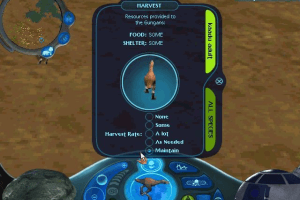
Nostalgia has had me wanting to play this forever. Its a bit less deep than I remember as a kid. I could never keep the Gungan city alive as a kid. Now anytime I try and make a balanced eco system it caves in minutes. So I found out that getting a large water map, green gile and Bubble spore plants. let the map fill to like 75% green gile and set the harvest to maintain. Bubble spore, follow some general "wind" direction and you will need to capture and release them to the other side of the map again every 5 mins or so. Got a city to 200,000 Gungans. zero animals. Most of the times I tried adding trees or anything else and the system caved. Wonky old game, still fun to experiment with. Would love a proper modern equivalent to this and Creatures series
1
StutteryG05 Jan. 2026
I have managed to get this working on Windows 11.
1 - Mount the Files 2 - Create a new folder (I just called mine GUNGAN_CD and placed it in C e.g. C:/GUNGAN_CD), place all the files in there. 3 - Get OTVDM/Winevdm https://github.com/otya128/winevdm This will allow you use the 16bit installer. For convenience sake put this in the route of C and make a batch file with this line: "C:\OTVDM\otvdm.exe" "C:\GUNGAN_CD\Lucas Learning Folder\The Gungan Frontier\setup.exe" 4 - After the installation is done for step 3 get DREAMM Beta Release 4.0 https://dreamm.aarongiles.com/beta/ This will let you run the game, simply move your that you copied the CD/ISO to (e.g. C:\GUNGAN_CD into Dreamm.
I'm unsure if you can skip step 3 and go straight to step 4 (I ended up installing the game before I discovered Dreamm which acts in place of Quicktime).
I hope this works for others!
3
Zai15 Nov. 2025
I'm still having problems starting the game. My error is 'unable to locate neccessary data components...' Please help.
0
Sardonic25 Oct. 2025
For what it's worth I was able to get my CD version working on windows 11 by installing this: https://learn.microsoft.com/en-us/troubleshoot/windows-client/application-management/x64-windows-not-support-16-bit-programs#use-16-bit-installshield-installers-to-install-32-bit-applications
Installing the game from the disk
Then installing this version of quicktime from internet archive:
Then adding key [HKEY_LOCAL_MACHINE\SOFTWARE\Wow6432Node\Apple Computer, Inc.\QuickTime\3.0] using registry edit (don't need to set a value just create the key)
Didn't even need to set compatibility modes on the Gungan Frontier.exe !
I'ts a sandbox with an "eco-balance" theme. Definetly not the most entertaining game you can find. I know people are here like me, mostly for nostalgia but I don't have memories of having even a little fun with this one, on the contrary, I remember the disappointment when I found out this game was about sci-fi animals and not about storm troopers, AT-AT's and X-wings.
-8
lynette12 Aug. 2024
Good solution for windows+linux is compile pcem, download roms, install win95. working setup is: machine: shuttle hot-557, cpu: intel pentium 166, memory 128mb video: phoenix S3 Trio64, create disk and select cdrom,update bios order to cd first, set resolution to hd 32 bit colors or hd16. Install from cue, install quicktime + directx6. Dinos still alive btw no idea how cause even plants die near me
0
Dale11 Aug. 2024
@Gerbit, did you manage to find a way to run the game without mounting a CD image?
3. Then, add a key (as some other people have pointed out) at HKEY_LOCAL_MACHINE\SOFTWARE\Wow6432Node\Apple Computer, Inc.\QuickTime\3.0 (you may already have a registry edit thing there if you installed quicktime already, in that case then right click on the Quicktime entry, and type in 3.0 for the key that comes up)
You can always try the virtual PC route, if you can't get it to work via normal methods.
0
Nomad07 Oct. 2021
Fond memories of this game as a kid! (Now in grad school for ecology lol.) Actually still have my old disk. Has anyone found a workaround for the Quicktime 3.0 issue for 64 bit versions of Windows?
1
rottinghyena04 Oct. 2021
YESSSS i used to check this out at the library CONSTANTLY and i would hide it in the back so i was the only one who could use it. eventually i checked it out and... never returned it. i feel bad about that, about not letting other kids have the opportunity to play this. but i enjoyed it for them :D
this site kicks a$$
will comment again if i can actually get it running lol
2
andreas aspenberg24 Aug. 2021
think i have been looking for this for a while. i think i saw it in a store and tried to buy it but, they never found the disc. then i tried to find it online but had no luck.
0
Kingboo10105 Aug. 2021
I'm in need of help. I've have it mounted on Daemon tools but it does nothing after i press setup. if i press the gungan frontier.exe, it says that i need a disk. please help abandonware or other people who are setup the game.
1
JHK30 May. 2021
To run the game, you need QuickTime installed. Any version newer than 3.0.2 should work, but you must also create a registry key at [HKEY_LOCAL_MACHINE\SOFTWARE\Wow6432Node\Apple Computer, Inc.\QuickTime\3.0]
This can be done before or after the game is installed. The latest QuickTime 7.7.9 might not install on win10, but earlier versions might install fine.
2
penwen11 Sep. 2020
i don't know if this helps at all, but this game works on a 32 bit OS. brought out my old acer aspire with windows vista on it, and using winemucd, it works fine after installing everything. on my newer hp laptop with windows 10 and 64 bit OS, quicktime 3 can't download and alternatives dont work. you could probably use virtual box to emulate an older version of windows in order to download it, but that takes a ton of work that i don't think is worth it. your next best bet would probably be to try and get it on GOG or something. cheers to everyone
0
SourMint30 Aug. 2020
So, confirming what HOKY and THATDUDE said, you need a certain version of Quicktime to run this game. The files come packaged with a QuickTime installer, but it can't be downloaded onto certain desktops (like mine... :( ). I don't know a way around this, so I guess unless you've got a certain kind of computer, this game is unplayable.
1
SourMint30 Aug. 2020
Please help! I got the game on PowerISO and the window that says "Install Star Wars - Gungan Frontier" shows up, but when I click to allow setup.exe to run, nothing happens. What should I do?
2
hoky16 Jun. 2020
How do you get around the game needing QuickTime 3? I've tried some older and alternative versions of quicktime, but it still won't run.
2
admin11 Jun. 2020
Admin
Fixed the bin/cue
3
Rijkaard11 Jun. 2020
To anyone having difficulties with the BIN and CUE files, you need to open the CUE file with Notepad. There you will see that filename is "GUNGAN_FRONTIER.bin". This is incorrect. Change it the name of the .bin file in the same folder. It should work now.
2
thatDude31 May. 2020
Hey the problem is this game requires Quicktime 3 and if you have a 64bit os then you cant install that
1
Asdefs28 May. 2020
downloaded it and installed, when i try to run it it said "the gungan frontier is unable to locate necessary data components. Please re-install the application in order to continue" anyone knows how to fix?
1
tom10 May. 2020
Having the same issue, the .iso wont load on Windows. It says the cue file is missing, but its right there..
0
Dancing Queen06 May. 2020
Does anybody know how to get this running on Windows 10? I mounted it in PowerIso but it won't start. Says it needs to be installed via setup.exe but nothing happens when I try to install it that way
0
Bizobinator23 Feb. 2020
How did you get QuickTime 3 to install on a 64-bit windows system? I got an error during install, & it says it won't run without quicktime 3 (even though I installed a later version of quicktime)
2
FezzOfAllTrades08 Dec. 2019
Hands down one of my favorite games, bought it as a kid and it haunts me to this day with its unique and challenging gameplay.
1
syko7417 Aug. 2019
put out the windows version
-2
jordancruz03 Jun. 2019
Andy, you have to run it in Mac OS system 8 or 9, or use an older version of mac that still has Rosetta. Otherwise, you have to use SheepShaver, or Basilisk II
1
Andy04 May. 2015
I downloaded this game but cant play it. Im using Mac OSX Version 10.8.5. Does anyone know what emulator or similar software I need to download to play it?
-2
No comment nor review for this game at the moment.







 English
  German
  French




Comments and reviews
+100 Respect to the people above that found the way to get the game working on Win 11.
I just got the windows install shield 16 bit thing, another posted. plus the quicktime 4 install and good to go. Ran from the image.
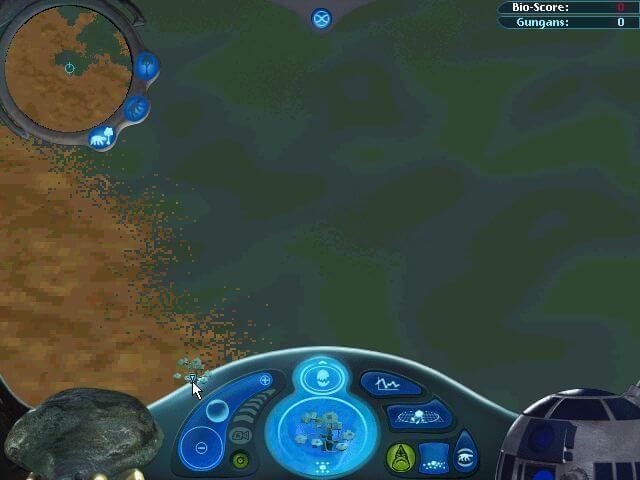
Nostalgia has had me wanting to play this forever. Its a bit less deep than I remember as a kid. I could never keep the Gungan city alive as a kid. Now anytime I try and make a balanced eco system it caves in minutes. So I found out that getting a large water map, green gile and Bubble spore plants. let the map fill to like 75% green gile and set the harvest to maintain. Bubble spore, follow some general "wind" direction and you will need to capture and release them to the other side of the map again every 5 mins or so. Got a city to 200,000 Gungans. zero animals. Most of the times I tried adding trees or anything else and the system caved. Wonky old game, still fun to experiment with. Would love a proper modern equivalent to this and Creatures series
I have managed to get this working on Windows 11.
1 - Mount the Files
2 - Create a new folder (I just called mine GUNGAN_CD and placed it in C e.g. C:/GUNGAN_CD), place all the files in there.
3 - Get OTVDM/Winevdm https://github.com/otya128/winevdm
This will allow you use the 16bit installer.
For convenience sake put this in the route of C and make a batch file with this line:
"C:\OTVDM\otvdm.exe" "C:\GUNGAN_CD\Lucas Learning Folder\The Gungan Frontier\setup.exe"
4 - After the installation is done for step 3 get DREAMM Beta Release 4.0
https://dreamm.aarongiles.com/beta/
This will let you run the game, simply move your that you copied the CD/ISO to (e.g. C:\GUNGAN_CD into Dreamm.
I'm unsure if you can skip step 3 and go straight to step 4 (I ended up installing the game before I discovered Dreamm which acts in place of Quicktime).
I hope this works for others!
I'm still having problems starting the game. My error is 'unable to locate neccessary data components...' Please help.
For what it's worth I was able to get my CD version working on windows 11 by installing this:
https://learn.microsoft.com/en-us/troubleshoot/windows-client/application-management/x64-windows-not-support-16-bit-programs#use-16-bit-installshield-installers-to-install-32-bit-applications
Installing the game from the disk
Then installing this version of quicktime from internet archive:
https://archive.org/details/apple-computer-quicktime-4.1.2-windows
Then adding key [HKEY_LOCAL_MACHINE\SOFTWARE\Wow6432Node\Apple Computer, Inc.\QuickTime\3.0] using registry edit (don't need to set a value just create the key)
Didn't even need to set compatibility modes on the Gungan Frontier.exe !
French :
https://archive.org/details/star-wars-episode-i-the-gungan-frontier-fr-cd/
German :
https://archive.org/details/gungan-die-neue-welt
I'ts a sandbox with an "eco-balance" theme. Definetly not the most entertaining game you can find. I know people are here like me, mostly for nostalgia but I don't have memories of having even a little fun with this one, on the contrary, I remember the disappointment when I found out this game was about sci-fi animals and not about storm troopers, AT-AT's and X-wings.
Good solution for windows+linux is compile pcem, download roms, install win95. working setup is: machine: shuttle hot-557, cpu: intel pentium 166, memory 128mb
video: phoenix S3 Trio64, create disk and select cdrom,update bios order to cd first, set resolution to hd 32 bit colors or hd16. Install from cue, install quicktime + directx6. Dinos still alive btw no idea how cause even plants die near me
@Gerbit, did you manage to find a way to run the game without mounting a CD image?
Update- heres the steps I take:
1. Download Quicktime- I used Quicktime 4.0, downloaded from http://www.oldversion.com/windows/quicktime-4-0
2. Install the QuickTime app
3. Then, add a key (as some other people have pointed out) at HKEY_LOCAL_MACHINE\SOFTWARE\Wow6432Node\Apple Computer, Inc.\QuickTime\3.0 (you may already have a registry edit thing there if you installed quicktime already, in that case then right click on the Quicktime entry, and type in 3.0 for the key that comes up)
4: Download the Gungan Frontier ISO file (from the site we're on now or from the internet archive: https://archive.org/details/gungan-frntr).
5. Install it (I installed it on my C drive).
6. Enjoy! You may need to change your screen resolution.
Hope that helps!
Hello all! I have found a QuickTime alternative that works for this! It's called QuickTime alternative 3.0.0 and I've used it on multiple computers. I'm pretty sure it's this one: https://www.google.com/search?q=quicktime+alternative+3.0.0&rlz=1C1ONGR_enUS1103US1103&oq=quickti&gs_lcrp=EgZjaHJvbWUqBggBECMYJzIPCAAQABgUGIcCGLEDGIAEMgYIARAjGCcyBggCEEUYQDIGCAMQRRg5MgYIBBBFGDsyBggFEEUYPDIGCAYQRRg8MgYIBxBFGDzSAQgzMzE0ajBqN6gCALACAA&sourceid=chrome&ie=UTF-8
Mesa got it to work with PCem Nevets got a bombad good tutorial https://www.youtube.com/watch?v=WDKWHVebaHY
What am I supposed to open this with?
You can always try the virtual PC route, if you can't get it to work via normal methods.
Fond memories of this game as a kid! (Now in grad school for ecology lol.) Actually still have my old disk. Has anyone found a workaround for the Quicktime 3.0 issue for 64 bit versions of Windows?
YESSSS i used to check this out at the library CONSTANTLY and i would hide it in the back so i was the only one who could use it. eventually i checked it out and... never returned it. i feel bad about that, about not letting other kids have the opportunity to play this. but i enjoyed it for them :D
this site kicks a$$
will comment again if i can actually get it running lol
think i have been looking for this for a while. i think i saw it in a store and tried to buy it but, they never found the disc. then i tried to find it online but had no luck.
I'm in need of help. I've have it mounted on Daemon tools but it does nothing after i press setup. if i press the gungan frontier.exe, it says that i need a disk. please help abandonware or other people who are setup the game.
To run the game, you need QuickTime installed. Any version newer than 3.0.2 should work, but you must also create a registry key at [HKEY_LOCAL_MACHINE\SOFTWARE\Wow6432Node\Apple Computer, Inc.\QuickTime\3.0]
This can be done before or after the game is installed. The latest QuickTime 7.7.9 might not install on win10, but earlier versions might install fine.
i don't know if this helps at all, but this game works on a 32 bit OS. brought out my old acer aspire with windows vista on it, and using winemucd, it works fine after installing everything. on my newer hp laptop with windows 10 and 64 bit OS, quicktime 3 can't download and alternatives dont work. you could probably use virtual box to emulate an older version of windows in order to download it, but that takes a ton of work that i don't think is worth it. your next best bet would probably be to try and get it on GOG or something. cheers to everyone
So, confirming what HOKY and THATDUDE said, you need a certain version of Quicktime to run this game. The files come packaged with a QuickTime installer, but it can't be downloaded onto certain desktops (like mine... :( ). I don't know a way around this, so I guess unless you've got a certain kind of computer, this game is unplayable.
Please help! I got the game on PowerISO and the window that says "Install Star Wars - Gungan Frontier" shows up, but when I click to allow setup.exe to run, nothing happens. What should I do?
How do you get around the game needing QuickTime 3? I've tried some older and alternative versions of quicktime, but it still won't run.
Fixed the bin/cue
To anyone having difficulties with the BIN and CUE files, you need to open the CUE file with Notepad. There you will see that filename is "GUNGAN_FRONTIER.bin". This is incorrect. Change it the name of the .bin file in the same folder. It should work now.
Hey the problem is this game requires Quicktime 3 and if you have a 64bit os then you cant install that
downloaded it and installed, when i try to run it it said "the gungan frontier is unable to locate necessary data components. Please re-install the application in order to continue" anyone knows how to fix?
Having the same issue, the .iso wont load on Windows. It says the cue file is missing, but its right there..
Does anybody know how to get this running on Windows 10? I mounted it in PowerIso but it won't start. Says it needs to be installed via setup.exe but nothing happens when I try to install it that way
How did you get QuickTime 3 to install on a 64-bit windows system? I got an error during install, & it says it won't run without quicktime 3 (even though I installed a later version of quicktime)
Hands down one of my favorite games, bought it as a kid and it haunts me to this day with its unique and challenging gameplay.
put out the windows version
Andy, you have to run it in Mac OS system 8 or 9, or use an older version of mac that still has Rosetta. Otherwise, you have to use SheepShaver, or Basilisk II
I downloaded this game but cant play it. Im using Mac OSX Version 10.8.5. Does anyone know what emulator or similar software I need to download to play it?
No comment nor review for this game at the moment.