






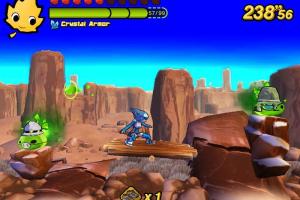
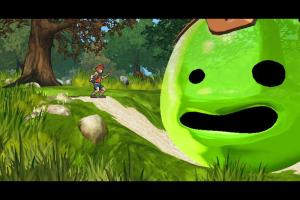
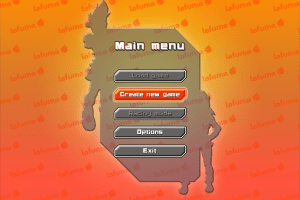

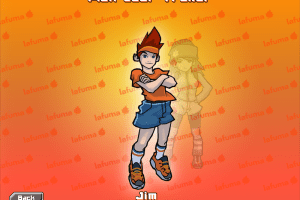
How to Play
The game has been tested on Windows 7 64-bit and Windows 10, it works fine. The installer on the disc is in French language, but the installed game has English & French languages, you can select the language on starting screen or in game options
Notes:
- If the game doesn't work - try to run the game in Compatibility mode with old Windows, like Windows XP, and as Administrator (right-click on LFM_Game_DX9.exe -> Properties -> Compatibility)
- The game cannot be installed from the disc on Windows 10 & 11, due to broken CD-Check protection. If you want to install the game, you will need to run this command in "Run" window (press Win+R to open it) or in Command Prompt (run cmd.exe as administrator):
msiexec /i "D:\LafumaUnlimit.msi" /passive INSTALLDIR="C:\Games\LafumaUnlimit"(whereD:is the letter of virtual drive with the disc). Check this thread for more details about installation of Lafuma Unlimit - Easier alternative would be to download the archive with pre-installed game, it includes the full game with NoCD. That version was tested on Windows 10, it works with no problem, check this thread for more details
- It is recommended to install all versions of Microsoft Visual C++ Redistributable and NET Framework for the correct work of the game
- The game works on DirectX 9, so if you're using Windows 8, 8.1, 10 or 11 - you need to enable DirectPlay: Go to Control Panel, and select 'Programs'. Select 'Turn Windows features on and off', click on 'Legacy Components' and check the box 'DirectPlay'. Select OK, once the installation is done, restart your computer
- There could be an issue with flickering textures on some modern GPUs, to fix it run the game with dgVoodoo 2: simply copy dll-files from
MS/x86folder, dgVoodoo.conf and dgVoodooCpl.exe to game folder, next to LFM_Game_DX9.exe, then run the game as usual. To change dgVoodoo 2 settings, run dgVoodoo Control Panel (dgVoodooCpl.exe) as administrator - If you get "Please Insert CD-ROM" error: the game has CD-Check protection, so it cannot recognize the disc in virtual drive if you mount ISO image with built-in Windows tool for ISO images. Use NoCD by KRBDZSKL to remove CD-Check. Or mount the ISO image with utility for disc image files, like WinCDEmu; keep the ISO image mounted with WinCDEmu whenever you launch the game
 English
  French




Comments and reviews
No comment nor review for this game at the moment.