


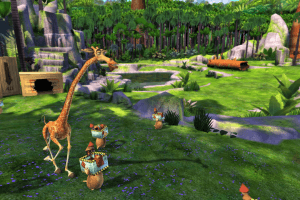
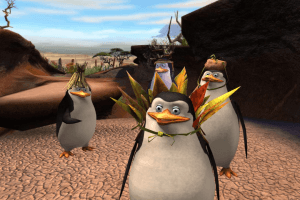
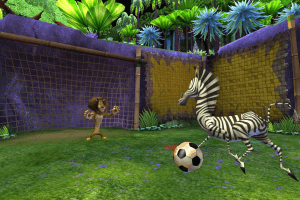
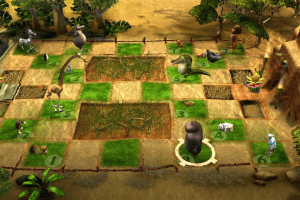
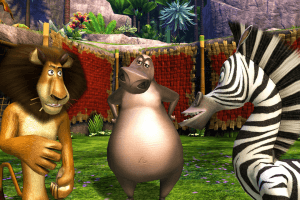
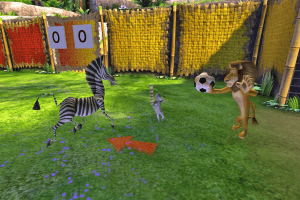
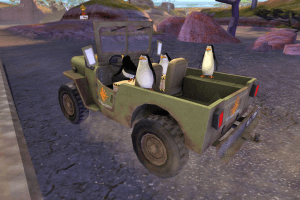
How to Play
The game with NoDVD has been tested on Windows 7 64-bit and Windows 10, works fine, the game supports widescreen resolutions up to 4k. You may experience some small troubles when you play the game on modern systems, check our Guide and Notes for details
Install & play guide:
- Mount the disc image. You will need the utility for mounting disc image files, like WinCDEmu, UltraISO, Alcohol 52%/Alcohol 120% or Daemon Tools Lite
- Install the game (if autorun doesn't work - simply launch the installation from Setup.exe inside the disc). It is recommended to install the game not in default path, but in some other, non-system folder, like
C:/Games/Madagascar 2 - (At the end of installation you will see the message "Please insert Madagascar: Escape 2 Africa installation disc" - just un-mount the disc from virtual drive (right click -> Eject) and click OK. The game will be installed fine)
- After you installed the game - install NoDVD, simply copy Mad2.exe from the archive and put it into game folder, agree to replace original file
- Open the directory with the game and find Mad2.exe. Right click on Mad2.exe - Properties - Compatibility - Set "Run this app in compatibility mode with Windows XP or Vista" and "Run as administrator"
- Launch the game and play. If the game doesn't work in compatibility mode with Windows XP - try to launch it in compatibility mode with other version of Windows (Win98, Windows ME, Win2000, etc.)
Notes:
-
If the installation doesn't start - try to launch Setup.exe in compatibility mode with old version of Windows (98, 2000 or XP)
-
If you want to uninstall the game - mount the disc image in virtual drive and run Setup.exe. For unknown reason you can't delete the game through Windows Control Panel, the uninstaller is broken. Or use special tools like Revo Uninstaller
-
It is recommended to install all versions of Microsoft Visual C++ Redistributable and NET Framework for the correct work of the game. Also it is recommended to install K-Lite Codec Pack for the correct work of in-game videos
-
The game works on DirectX 9, so if you're using Windows 8, 8.1, 10 or 11 - you need to enable DirectPlay: Go to Control Panel, and select 'Programs'. Select 'Turn Windows features on and off', click on 'Legacy Components' and check the box 'DirectPlay'. Select OK, once the installation is done, restart your computer
-
NoDVD is required for the launch because the game is using SecuROM DRM protection, which doesn't work correctly on modern systems. NoDVD "cracks" DRM protection and allows to run the game without the disc. If you see error that there's not enough space on the hard drive when you copy NoDVD files - re-install the game in non-system folder, like
D:/Games/Madagascar 2, Windows Protection may block copying of files to system folders (likeC:/Program FilesorC:/Windows) -
Some users complain that they cannot beat the Moto Diving Event. It happens because the controls were converted very poorly from gamepad to keyboard. You probably will have to make several tries to finish it, check this and this thread for advice
-
There's no framerate limit in the game, so the game may have physics issues when exceeding 60 FPS, for example in “Mort’s Adventure”, during the pinball section, when the plunger doesn’t provide enough force to launch Mort onto the pinball table. If you have such issues - limit the game's framerate to 60 FPS with one of framerate limit utilities. For example, the easy method would be to use ThirteenAG's d3d9 wrapper - simply drop the file into game folder and then open d3d9.ini in Notepad and enter
FPSLimit = 60 -
If you have problem with broken sound effects or disappearing sound - first try to change the sound settings. If it didn't work - set sound quality to 24 bit, 48000 Hz or 24 bit, 44100 Hz. Read this guide how to do that
-
The game supports all XInput-compatible controllers, so it should work fine with Xbox gamepads or similar ones. But for other models of gamepads you will need to use additional tools, probably. We recommend to check PCGamingWiki guide for controllers
-
The game supports widescreen resolutions up to 4k, but it doesn't support ultra-widescreen. But it is possible to run it in ultra-widescreen resolution by using this trainer
-
If you see dark-colored photos in the game, just go to the folder where the game is installed and select Mad2.exe. Select Properties. Go to Compatibility. Check the Disable full-screen optimization checkbox. Click Apply, and then click OK. Start the game.
-
Don't forget to check PCGamingWiki if you have troubles!


 Czech
Czech  Russian





Comments and reviews
Update on my previous comment for anyone having the same problems:
I haven't found a permanent solution, but through a combination of things, it has gotten a lot more stable and less prone to crashing (even if it does unfortunately still crash, it does so every 2-3 hours instead of every 15 minutes):
* Getting ThirteenAG's d3d9 wrapper instead of relying on Nvidia to FPS cap the game.
* Configuring the d3d9 wrapper to run it as borderless windowed rather than fullscreen. I'm not sure if it actually makes it stabler at all, but it does allow you to tab out to task manager and actually close the game, instead of softlocking you.
* Disabling fullscreen optimizations.
* Running it in compatibility mode, of which I've tried Vista, XP Service Pack 2 and 3. Not sure which one is the best, but I'm leaning towards one of the XPs.
I've also tried using task manager to make it only run on CPU 0, but that greatly slowed down loading times and ultimately did not feel super necessary, given I wasn't really crashing that often. The drawback seemed greater than any benefit it brought me, but maybe it will help you.
I am also running it in administrator mode, but that was the case even when it was crashing very often, so that alone did not help, but maybe together with everything else it did help. If I do find a more permanent solution, I will post it, but the crashes have become rare enough and restarting the game is a lot easier, so it doesn't actually bother me *that* much anymore.
Still, if anyone knows of a more solid and permanent fix, it would be greatly appreciated!
Game runs well up until the third level, Welcome to Africa, where it keeps freezing. Music keeps playing, but it won't let me close it or tab into task manager. Has anyone else encountered this, or knows of a solution?
Using the RePack by ElAmigos with the NoDVD included in it. I'm on Windows 10.
Hi, is polish ver official?
does the download get stuck only to me?
minigolf game unironically has some great moments, still play it with family on ps3 to this day with extra holes and the ballstop mode enabled
Fix for Freezing at Main Menu
Problem:
Game freezes when trying to create a save file at the main menu.
Simple Solution (No Auto-Save):
1. Find the Game Folder
- Open where you installed Madagascar 2 (common locations: C:\Program Files\Madagascar 2 or your custom folder)
- Can't find it? Press Windows Key + S, type "alchemy.xml", right-click it, choose "Open file location"
2. Edit the Game File
- Right-click "alchemy.xml", choose "Open with", select Notepad
- Find this line: startLevel = "title"
- Change it to: startLevel = "map"
3. Save and Play
- Press Ctrl + S to save
- Close Notepad
- Start the game - it will skip the broken menu
Important Warning:
- Progress doesn't save automatically!
- After quitting the game:
1. Re-open "alchemy.xml"
2. Replace "map" with your last level (see list below)
3. Save the file
4. Next time you play, you'll continue from that level
Correct Level Order and Names:
Main Story Levels:
- "IslandFever" : 1. In Madagascar
- "Prepare2Launch" : 2. Prepare to Launch (Melman)
- "Prepare2Launch_Plane" : 2. Prepare to Launch (Alex)
- "BraveNewWild" : 3. Welcome to Africa
- "Waterhole" : 4. The Watering Hole
- "RitesOfPassage" : 5. Rites of Passage
- "penguins" : 6. Penguin Caper (Part 1)
- "penguins2" : 6. Penguin Caper (Part 2)
- "ConvoyChase" : 7. Convoy Chase
- "Watercaves" : 8. Water Caves
- "Wooing_Gloria" : 9. Wooing Gloria
- "Morts_Adventure" : 10. Mort's Adventure
- "VolcanoRave" : 11. Volcano Rave
- "FixThePlane" : 12. Fix the Plane
- "Dam_Busters" : 13. Dam Busters
- "Credits" : Credits
Mini-Games:
- "DrMelman" : Heal Giraffes
- "MartyRace" : Zebra Race
- "animal_chess" : Animal Chess
- "Card_Match_Game" : Memory Card Game
- "HungryHippo" : Fruit Battle
- "Minigame_HotDurian" : Hot Potato
- "RoP_MusicalChairs" : Musical Chairs
- "Soccer" : Soccer
- "Golf_minigame" : Golf
- "Minigame_Diving_Location_Menu" : Cliff Diving
Other Locations:
- "map" : World Map (safe default)
- "DutyFree" : Julian's Market (no buying)
- "title" : Broken Main Menu
Example Workflow:
1. Play until "Water Caves" (Level 8)
2. Quit game
3. Open "alchemy.xml"
4. Change to: startLevel = "Watercaves"
5. Save file
6. Next session starts at Water Caves
Tip: Bookmark this level list - you'll need it every time you play.
Note: This is a temporary workaround. Share this fix if it helps other players!
I've just downloaded the repack by elamingo, everything's fine until it comes to the saving data at starting point, it stuck and I can't even play the game, what's the solution?
UltraISO works fine instead of NoDVD
thanks
@AleSauih I wish I knew what is wrong with it (my friend has the same problem), but that version is supposed to be in Czech and it works for me in Czech normally.
Does the repack by ElAmigos version works for win 10 fine because my storage limit is 3.5 gb
Czech version Pre-installed - This version is actually in English
The repack file works and is in english! using on win11.
i can use the keyboard and the mouse to play multiplayer
Guys when i complete a quest, instead of a picture example of Alex,Marty,Gloria or Melman i get a black picture, does anyone know how to fix this?
Yep the Vertical Sync was the problem, i turn VSync on and put Max FPS to 1000, and the game runs smoothly now. Thank you brother!
@Takac Enable Try to enable Vsync for the game in control panel of your video card, or limit the game's framerate to 60 or 30 FPS. The easiest way is to use ThirteenAG's d3d9 wrapper, I tested the game with it myself, the link is above in the Notes
Guys i have a bug or idk how to call it, i installed and opened the game, but everything is so fast from the menu to the gameplay, Alex in literally running x5 times faster than normal and everything is more faster idk why :/
I have found a way to fix the "insert disc and click ok" problem with English version of this game. I assume you opened the iso file with Daemon Tools. After mounting, go to File(or File Explorer) My Computer. Right click on Madagascar game and click 'Open' and NOT 'Run'. You will find a Crack folder. Replace that file with the one that is in C or D file. Close the window that gives the insert disc error(i closed it from ctrl+alt+del). Now you will be able to play it hopefully :)
Intenté de todo para instalar el juego, se abre hasta el inicio pero para empezar a jugar se pone en negro y no avanza ¿Qué debo hacer?
It keeps telling me I haven't inserted the disc. How do I fix this?
when i load the game up it says insert the proper disc, what do i do
I don't know why I have no problem to have it in Czech.
I hope the Czech version works for others, because I sended it to my friend too and he has this copy in English (weird).
And the Czech version is DRM-free (no crack needed).
Czech title: Madagaskar 2
And Cenega Czech is an s.r.o. company.
Czech version (released by Cenega Czech in 2008): https://uloz.to/file/aYMnUK1rvND3/mike-madagaskar-2-hra-cz-nrg#!ZJHkZQR2AwSwMQp3MwuzZQMzMTZkBGARGaMJoJgZHRMxJJDjZj==
If somebody has a problem to install it (because I had and I do not know why exactly), I managed to install this game (in the end), so I can send you the whole game in Czech preinstalled.
NOTE: The 1st game has no Czech version (only one fan made Czech subs - but the speech is not localised).
the problem is where is the setup.exe? theres so many setup files and which one is it?
This game was mtly childhood and it's still really great.
Works great on Win 10!
No comment nor review for this game at the moment.