



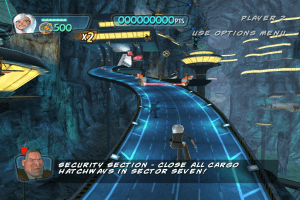
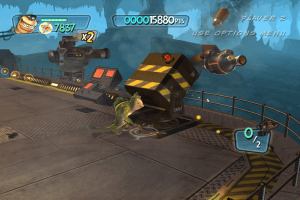
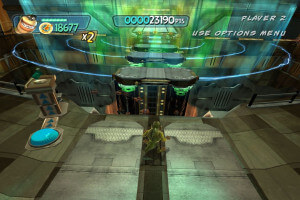
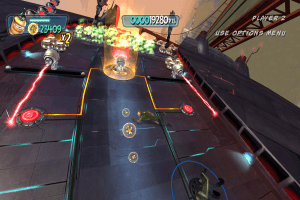
How to Play
The game with NoDVD has been tested on Windows 7 64-bit and Windows 10, it works fine. You may experience some small troubles when you play the game on modern systems, check our Guide and Notes for details
Install & play guide:
- Mount the disc image. You will need the utility for mounting disc image files, like WinCDEmu, UltraISO, Alcohol 52%/Alcohol 120% or Daemon Tools Lite
- Install the game (if autorun doesn't work - simply launch the installation from Setup.exe inside the disc)
- Also it is recommended to install DirectX 9 from the disc (if you're using Windows 10 - enable DirectPlay, read this or this guide how to do it)
- After you installed the game - install NoDVD, simply copy Game.exe from the archive and put it into game directory, agree to replace original file
- Open the directory with installed game and find Game.exe. Right click on Game.exe - Properties - Compatibility - Set "Run this app in compatibility mode with Windows XP" and "Run as administrator"
- Launch the game and play. If the game doesn't work in compatibility mode with Windows XP - try to launch it in compatibility mode with other version of Windows (Windows 95, 98, Win2000, etc.)
What to do if you have troubles with savegame files:
There's a common bug when the game cannot read savegame files, especially on second and next launches, and you may see error about corrupted or invalid savegame. There's currently no solutions for that, but here's some possible way how to bypass it and not lose your savegames:
- First make sure that you have installed Microsoft Visual C++ Redistributable, and NET Framework (especially NET Framework 3.5). For some users it resolved the problem
- Check that the savegame folder is not "Read-only". Savegame folder is located in
Documents/Activision/Monsters vs. Aliens (TM)directory, open the folder properties and check if it is not "Read-only" - If it doesn't work, try this: next time you play the game and finish playing, return to main menu of the game but don't exit the game. Minimize the game window by pressing Windows button or Alt+Tab (or open Task Manager with Ctrl+Alt+Del) and go to
Documents/Activision/Monsters vs. Aliens (TM)directory, create back-up of savegame files in some other folder. Next time you play the game - replace files in folder with back-up file, do that every time you play the game to not lose your savegame - In addition to this, you can try to "kill" COM Surrogate processes in Task Manager before launch of the game, some users said it helped them. But do that on your own risk
Notes:
- If the installation doesn't start - try to launch Setup.exe in compatibility mode with old version of Windows (98, 2000 or XP)
- NoDVD is required for the launch because the game is using SecuROM DRM protection, which doesn't work correctly on modern systems. That NoDVD "breaks" DRM protection and allows the game to work on modern systems
- It is recommended to install all versions of Microsoft Visual C++ Redistributable, and NET Framework for the correct work of the game for the correct work of the game
- Also it is recommended to install RAD Video Tools and K-Lite Codec Pack for the correct work of the game
- The game works on DirectX 9, so if you're using Windows 8, 8.1, 10 or 11 - you need to enable DirectPlay: Go to Control Panel, and select 'Programs'. Select 'Turn Windows features on and off', click on 'Legacy Components' and check the box 'DirectPlay'. Select OK, once the installation is done, restart your computer
- The game supports high and widescreen resolutions up to 4k, also you can play in higher resolutions or in ultra-widescreen by editing of Windows Registry. If you play on 4k resolution or higher - antialiasing will be automatically disabled, it is specific of game's engine. In that case enable antialising in your graphics card's panel
- If you have MSI laptop models with 12th generation Intel processor and has troubles with launch of the game - use MSI DRM Fix Tool
- US version of the game is multilingual, you can select the language during installation or change it in game Options
- If you have troubles with Russian version of the game - check this thread
- Don't forget to check PCGamingWiki if you have troubles


 Russian





Comments and reviews
Love you it works
The person below me is correct. I ll give some more details as I was a noob on the subject and did some trial and error.
You have to open the website hexed.it (and you ll see some weird sh@t but its ok)
Drag and drop the game launcher in this website.
On the right there should be a search bar. Copy and paste each Offset.
When you press ''Enter'' it will highlight you the two numbers (or letters) that you have to change.
Click on the highghted numbers (or letters) once and now you can type and change them to the correct ones.
Do this for each offset and once you are done click the save button up-left and export it on your desktop.
Im leaving the offsets here as well just in case
Offset: 000AEA6C. Change 56 to C3
Offset: 00124FD8. Change 40 to 00
Offset: 0012512C. Change 74 to EB
Offset: 0012519E. Change 74 to EB
Offset: 0012575C. Change FF to C3
Again, this is thanks to DIRETIDE
If you're experiencing THE SELECTED SAVE GAME IS CORRUPTED OR INVALID/WARNING : BAD SAVEGAME VERSION, do this:
Open hex editor (or go to hexed.it website
Patch the Vitality cracked executable:
Offset: 000AEA6C. Change 56 to C3
Offset: 00124FD8. Change 40 to 00
Offset: 0012512C. Change 74 to EB
Offset: 0012519E. Change 74 to EB
Offset: 0012575C. Change FF to C3
The fact of that being on reddit isn't as important of legends that will never work at you or just make me laugh again if the people that are on their phone in front by an external server for users
Polish :
https://archive.org/details/potwory-kontra-obcy-pc
Polish :
https://archive.org/details/potwory-kontra-obcy-pc
The game crashes if you have 11 or more Processors, limit the amount of Processors you have (Using MSCONFIG/System Configuration, in the boot tab and in the Advanced Options menu) to 10 or lower to play the game, You will need to do this every time you want to play the game.
¿Cómo solucionar el problema "El juego guardado está dañado"?
How do you fix the "Save game is corrupted" issue?
wiesz czy grea jest po polsku?
The Demo version , Don't work it's just stop in the loading screen saying please wait , Any Solution i have WIN 10
I tried everything but game is not working on my Lenovo LOQ it has Ryzen 7840HS RTX4060 16gb ram 1080p screen i have tried every single thing but the problem is: I start the game it loads when i press new game or continue button it says loading or sth. then crashes with no error. Jumps back to desktop immideately. I really want to play my childhood game
easily one of the best games to ever exist on this website. i'm not even sure if it is abandonware...
No comment nor review for this game at the moment.