You are on the beta version of My Abandonware. The live site is still myabandonware.com. Your favorites and ratings here are copied to the live site. Comments and other changes are not — we delete them every morning at 08:00 Paris time, when this site goes down for about an hour. Leave feedback through this link to Pastel (email required).
The beta goes down at 08:00 Paris time, in a few minutes. We rebuild the database from the live site. It comes back in about an hour.
If MCM2 runs but the graphics are screwed up, in dgVoodooCpl go to the DirectX tab and check "Disable and passthru to real DirectX" that should fix it.
2
johnmogus22 Apr. 2026
Top comment
I made a drop in thing for this game because its kinda a chore to get all the dlls and stuff otherwise heres the link if you want to use it https://drive.google.com/file/d/1oK6bBAfIh7oZfJkNPJPawQiJX-lkRZGG/view?usp=sharing
9
Edson luiz Mosca13 Dec. 2025
Pessoal, para que este game rode sem nenhum problema, vocês devem habilitar, na opção de recursos do Windows, Componentes herdados. E, ao usar o dgVoodoo 2, utilizem as DLLs da pasta MS x86.
4
Dee02 Dec. 2025
Ive installed, moved the no cd application in the downloaded folder into the main install folder, made it XP compatible mode and then added the dgVooDoo D3D9.dll to the folder, and it gets to the load screen, then just shuts down, Ive tried other .dll but nothing gets it passed that load screen. Any suggestions?
3
.05 Nov. 2025
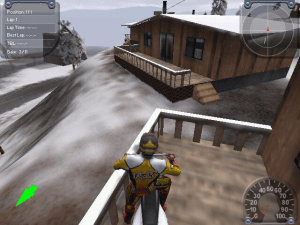
What a game. I wish there were more winter tracks. The bear mountain one is epic.
1
VRANAC16 Oct. 2025
Top comment
Found the answer. Motocross Madness 2 (and Midtown Madness 2, which was where I saw the error message) require the Indeo IV50 AVI video codec the play their intro videos. This codec seems to have been removed and/or is no longer compatible/supported on recent versions/updates of Windows. Motocross won't run without it, but Midtown will.
I found a copy of this codec at this link: https://rockraidersunited.com/files/lego_rock_raiders/resources/indeo-iv50-avi-codec-r111/
Motocross works fine now.
7
Vranac05 Oct. 2025
Worked fine a month ago, using the ISO, nocd fix, dgvoodoo2 and administrator/compatibility mode, but something has changed.
Like the previous commenter, it crashes on the title splash screen now. Not able to get to the main menu or even intro video anymore. Maybe a new windows update ruined things?
1
dANii17 Sep. 2025
Nothing works, crashes on splash screen.
2
MR SIEROWSKI05 May. 2025
@MAX
Yes, use Windows98
2
MAX06 Mar. 2025
Hey, I've installed the game then while trying to open nothing is showing up. I'm on windows 11, can someone please help
2
Mental03 Feb. 2025
I would like to issue a correction on my previous comment. It didn't work originally, but running the crack exe in Windows XP SP3 compatibility mode did the trick. Runs like a charm now. Thank you Meadow!
1
Mental03 Feb. 2025
This absolutely will not run on Windows 10. I followed all of Meadow's steps. It starts up to the splash screen, then promptly crashes regardless of what wrapper I choose.
-2
Ziegfried24 Jan. 2025
se alguém tiver problema não sei se oq vou falar vai resolver
clique com botão direito do mouse no icone do jogo e va em propriedade e va onde tem para abri o jogo usando WINDOWS XP ou SERVICE PACK 2 uma vez baixei não por esse site mas tive q fazer isso para o jogo abri
can u still play with peeps on here like are the servers still up
0
Dave27 May. 2024
Ok so I can get the game running no issue now but whenever I try and load a race it just crashes and idk what to do. I'm at my wits end with this game because I've been trying to run it on and off for a year now. At least I made progress but could you explain how I can actually load into a race please
0
Daves Motocrosss Years 60s-70s24 Mar. 2024
This is the most awesome page on the internet.
0
Pascal20 Mar. 2024
@ADMIN Thank you and Working :)
2
admin19 Mar. 2024
Admin
@Pascal I made it happen :)
1
Pascal16 Mar. 2024
The German version is missing, I once had the CD but then lost it and haven't found it yet
0
MulishaKid27 Feb. 2024
We still need the backflip enabler, flip-trick.exe, backflip hack, no-crash application
I want to do some flips and spins on the Dew Tour, Gravity Games, X-Fighters, and X-Games courses. Let's goooo!
0
MDT20 Feb. 2024
Hi. Need help with, "Write to location 00000000 caused an access violation." Win10Pro64 user here. Everything works fine until a map selected and start race clicked, game crashes and closing and back to Windows.
Win10 64 ryzen 7 5800x cpu Radeon rx6900xt gpu
Any ideas or suggestions? tnx.
4
xanadu_8905 Feb. 2024
Got it working using meadow's instructions and by downloading d3drm.dll from here https://www.dll-files.com/download/57ecb51c1682d12770ccd9b716dc4b6c/d3drm.dll.html?c=NE0ySDFPMktXOEV5aDhzRnNjbEhwUT09. If anyone is interesting is playing online, add me on discord at xanadu1579
1
xanadu_8904 Feb. 2024
Thanks for providing the software, hoping I'll get this working on windows 11 as well. Does anyone play Motocross Madness 2 Online? Using GameRanger or a similar service?
0
ryder17 Jan. 2024
I love dirt bikes
0
veteran25 Oct. 2023
Does anyone have the flip trick link?
-1
Shred12 Oct. 2023
I can't follow Meadows instructions because there is zero disk space in the folder to add more files. Any ideas?
1
FantasMic22 Sep. 2023
Working perfectly on win11 thanks to Meadow's guide!
1
PiggeryAxe11 Sep. 2023
Update from helping my brother get it on a different computer (we were kids who grew up with the game, so this has been wonderful): Additionally, when installing on AMD, if you get white textures that fail to load in, try going to the DirectX tab of the dgVoodooCpl application and checking the "fast video memory access" option. This might resolve that specific issue.
0
PiggeryAxe10 Sep. 2023
Adding another comment to the ring. There seems like a few different critical things to make sure of.
First, after install, replace the EXE with the fixed EXE.
Second, make sure to grab the d3drm.dll and the MS dgVoodoo2 dlls from the site Meadow mentioned.
Third, make sure to grab that dgVoodoo .exe, copy that in and run it in the MM2 directory, click the / on the top right of the program to direct it to the MM2 directory instead of the dummy one it comes with, and it'll generate the conf file you'll need for dgVoodoo2.
And fourth, and this is where I had issues, you gotta make it run in the right compatibility modes. So double check, don't just use the windows troubleshooter like I tried first. Open the .exe launch application file's Properties, head over to the Compatibility tab, and make sure to set the settings to the XP Service Pack 3, but also what fixed it for me was to go further and "Change settings for all users" to that same Compatibility setting.
2
Daniel18 Jun. 2023
Just tested it on Windows 11 and it works thanks to Meadow's guide.
-1
Unown04 Jun. 2023
I also have used Meadow's method (see comment below dated 2020-01-12). It works great, thanks Meadow. I'm running Intel Celeron Windows 7 (notebook).
2
Windows 1131 May. 2023
I used Meadow's method (see comment below dated 2020-01-12). It works great, thanks Meadow. I'm running Windows 11 and using a PS3 controller on my PC.
3
MulishaKid14 Apr. 2023
4/13/2023 We need the backflip enabler flip_trick.exe “Bart Simpson head app” Would be nice to make some cool inverted tricks happen again!
0
Grovermon19 Mar. 2023
I third the backflip file request! Just started playing for the first time and its a blast.
0
MulishaKid02 Jan. 2023
I second with the flipper guy, does anyone have the backflip enabler? We're still able to inject all tricks with Sik Trix. Would be nice to start making new tricks again.
0
eddy03 Nov. 2022
amazing game
0
Lancaster11 Oct. 2022
When you say it's an ISO, then effin make sure it's a damn ISO. Not some proprietary BS.
I really didn't like having to install Alc120 just to effin access it.
-2
FranceSquareonIBM02 Sep. 2022
i have a disc copy of the game, EURO.TEX wont copy to the computer, anyone know why?!
0
Kwailin20 Jun. 2022
Very awesome! Got it working on WIndows 11... played it heaps 20 years ago.
Now i am trying to play it with my kids over LAN. Can't get it set up. When i attempt to start a multiplayer game it freezes after the 'Host' / 'Join' window comes up. Any idea why this is. I gave the mcm2.exe all access through the firewall. Anyone here that can help? Cheers!
1
Endofline04 May. 2022
Game crashes after doing everything said, game enters fine but then for some reason there is no sound on menu, then when i select what to drive it loads and crashes out of the game. check for error logs 16 processor(s), type 586. 1024 MBytes physical memory. Write to location 00000000 caused an access violation.
so dont know what to do now
2
MCM2-backflipper02 May. 2022
someone still has backflip enabler?!? (flip_it.zip/flip_it.exe/flip-trick.exe)
4
zxqwqz22 Jan. 2022
One last thing (if anyone has the same problem):
If your game crashes with the error "Read from location 00000000 caused an access violation" at the start of a race, it may be caused by a peripheral. As soon as I unplugged my racing wheel it started working. Perhaps the game detected it but failed to utilize it.
1
zxqwqxz21 Jan. 2022
Also as an answer to INEEDTHISGAME:
It may also be related to potential spaces in the setup file path. On another machine that (i.e. removing the spaces in folder names) seemed to fix the error.
1
zxqwqxz18 Jan. 2022
As an answer to INEEDTHISGAME:
If it's the error: "Setup was unable to find (or could not read) the language specific setup resource dll", then just copying the folder to desktop fixes it, as in the following video:
I cant launch the setup. I get an error message as soon as I start lauunching it. Some kind of language.dll error. Did someone have the same issue and can help me with it?
-2
jeanjean381008 Mar. 2021
Hello everyone, I followed the instructions but the software keeps crashing during the launch, just before I access the menu... anyone has an idea how I could fix this? Many thanks in advance!
-2
Frozium19 Jan. 2021
Oh man I'm so happy to finally be able to replay this game after so many years. This time I will surelly catch that UFO!
Win10, NEC Multisync LCD 1760NX Gaming PC (2018) No Games 3X AMD-ATI-XP System, 2X NEC Multisync LCD 1970NX, 1x Fujitsu Siemens Szenicview P19-2 Superbike World Championship, Superbike 2000 und 2001 (Milestone). Mercedes Benz Truck Racing (Synetic GMBH). F1 Racing Championship (Ubi_Soft) Extreme 500 (Ascaron GMBH) Grand Prix 3 und 4 (Microprose) Grand Prix Legends ( Standard ) ( Papyrus Group) Warm_Up (Lankhor) Alle Original ISO Motocross Madness 2
Finally running MM2 again - 1920x1200, full screen & glitchless!
1
jOE18 Jun. 2020
Anyone know why my keyboard binds are not working? i can control the camera but i cannot move the bike
-1
MCMAD07 Jun. 2020
Works for me on Win10. I used: https://wincdemu.sysprogs.org suggested by VINAY
Then follow suggestions from MEADOW, but skip the iso conversion. Works with both Rasterization or graphics card, sorry CORONAGUY
1
Vinay10 May. 2020
Hello peeps here is how I managed to get it work on windows 7 i3 Intel HD Hp notebook
1.Get iso mounter like https://wincdemu.sysprogs.org/ 2.Extract motorcross files , right click on Motocross Madness 2.mds select mount to drive (choose any free letter) 3.Install the game I chose C:\Program Files (x86)\MM2, close the installer 4.Copy T:\GAME\MCM2.exe to your installation folder(C:\Program Files (x86)\MM2) click Yes to replace
-2
Mysterehyde24 Apr. 2020
Was able to make it work with the help of katie nerd girl on youtube.
Apparently my missing part was the fact that in the end, you should start the game from where you installed it, and not the cd mouting parts ;-)
-1
Mysterehyde24 Apr. 2020
Same here. wasn't able to do the meadow explanation. Or more, was able to do it, but not able to open the game after. Had the installation going like "successfull" but it was at the end. (runnin on windows 10)
1
zeet22 Apr. 2020
I still am not able tp play this game, can you help me out?
0
Juliano13 Apr. 2020
I Would like to run Motocross Madness 2, as I used to run Motocross Madness 1.
0
Coronaguy10 Apr. 2020
Guys, the game works perfectly. But only in software resterization or whatever it's called. If I select my own graphics card to play at the beginning when it asks for a 3D engine, it crashes. I don't know how this is fixable. But with the software resterization you are limited to small resolutions because higher ones are stuttering as hell. If someone has a solution about this, please upload it!
0
r2d204 Apr. 2020
Best game ever for quarantäne la corona!
3
meadow12 Jan. 2020
Top comment
I finally figured out how to get this to work. 1. Get an MDF to ISO program and convert the file to an ISO. 2. Install the game, then in the game's main folder replace mcm2.exe with the fix from this website. 3. find dgvoodoo2, and download both it and d3drm.dll (they're both on the voodoo site) 3. put the "ms" x64 dll from voodoo and d3drm.dll into the game's main folder (if this doesn't work try some of the other dlls from the program) 4. Set mcm2.exe to run in compatibility mode for Windows XP Service Pack 3 5. Enjoy
53
chris06 Jul. 2019
i never use piece of crap 3d wrapper
-3
Rupam Naik19 May. 2019
This is my favourite
0
Nothany21 Apr. 2019
To the person who uploaded this, you could have at least specified that it was a ".MDF/.MDS" file instead of falsely calling it an ISO file.
Also, are ".MDF/.MDS" files used as a way to copy games with copy protection without triggering the copy protection?
And if so, does converting ".MDF/.MDS" files to ".ISO" trigger that same copy protection?
0
86DrifterYT07 Dec. 2018
Is it controller supported ?
-2
Jesse27 Nov. 2018
I have no clue how to get this to work. I converted it to an ISO file and went through the setup/installer. I now have the Motocross Madness 2 Icon on my desktop but it simply fails to launch.
1
Aussie Shane17 Oct. 2018
Motocross madness is the best.
Thank you for the download
1
Bob the Builder07 Aug. 2018
@ANONYMOUS MDF/MDS is a CD/DVD image file(exact virtual copy of the actual Compact Disc). Use AnyToISO app to convert MDF/MDS image into ISO(smaller sized and more compatible) image file. Than use the MagicDisc or Daemon Tools app to mount the ISO file on the virtual CD/DVD drive.
@HELLO AUS In most cases old software is incompatible with the modern operating systems. Read the FAQ.
2
Anonymous08 Jun. 2018
Top comment
how do i use the MDF and MDS files
im not a pc expert and i know of .rar .zip .exe .vbs and .bat so can you help me?
7
Anonymous07 Jun. 2018
i saw this cause of nerdcubed and well i whink it will be fun
im going to play it whan its done
0
thanos05 May. 2018
its a god gifted game
-3
hello aus20 Feb. 2018
hi, I can install the game (using daemon tools virtual drive) but I can only open setup not the game itself, whats going on ?
-3
UnlimitedREKT6513 Feb. 2018
Also, this is a Rainbow Studios game... THQ owns Rainbow Studios... Right?
-2
UnlimitedREKT6513 Feb. 2018
I seem to notice this now but there is a connection I made. The levels in this game seem oddly similar to the levels in the original MX Unleashed. Also, this is a game published by Microsoft. As another fact, the enbankments on the outskirts of the map are the same as those such in MX Unleased. In conclusion, very many things are similar between the two games.
1
Jefferson25 Jan. 2018
This game was and is so good !! Insane online game as well , for that time it was really next level and there was a very nice online community with user made tracks that were really great . Thanks myabandonware , this made my day .
2
Tairetsu19 Dec. 2017
Unfortunately it seems to crash on boot on Win7, have not been able to get it running yet.






 English


 German





Comments and reviews
If MCM2 runs but the graphics are screwed up, in dgVoodooCpl go to the DirectX tab and check "Disable and passthru to real DirectX" that should fix it.
I made a drop in thing for this game because its kinda a chore to get all the dlls and stuff otherwise heres the link if you want to use it
https://drive.google.com/file/d/1oK6bBAfIh7oZfJkNPJPawQiJX-lkRZGG/view?usp=sharing
Pessoal, para que este game rode sem nenhum problema, vocês devem habilitar, na opção de recursos do Windows, Componentes herdados. E, ao usar o dgVoodoo 2, utilizem as DLLs da pasta MS x86.
Ive installed, moved the no cd application in the downloaded folder into the main install folder, made it XP compatible mode and then added the dgVooDoo D3D9.dll to the folder, and it gets to the load screen, then just shuts down, Ive tried other .dll but nothing gets it passed that load screen. Any suggestions?
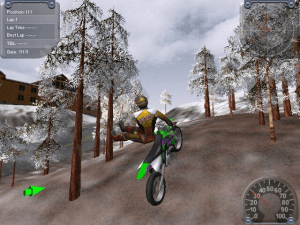
What a game. I wish there were more winter tracks. The bear mountain one is epic.
Found the answer. Motocross Madness 2 (and Midtown Madness 2, which was where I saw the error message) require the Indeo IV50 AVI video codec the play their intro videos. This codec seems to have been removed and/or is no longer compatible/supported on recent versions/updates of Windows. Motocross won't run without it, but Midtown will.
I found a copy of this codec at this link: https://rockraidersunited.com/files/lego_rock_raiders/resources/indeo-iv50-avi-codec-r111/
Motocross works fine now.
Worked fine a month ago, using the ISO, nocd fix, dgvoodoo2 and administrator/compatibility mode, but something has changed.
Like the previous commenter, it crashes on the title splash screen now. Not able to get to the main menu or even intro video anymore. Maybe a new windows update ruined things?
Nothing works, crashes on splash screen.
@MAX
Yes, use Windows98
Hey, I've installed the game then while trying to open nothing is showing up. I'm on windows 11, can someone please help
I would like to issue a correction on my previous comment. It didn't work originally, but running the crack exe in Windows XP SP3 compatibility mode did the trick. Runs like a charm now. Thank you Meadow!
This absolutely will not run on Windows 10. I followed all of Meadow's steps. It starts up to the splash screen, then promptly crashes regardless of what wrapper I choose.
se alguém tiver problema não sei se oq vou falar vai resolver
clique com botão direito do mouse no icone do jogo e va em propriedade e va onde tem para abri o jogo usando WINDOWS XP ou SERVICE PACK 2 uma vez baixei não por esse site mas tive q fazer isso para o jogo abri
Windows Registry Editor Version 5.00
[HKEY_LOCAL_MACHINE\SOFTWARE\Microsoft\Microsoft Games\Motocross Madness 2]
"CDPath"="I:\\"
"PID"="52513-442-2952253-43064"
"HardDriveRootPath"="C:\\KLU3K\\Motocross Madness 2"
"AllowFreezeCamera"=dword:00000001
"InstallType"="Full"
"Launched"="1"
"VersionType"="RetailVersion"
"InstalledGroup"="3"
"LangID"=dword:00000009
can u still play with peeps on here like are the servers still up
Ok so I can get the game running no issue now but whenever I try and load a race it just crashes and idk what to do. I'm at my wits end with this game because I've been trying to run it on and off for a year now. At least I made progress but could you explain how I can actually load into a race please
This is the most awesome page on the internet.
@ADMIN Thank you and Working :)
@Pascal I made it happen :)
The German version is missing, I once had the CD but then lost it and haven't found it yet
We still need the backflip enabler, flip-trick.exe, backflip hack, no-crash application
I want to do some flips and spins on the Dew Tour, Gravity Games, X-Fighters, and X-Games courses. Let's goooo!
Hi.
Need help with,
"Write to location 00000000 caused an access violation."
Win10Pro64 user here.
Everything works fine until a map selected and start race clicked, game crashes and closing and back to Windows.
Win10 64
ryzen 7 5800x cpu
Radeon rx6900xt gpu
Any ideas or suggestions?
tnx.
Got it working using meadow's instructions and by downloading d3drm.dll from here https://www.dll-files.com/download/57ecb51c1682d12770ccd9b716dc4b6c/d3drm.dll.html?c=NE0ySDFPMktXOEV5aDhzRnNjbEhwUT09. If anyone is interesting is playing online, add me on discord at xanadu1579
Thanks for providing the software, hoping I'll get this working on windows 11 as well. Does anyone play Motocross Madness 2 Online? Using GameRanger or a similar service?
I love dirt bikes
Does anyone have the flip trick link?
I can't follow Meadows instructions because there is zero disk space in the folder to add more files. Any ideas?
Working perfectly on win11 thanks to Meadow's guide!
Update from helping my brother get it on a different computer (we were kids who grew up with the game, so this has been wonderful): Additionally, when installing on AMD, if you get white textures that fail to load in, try going to the DirectX tab of the dgVoodooCpl application and checking the "fast video memory access" option. This might resolve that specific issue.
Adding another comment to the ring. There seems like a few different critical things to make sure of.
First, after install, replace the EXE with the fixed EXE.
Second, make sure to grab the d3drm.dll and the MS dgVoodoo2 dlls from the site Meadow mentioned.
Third, make sure to grab that dgVoodoo .exe, copy that in and run it in the MM2 directory, click the / on the top right of the program to direct it to the MM2 directory instead of the dummy one it comes with, and it'll generate the conf file you'll need for dgVoodoo2.
And fourth, and this is where I had issues, you gotta make it run in the right compatibility modes. So double check, don't just use the windows troubleshooter like I tried first. Open the .exe launch application file's Properties, head over to the Compatibility tab, and make sure to set the settings to the XP Service Pack 3, but also what fixed it for me was to go further and "Change settings for all users" to that same Compatibility setting.
Just tested it on Windows 11 and it works thanks to Meadow's guide.
I also have used Meadow's method (see comment below dated 2020-01-12).
It works great, thanks Meadow.
I'm running Intel Celeron Windows 7 (notebook).
I used Meadow's method (see comment below dated 2020-01-12).
It works great, thanks Meadow.
I'm running Windows 11 and using a PS3 controller on my PC.
4/13/2023 We need the backflip enabler
flip_trick.exe “Bart Simpson head app” Would be nice to make some cool inverted tricks happen again!
I third the backflip file request! Just started playing for the first time and its a blast.
I second with the flipper guy, does anyone have the backflip enabler? We're still able to inject all tricks with Sik Trix. Would be nice to start making new tricks again.
amazing game
When you say it's an ISO, then effin make sure it's a damn ISO. Not some proprietary BS.
I really didn't like having to install Alc120 just to effin access it.
i have a disc copy of the game, EURO.TEX wont copy to the computer, anyone know why?!
Very awesome! Got it working on WIndows 11... played it heaps 20 years ago.
Now i am trying to play it with my kids over LAN. Can't get it set up. When i attempt to start a multiplayer game it freezes after the 'Host' / 'Join' window comes up.
Any idea why this is. I gave the mcm2.exe all access through the firewall.
Anyone here that can help?
Cheers!
Game crashes after doing everything said, game enters fine but then for some reason there is no sound on menu, then when i select what to drive it loads and crashes out of the game. check for error logs
16 processor(s), type 586.
1024 MBytes physical memory.
Write to location 00000000 caused an access violation.
so dont know what to do now
someone still has backflip enabler?!?
(flip_it.zip/flip_it.exe/flip-trick.exe)
One last thing (if anyone has the same problem):
If your game crashes with the error "Read from location 00000000 caused an access violation" at the start of a race, it may be caused by a peripheral. As soon as I unplugged my racing wheel it started working. Perhaps the game detected it but failed to utilize it.
Also as an answer to INEEDTHISGAME:
It may also be related to potential spaces in the setup file path. On another machine that (i.e. removing the spaces in folder names) seemed to fix the error.
As an answer to INEEDTHISGAME:
If it's the error:
"Setup was unable to find (or could not read) the language specific setup resource dll",
then just copying the folder to desktop fixes it, as in the following video:
https://www.youtube.com/watch?v=XTp5g1VqKfo
I cant launch the setup. I get an error message as soon as I start lauunching it. Some kind of language.dll error. Did someone have the same issue and can help me with it?
Hello everyone, I followed the instructions but the software keeps crashing during the launch, just before I access the menu... anyone has an idea how I could fix this?
Many thanks in advance!
Oh man I'm so happy to finally be able to replay this game after so many years. This time I will surelly catch that UFO!
Important
MCM2 exe - compatibility mode XP SP3
https://www.groovypost.com/wp-content/uploads/2016/02/compatible.png
TY Myabandonware you only a Mouse
Win10, NEC Multisync LCD 1760NX Gaming PC (2018) No Games
3X AMD-ATI-XP System, 2X NEC Multisync LCD 1970NX, 1x Fujitsu Siemens Szenicview P19-2
Superbike World Championship, Superbike 2000 und 2001 (Milestone). Mercedes Benz Truck Racing (Synetic GMBH). F1 Racing Championship (Ubi_Soft)
Extreme 500 (Ascaron GMBH)
Grand Prix 3 und 4 (Microprose)
Grand Prix Legends ( Standard ) ( Papyrus Group) Warm_Up (Lankhor) Alle Original ISO
Motocross Madness 2
Saitek PS 2700 und 2x P1500 Gamepads.
This work all
Bud only with AMD-ATI
https://abload.de/img/untitledqtks4.jpg
Hmmm... I can't even run the Setup.exe file.
It reports not enough memory...
Anyone have any ideas how to get around this?
This guide worked perfectly just now:
https://classicgamefixes.wixsite.com/home/motocross-madness-2
Finally running MM2 again - 1920x1200, full screen & glitchless!
Anyone know why my keyboard binds are not working? i can control the camera but i cannot move the bike
Works for me on Win10. I used:
https://wincdemu.sysprogs.org suggested by VINAY
Then follow suggestions from MEADOW, but skip the iso conversion.
Works with both Rasterization or graphics card, sorry CORONAGUY
Hello peeps here is how I managed to get it work on windows 7 i3 Intel HD Hp notebook
1.Get iso mounter like https://wincdemu.sysprogs.org/
2.Extract motorcross files , right click on Motocross Madness 2.mds select mount to drive (choose any free letter)
3.Install the game I chose C:\Program Files (x86)\MM2, close the installer
4.Copy T:\GAME\MCM2.exe to your installation folder(C:\Program Files (x86)\MM2) click Yes to replace
Was able to make it work with the help of katie nerd girl on youtube.
Apparently my missing part was the fact that in the end, you should start the game from where you installed it, and not the cd mouting parts ;-)
Same here. wasn't able to do the meadow explanation.
Or more, was able to do it, but not able to open the game after. Had the installation going like "successfull" but it was at the end. (runnin on windows 10)
I still am not able tp play this game, can you help me out?
I Would like to run Motocross Madness 2, as I used to run Motocross Madness 1.
Guys, the game works perfectly. But only in software resterization or whatever it's called. If I select my own graphics card to play at the beginning when it asks for a 3D engine, it crashes. I don't know how this is fixable. But with the software resterization you are limited to small resolutions because higher ones are stuttering as hell. If someone has a solution about this, please upload it!
Best game ever for quarantäne la corona!
I finally figured out how to get this to work.
1. Get an MDF to ISO program and convert the file to an ISO.
2. Install the game, then in the game's main folder replace mcm2.exe with the fix from this website.
3. find dgvoodoo2, and download both it and d3drm.dll (they're both on the voodoo site)
3. put the "ms" x64 dll from voodoo and d3drm.dll into the game's main folder
(if this doesn't work try some of the other dlls from the program)
4. Set mcm2.exe to run in compatibility mode for Windows XP Service Pack 3
5. Enjoy
i never use piece of crap 3d wrapper
This is my favourite
To the person who uploaded this, you could have at least specified that it was a ".MDF/.MDS" file instead of falsely calling it an ISO file.
Also, are ".MDF/.MDS" files used as a way to copy games with copy protection without triggering the copy protection?
And if so, does converting ".MDF/.MDS" files to ".ISO" trigger that same copy protection?
Is it controller supported ?
I have no clue how to get this to work. I converted it to an ISO file and went through the setup/installer. I now have the Motocross Madness 2 Icon on my desktop but it simply fails to launch.
Motocross madness is the best.
Thank you for the download
@ANONYMOUS
MDF/MDS is a CD/DVD image file(exact virtual copy of the actual Compact Disc). Use AnyToISO app to convert MDF/MDS image into ISO(smaller sized and more compatible) image file. Than use the MagicDisc or Daemon Tools app to mount the ISO file on the virtual CD/DVD drive.
@HELLO AUS
In most cases old software is incompatible with the modern operating systems. Read the FAQ.
how do i use the MDF and MDS files
im not a pc expert and i know of .rar .zip .exe .vbs and .bat so can you help me?
i saw this cause of nerdcubed and well i whink it will be fun
im going to play it whan its done
its a god gifted game
hi, I can install the game (using daemon tools virtual drive) but I can only open setup not the game itself, whats going on ?
Also, this is a Rainbow Studios game... THQ owns Rainbow Studios... Right?
I seem to notice this now but there is a connection I made. The levels in this game seem oddly similar to the levels in the original MX Unleashed. Also, this is a game published by Microsoft. As another fact, the enbankments on the outskirts of the map are the same as those such in MX Unleased. In conclusion, very many things are similar between the two games.
This game was and is so good !! Insane online game as well , for that time it was really next level and there was a very nice online community with user made tracks that were really great . Thanks myabandonware , this made my day .
Unfortunately it seems to crash on boot on Win7, have not been able to get it running yet.
Its the full version or the demo?
i love it
tell me how to download???
AAAAAAAAAAAAAAAOOOOOOOOOOOOOOOSSSSSSSSSSSSSSSSSSSSSSEEEEEEEEEEEEEEEEEEEMMMMMMMMMMMMMMMMMMM
No comment nor review for this game at the moment.