You are on the beta version of My Abandonware. The live site is still myabandonware.com. Your favorites and ratings here are copied to the live site. Comments and other changes are not — we delete them every morning at 08:00 Paris time, when this site goes down for about an hour. Leave feedback through this link to Pastel (email required).
The beta goes down at 08:00 Paris time, in a few minutes. We rebuild the database from the live site. It comes back in about an hour.
I click on the setup application after the disc drive gets generated. I get the windows 10 popup saying do you want to allow an unknown publisher to make changes to your machine. I hit Yes and then nothing happens. Anyone else experience this?
I followed these steps, so step 2 does nothing for me: 1. Extract the ISO File. Double click the iso file on the Windows Explorer 2. Now click setup.exe on the CD Drive appear after you double click the iso file 3. Follow the installation instructions. I choose custom installation and check all the options. Wait until installation is complete, then click Register Later when popup appears. 4. After finish install the game, downlaod Win XP/2K Compatibility Fix files (6 Mb) on this page, and double click it. It will detect where the game installed and follow the instructions, and after that you can play the game
-1
BobGrayling15 Feb. 2025
I downloaded it. Got it to work. Then last night my computer ran an update. Suddenly it doesn't work. (I'm just guessing it's related.)
Running Windows 10.
Tried to uninstall and reinstall. So far, no luck. :(
0
Older Gamr24 May. 2024
Is it possible to play this on a MAC? If so, what are the steps?
0
kingdom 5211 Nov. 2023
will give this a try
0
Gnolihz16 Aug. 2023
Step by Step Guide to Play this Game in Windows 10/Windows 11 : 1. Extract the ISO File. Double click the iso file on the Windows Explorer 2. Now click setup.exe on the CD Drive appear after you double click the iso file 3. Follow the installation instructions. I choose custom installation and check all the options. Wait until installation is complete, then click Register Later when popup appears. 4. After finish install the game, downlaod Win XP/2K Compatibility Fix files (6 Mb) on this page, and double click it. It will detect where the game installed and follow the instructions, and after that you can play the game
4
M18 Sep. 2022
I downloaded the ISO version but cannot find how to open it a view the game,Gettysburg. Please advise.
m
0
Iowaguy12 Mar. 2022
Sid Meiers Gettysburg and Antietam are my two favorite pc games. However, I am very frustrated and disappointed with Firaxis. These are two very old games. When I bought them originally I had a disc drive and easily downloaded them. Now, no disc drive and can't find a way to download both games. I am truly angry with Firaxis over this matter. Both games were hugely popular when they were released and Firaxis seems to have let them go buy the wayside refusing to keep them available w/new developed technology since their inception. I really wish I could acquire them again but Firaxis doesn't seem to care about that.
-4
No nickname11 Feb. 2022
I believe I know that same guy that could beat it in one battle. He worked on a graveyard shift in California and told me that story. He also beat Medal of Honor 2 on the psp while only looking in one direction due to the joystick being broken
0
Jmack18 Jul. 2021
download Antietam, it also contains gettysburg. All works great on windows 10. I didn't have to do anything other than unzip and extract with winRAR
-2
JD20 Feb. 2021
The game works really will thanks a lot.
1
Tom06 Jul. 2020
Changing lee.exe compatibility mode in Windows 7 Pro, does not work for this game. It HAS to be Windows XP, I used SP3 compatibility mode. The game WILL work, however, you should download the XP fix from here before playing as it does fix some graphic issues.
I couldn't get the v6.00 patch to work, but the XP fix did install and work.
All I did was, download the .iso file, open the .iso with WinRAR and extract it. Next, download and run the fix Win XP/2K file, then go to the folder where you extracted Gettysburg to, set compatibility mode for lee.exe to Winxp SP3, it works. This was done in Windows 7 Pro. I don't have and never will have JunkWin 10.
2
MASTER GAMER22 Feb. 2020
For Windows 10 users. Use WinRAR to mount ISO file. After that extract everything from ISO to a folder. Then just double click lee.exe and it plays. No setup required.
0
bob-de-silvis06 Jan. 2020
Top comment
i got the game to work by: downloading iso file, patch v6.00 and win/eng file in the download area. I then unzipped iso into a "new folder", ran "set-up" in new disk drive that was created. patched the installed game in created fireaxis folder, dropped in win/eng file and ran file. The win/eng file could not work. I then went to rlee exe in game folder and changed compatability to Win95. The game is running perfectly and I now have back one of my favorite games I had since lost. Thank You Abandonware! :)
10
jollyroger26 Nov. 2019
works great thanks
1
Ddubbs01 Sep. 2019
I wish I could figure out the install, not working. I loved this game when I was younger.
-4
Wtf28 Jul. 2019
This is bullshit. How do you install it?!!!! I hit setup each time and literally nothing happens for installation
-2
Clifford Deal26 Jul. 2019
Nope. Total waste of time.
-5
Clifford Deal26 Jul. 2019
Question: Windows 10 Compatable ?
-7
Gamemaster04 Apr. 2019
My friend said he can win the campaign in one battle, it took him 8+ hours while he was working grave yard shift. I won't tell how he did it but its legendary.
-1
Mr.Fix it11 Mar. 2019
Here is a fix for modern operating systems
Video explaining how to make it work : https://www.youtube.com/watch?v=FKZOatimi8Y
Direct link - https://www.fileplanet.com/archive/p-8427/Gettysburg-Windows-2000-XP-Compatibility-Update
2
dan3302 Oct. 2018
thanks
3
M4Sharman14 Aug. 2018
Can we have a tutorial on how to install this game, how to install the patch and how to run it on Windows 10 please?
-19
jmacgroup09 Jun. 2018
Does this install work with Windows 10? Can someone provide step by step instructions of how to run it once the download is complete? (Including how to use the Patch)?? thank you.
-16
DJ Louie G31 Mar. 2018
ok, I download the files! How do I get it to run?
-30
Pinto29 Jan. 2018
Groovy
-6
Thanks Myabandonware!!13 Jan. 2018
Great memories with this game chasing yankees! Truly the best civil war game ever.
2
Athanasius12 Feb. 2017
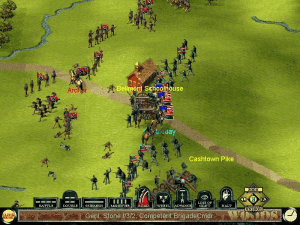
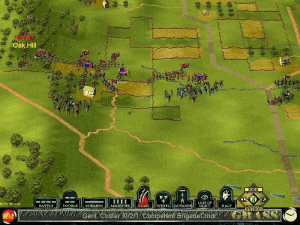
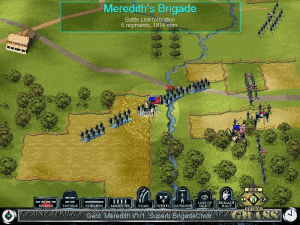
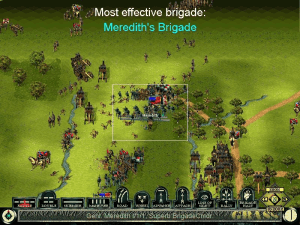
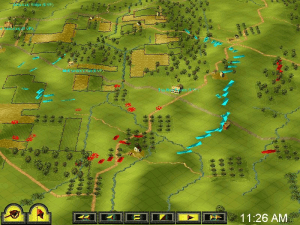
Imho the best adaptation of ACW ever - its complexity is just right, not as simplistic as "Ultimate General: Gettysburg" and not as complicated as the enormous "Scourge of War: Gettysburg", but something in between. It has a great replayability too, because you can try out different strategies. Fantastic game, and highly atmospheric.
-2
No comment nor review for this game at the moment.







 English





Comments and reviews
Hello General Meade,
You are quite good at fighting a battle but before running the old setup.exe you will need to install the file found here:
https://download.microsoft.com/download/748580b8-0e66-45c5-a4b0-dbd37a44e230/16BitInstallShieldSupport.msi
Kind regards,
Gen. Lee
I click on the setup application after the disc drive gets generated. I get the windows 10 popup saying do you want to allow an unknown publisher to make changes to your machine. I hit Yes and then nothing happens. Anyone else experience this?
I followed these steps, so step 2 does nothing for me:
1. Extract the ISO File. Double click the iso file on the Windows Explorer
2. Now click setup.exe on the CD Drive appear after you double click the iso file
3. Follow the installation instructions. I choose custom installation and check all the options. Wait until installation is complete, then click Register Later when popup appears.
4. After finish install the game, downlaod Win XP/2K Compatibility Fix files (6 Mb) on this page, and double click it. It will detect where the game installed and follow the instructions, and after that you can play the game
I downloaded it. Got it to work. Then last night my computer ran an update. Suddenly it doesn't work. (I'm just guessing it's related.)
Running Windows 10.
Tried to uninstall and reinstall. So far, no luck. :(
Is it possible to play this on a MAC?
If so, what are the steps?
will give this a try
Step by Step Guide to Play this Game in Windows 10/Windows 11 :
1. Extract the ISO File. Double click the iso file on the Windows Explorer
2. Now click setup.exe on the CD Drive appear after you double click the iso file
3. Follow the installation instructions. I choose custom installation and check all the options. Wait until installation is complete, then click Register Later when popup appears.
4. After finish install the game, downlaod Win XP/2K Compatibility Fix files (6 Mb) on this page, and double click it. It will detect where the game installed and follow the instructions, and after that you can play the game
I downloaded the ISO version but cannot find how to open it a view the game,Gettysburg.
Please advise.
m
Sid Meiers Gettysburg and Antietam are my two favorite pc games. However, I am very frustrated and disappointed with Firaxis. These are two very old games. When I bought them originally I had a disc drive and easily downloaded them. Now, no disc drive and can't find a way to download both games. I am truly angry with Firaxis over this matter. Both games were hugely popular when they were released and Firaxis seems to have let them go buy the wayside refusing to keep them available w/new developed technology since their inception. I really wish I could acquire them again but Firaxis doesn't seem to care about that.
I believe I know that same guy that could beat it in one battle. He worked on a graveyard shift in California and told me that story. He also beat Medal of Honor 2 on the psp while only looking in one direction due to the joystick being broken
download Antietam, it also contains gettysburg. All works great on windows 10. I didn't have to do anything other than unzip and extract with winRAR
The game works really will thanks a lot.
Changing lee.exe compatibility mode in Windows 7 Pro, does not work for this game. It HAS to be Windows XP, I used SP3 compatibility mode. The game WILL work, however, you should download the XP fix from here before playing as it does fix some graphic issues.
I couldn't get the v6.00 patch to work, but the XP fix did install and work.
All I did was, download the .iso file, open the .iso with WinRAR and extract it. Next, download and run the fix Win XP/2K file, then go to the folder where you extracted Gettysburg to, set compatibility mode for lee.exe to Winxp SP3, it works. This was done in Windows 7 Pro. I don't have and never will have JunkWin 10.
For Windows 10 users. Use WinRAR to mount ISO file. After that extract everything from ISO to a folder. Then just double click lee.exe and it plays. No setup required.
i got the game to work by:
downloading iso file, patch v6.00 and win/eng file in the download area.
I then unzipped iso into a "new folder", ran "set-up" in new disk drive that was created.
patched the installed game in created fireaxis folder, dropped in win/eng file and ran file. The win/eng file could not work.
I then went to rlee exe in game folder and changed compatability to Win95.
The game is running perfectly and I now have back one of my favorite games I had since lost.
Thank You Abandonware! :)
works great thanks
I wish I could figure out the install, not working. I loved this game when I was younger.
This is bullshit. How do you install it?!!!! I hit setup each time and literally nothing happens for installation
Nope. Total waste of time.
Question: Windows 10 Compatable ?
My friend said he can win the campaign in one battle, it took him 8+ hours while he was working grave yard shift. I won't tell how he did it but its legendary.
Here is a fix for modern operating systems
Video explaining how to make it work : https://www.youtube.com/watch?v=FKZOatimi8Y
Direct link - https://www.fileplanet.com/archive/p-8427/Gettysburg-Windows-2000-XP-Compatibility-Update
thanks
Can we have a tutorial on how to install this game, how to install the patch and how to run it on Windows 10 please?
Does this install work with Windows 10? Can someone provide step by step instructions of how to run it once the download is complete? (Including how to use the Patch)?? thank you.
ok, I download the files! How do I get it to run?
Groovy
Great memories with this game chasing yankees! Truly the best civil war game ever.
Imho the best adaptation of ACW ever - its complexity is just right, not as simplistic as "Ultimate General: Gettysburg" and not as complicated as the enormous "Scourge of War: Gettysburg", but something in between. It has a great replayability too, because you can try out different strategies. Fantastic game, and highly atmospheric.
No comment nor review for this game at the moment.