You are on the beta version of My Abandonware. The live site is still myabandonware.com. Your favorites and ratings here are copied to the live site. Comments and other changes are not — we delete them every morning at 08:00 Paris time, when this site goes down for about an hour. Leave feedback through this link to Pastel (email required).
The beta goes down at 08:00 Paris time, in a few minutes. We rebuild the database from the live site. It comes back in about an hour.
@POCODOCO Thanks for nudging me in the right direction, although I still had to do my own digging to find out how exactly you can load multiple drives at the same time in RetroArch... Anyway, this is relatively straightforward. The step-by-step guideline to version PC-88:
1) Download RetroArch from the official website RetroArch.com and NOT the Steam version. Just trust me.
2) Download Snatcher_PC-88_EN from MyAbandonware, unzip all of the disk files and then enter the following directories: - Snatcher (1988)(Konami)(Disk 1 of 5)(Program Disk) - Snatcher (1988)(Konami)(Disk 2 of 5)(Data Disk 1) - Snatcher (1988)(Konami)(Disk 3 of 5)(Data Disk 2) - Snatcher (1988)(Konami)(Disk 4 of 5)(Data Disk 3) - Snatcher (1988)(Konami)(Disk 5 of 5)(Data Disk 4)
3) Cut or copy the .d88 files that you'll find inside them and paste all of them into a single folder so they are next to one another.
4) While inside that folder, create a new .txt file and type inside the text between the two lines below: ----------------------------------------------- Snatcher (1988)(Konami)(Disk 1 of 5)(Program Disk).d88 Snatcher (1988)(Konami)(Disk 2 of 5)(Data Disk 1).d88 Snatcher (1988)(Konami)(Disk 3 of 5)(Data Disk 2).d88 Snatcher (1988)(Konami)(Disk 4 of 5)(Data Disk 3).d88 Snatcher (1988)(Konami)(Disk 5 of 5)(Data Disk 4).d88 -----------------------------------------------
5) Right-click on the .txt file, change its name to whatever you want, just as long as the .txt extension turns into .m3u. You have just created a playlist of all the five disks.
6) Open RetroArch, then Load Core/Download a Core, find and select "NEC - PC-8000 / PC-8800 series (QUASI88)".
7) Return to the Main Menu, enter Load Content, then use whatever option is most convenient to navigate to the .m3u playlist file you have just created.
8) If a white screen and then the Konami logo appears, you should be all set. The music kicks in at the Team Metalslave logo, I didn't have any problems with it.
9) Give up on the game five minutes afterwards since you can't speak Japanese like the rest of us. :( My familiarity with Chinese characters only managed to get me through the name selection process, but I have no idea what to do while I'm in the car. Not that would be much use anyway, I won't understand the plot. I don't really know what I was expecting, I mean, I knew this was a Japanese-only release aside from the Sega CD version. Yet in my naivete I still thought that maybe there was some editable text file for subs which I could quickly push through Google Translate... yeah, no such luck.
Oh well. Maybe I'll give the Sega CD emulator a try.
4
Helinux04 Jun. 2022
clássico!!!!Thank´s!!!!
1
PocoDoco27 Jun. 2021
Top comment
EDIT ON PREVIOUS COMMENT: Of course I got the game working just a minute after my last comment. Two VERY important notes on the PC-88 version: 1) To get it running, discs 1 AND 2 need to be loaded into both drives. (Disc 1 in Drive 1, Disc 2 in Drive 2). It gave me a black screen until I did this. I got it running on M88 with recommended settings found in the application's folder. I used the files without the "alternative" file names (NOT [a] or [a2]). Load the discs and reset, and give it a moment. But perhaps more importantly:
2) This version is in JAPANESE. The English flag next to the download icon is incorrect, and if you don't read Japanese you won't be able to play. Please note this before trying to play.
I'm off to play the English SEGA CD version.
8
PocoDoco27 Jun. 2021
Couldn't get the PC-88 version to run -- tried all given emulators, which I tested on other games successfully, and only got a black screen when the game was loaded. Changing to recommended settings and trying the alt versions provided did not work. I'm definitely out of my depth to some degree but I see other commenters couldn't get the PC-88 version working either. If someone gets it working let us know!
1
Brujo8814 Jun. 2021
I'm having trouble running the PC-88 version... I downloaded RetroArch, downloaded the Quasi88 core for the PC-8800 versions, buuuuut... when I extracted the .zip file with the game, it came out to be 5 different discs, and each one comes in 3 sepparated .zip files. It doesn't matter what disc I load in the RetroArch, nothing happens. Maybe I'm doing something wrong? Plz help! I'm a huge CyberPunk fan, and I just recently discovered this title and I wanna try it (plus, I love old games, from my childhood ages, it's very nostalgic for me). TKS!
2
WhyleKat31 Dec. 2020
Does this have English translations?
4
Naniyue22 Aug. 2020
Top comment
The Sega CD version is the best out of all of them. Ignore all others, except maybe the PCE SCD one, though it's still not as good. This, along with System Shock 2, is one of the very few games to have ever genuinely scared me.
7
SF808309 Aug. 2019
The Sega CD version has bin files what do I do with it? What should I do after I installed retroarch and the cores?
-2
D0S8127 Feb. 2019
Top comment
PC-88 is a computer from the 80's just like say, the MSX, and the best way to play this for those not tech savvy or who cant be harrassed fiddling with emulaors, is probably to get 'retroarch' which is free btw, once you have that on your commy, go to online update, and then update cores, which brings up a list of emulator cores, basically emulators for a lot of stuff from ZX spectrum, to gameboy to 3DS to playstation N64 etc, and yes, PC-88, once you click that core (and any other you might wanna try) and you have this game downloaded, go to load content in retroarch, search for the folder you put the game in, click it and it will ask which core you wanna use, pick PC-88 and it should work. now i havent actually tried this myself, but its how i've run pretty much everything ive wanted to emulate on retroarch from snes games, to playstation games, i just do what i described there, and away it goes. its so bloody easy, a monkey from ape escape could probably.....make a mess of it...but anyone else can use it easy. even if you download the sega cd version, retroarch has a sega cd core too.
9
Ignoramus11 Sep. 2016
What is PC-88 and how i run this game?
-12
No comment nor review for this game at the moment.


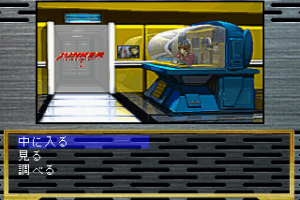
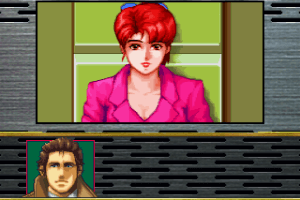
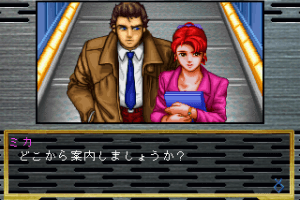
 Japanese
 English




Comments and reviews
@POCODOCO Thanks for nudging me in the right direction, although I still had to do my own digging to find out how exactly you can load multiple drives at the same time in RetroArch... Anyway, this is relatively straightforward. The step-by-step guideline to version PC-88:
1) Download RetroArch from the official website RetroArch.com and NOT the Steam version. Just trust me.
2) Download Snatcher_PC-88_EN from MyAbandonware, unzip all of the disk files and then enter the following directories:
- Snatcher (1988)(Konami)(Disk 1 of 5)(Program Disk)
- Snatcher (1988)(Konami)(Disk 2 of 5)(Data Disk 1)
- Snatcher (1988)(Konami)(Disk 3 of 5)(Data Disk 2)
- Snatcher (1988)(Konami)(Disk 4 of 5)(Data Disk 3)
- Snatcher (1988)(Konami)(Disk 5 of 5)(Data Disk 4)
3) Cut or copy the .d88 files that you'll find inside them and paste all of them into a single folder so they are next to one another.
4) While inside that folder, create a new .txt file and type inside the text between the two lines below:
-----------------------------------------------
Snatcher (1988)(Konami)(Disk 1 of 5)(Program Disk).d88
Snatcher (1988)(Konami)(Disk 2 of 5)(Data Disk 1).d88
Snatcher (1988)(Konami)(Disk 3 of 5)(Data Disk 2).d88
Snatcher (1988)(Konami)(Disk 4 of 5)(Data Disk 3).d88
Snatcher (1988)(Konami)(Disk 5 of 5)(Data Disk 4).d88
-----------------------------------------------
5) Right-click on the .txt file, change its name to whatever you want, just as long as the .txt extension turns into .m3u. You have just created a playlist of all the five disks.
6) Open RetroArch, then Load Core/Download a Core, find and select "NEC - PC-8000 / PC-8800 series (QUASI88)".
7) Return to the Main Menu, enter Load Content, then use whatever option is most convenient to navigate to the .m3u playlist file you have just created.
8) If a white screen and then the Konami logo appears, you should be all set. The music kicks in at the Team Metalslave logo, I didn't have any problems with it.
9) Give up on the game five minutes afterwards since you can't speak Japanese like the rest of us. :( My familiarity with Chinese characters only managed to get me through the name selection process, but I have no idea what to do while I'm in the car. Not that would be much use anyway, I won't understand the plot. I don't really know what I was expecting, I mean, I knew this was a Japanese-only release aside from the Sega CD version. Yet in my naivete I still thought that maybe there was some editable text file for subs which I could quickly push through Google Translate... yeah, no such luck.
Oh well. Maybe I'll give the Sega CD emulator a try.
clássico!!!!Thank´s!!!!
EDIT ON PREVIOUS COMMENT:
Of course I got the game working just a minute after my last comment. Two VERY important notes on the PC-88 version:
1) To get it running, discs 1 AND 2 need to be loaded into both drives. (Disc 1 in Drive 1, Disc 2 in Drive 2). It gave me a black screen until I did this. I got it running on M88 with recommended settings found in the application's folder. I used the files without the "alternative" file names (NOT [a] or [a2]). Load the discs and reset, and give it a moment. But perhaps more importantly:
2) This version is in JAPANESE. The English flag next to the download icon is incorrect, and if you don't read Japanese you won't be able to play. Please note this before trying to play.
I'm off to play the English SEGA CD version.
Couldn't get the PC-88 version to run -- tried all given emulators, which I tested on other games successfully, and only got a black screen when the game was loaded. Changing to recommended settings and trying the alt versions provided did not work. I'm definitely out of my depth to some degree but I see other commenters couldn't get the PC-88 version working either. If someone gets it working let us know!
I'm having trouble running the PC-88 version... I downloaded RetroArch, downloaded the Quasi88 core for the PC-8800 versions, buuuuut... when I extracted the .zip file with the game, it came out to be 5 different discs, and each one comes in 3 sepparated .zip files. It doesn't matter what disc I load in the RetroArch, nothing happens. Maybe I'm doing something wrong? Plz help! I'm a huge CyberPunk fan, and I just recently discovered this title and I wanna try it (plus, I love old games, from my childhood ages, it's very nostalgic for me). TKS!
Does this have English translations?
The Sega CD version is the best out of all of them. Ignore all others, except maybe the PCE SCD one, though it's still not as good. This, along with System Shock 2, is one of the very few games to have ever genuinely scared me.
The Sega CD version has bin files what do I do with it?
What should I do after I installed retroarch and the cores?
PC-88 is a computer from the 80's just like say, the MSX, and the best way to play this for those not tech savvy or who cant be harrassed fiddling with emulaors, is probably to get 'retroarch' which is free btw, once you have that on your commy, go to online update, and then update cores, which brings up a list of emulator cores, basically emulators for a lot of stuff from ZX spectrum, to gameboy to 3DS to playstation N64 etc, and yes, PC-88, once you click that core (and any other you might wanna try) and you have this game downloaded, go to load content in retroarch, search for the folder you put the game in, click it and it will ask which core you wanna use, pick PC-88 and it should work. now i havent actually tried this myself, but its how i've run pretty much everything ive wanted to emulate on retroarch from snes games, to playstation games, i just do what i described there, and away it goes. its so bloody easy, a monkey from ape escape could probably.....make a mess of it...but anyone else can use it easy. even if you download the sega cd version, retroarch has a sega cd core too.
What is PC-88 and how i run this game?
No comment nor review for this game at the moment.