You are on the beta version of My Abandonware. The live site is still myabandonware.com. Your favorites and ratings here are copied to the live site. Comments and other changes are not — we delete them every morning at 08:00 Paris time, when this site goes down for about an hour. Leave feedback through this link to Pastel (email required).
The beta goes down at 08:00 Paris time, in a few minutes. We rebuild the database from the live site. It comes back in about an hour.
Hi, do you know where I can get the Spanish version?
0
KASUMI6519 May. 2025
French : https://www.abandonware-france.org/ltf_abandon/ltf_jeu.php?id=1629&fic=liens
German : https://archive.org/download/redump_pc_R/Ripper%20%28Germany%29%20%28Disc%201%29.7z https://archive.org/download/redump_pc_R/Ripper%20%28Germany%29%20%28Disc%202%29.7z https://archive.org/download/redump_pc_R/Ripper%20%28Germany%29%20%28Disc%203%29.7z https://archive.org/download/redump_pc_R/Ripper%20%28Germany%29%20%28Disc%204%29.7z https://archive.org/download/redump_pc_R/Ripper%20%28Germany%29%20%28Disc%205%29.7z https://archive.org/download/redump_pc_R/Ripper%20%28Germany%29%20%28Disc%206%29.7z
Italian : https://archive.org/download/redump_pc_R/Ripper%20%28Italy%29%20%28Disc%201%29.7z https://archive.org/download/redump_pc_R/Ripper%20%28Italy%29%20%28Disc%202%29.7z https://archive.org/download/redump_pc_R/Ripper%20%28Italy%29%20%28Disc%203%29.7z https://archive.org/download/redump_pc_R/Ripper%20%28Italy%29%20%28Disc%204%29.7z https://archive.org/download/redump_pc_R/Ripper%20%28Italy%29%20%28Disc%205%29.7z https://archive.org/download/redump_pc_R/Ripper%20%28Italy%29%20%28Disc%206%29.7z
Chinese : https://archive.org/details/ripper-tw-1997-dos-1.05
3
LordGarthPaladin07 Oct. 2022
zombs lair is great. I hope there are more of the fmv from abandonware that you can get working.
Thx
1
gofishus08 Sep. 2022
https://www.zombs-lair.com/ripper just get the game from here it will run on modern windows. The myabandonware version is too much hassle to get working.
5
The Boz14 Jul. 2022
Top comment
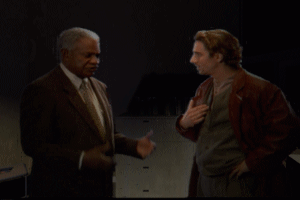
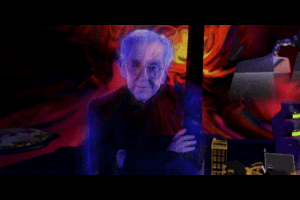
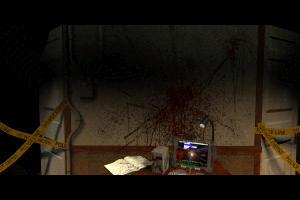
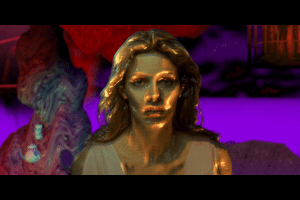
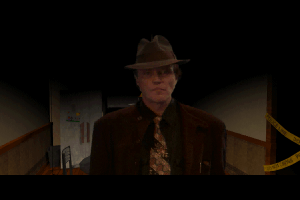
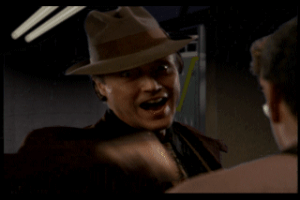
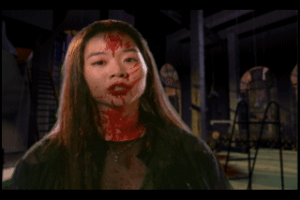
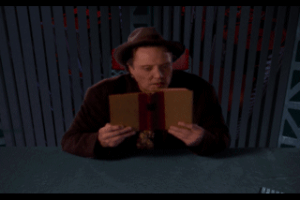
I absolutely loved FMV games back in the 90s and this for me was one of the best, along with Under a Killing Moon. Decent cast with the late Burgess Meredith, Christopher Walken plus a few others. For some reason I didn't get that very far in the game.
This game for me probably had the best intro music, Don't fear the Reaper by Blue Öyster Cult. I bought this in Leeds, enjoyed the bus journey home, the smell of the oversized box, marvelling at the screenshots on the back and then getting home opening the box seeing 6 CDs to install, I grew very impatient, but it was worth the wait when I started playing.
6
peignoir13 Mar. 2022
thanks dakuan was painful but worked!
1
KL17 Nov. 2021
It is included in EXODOS compilation. Think they made it work.
1
JazzyCup19 Feb. 2020
Just wanted to say thank you to DAKUAN even though they may never see this, I was stuck at a few parts when using DBGL but eventually got through the install with your write up, then got stuck at the patching portion until I looked into it more carefully and found running it from manual, at least on windows 10, was the correct way to go.
Anyway, thank you!
0
Wolfy13 Jan. 2020
I cant seem to figure this game out on DOSBox sucks.
-3
KC11 Jan. 2020
Thanks again DAKUAN for the help.
HELLRAEZER: I hate to advertise other sites, this is a great site and I can get most games to work, however, there are a few that I can not get to work. Try this download, it worked for me. http://www.abandonia.com/en/games/533/Jack+The+Ripper.html
1
Hellraezer15 Dec. 2019
I tried for over 2-hours, trying several "fixes" to no avail. If the disk images are mounted, then it immediately goes to c: prompt, instead of loading the game, where I have to manually type the main executable to run it.
If the images aren't mounted, it says they need to be and I have to exit.
No amount of autoexec commands or command line params have any effect. The game will NOT run without manually entering the "run" command.
I have yet to find a more irritating game to setup besides Crusader, No Remorse.
I'm using DosBox in LaunchBox, by the way.
0
Dakuan04 Dec. 2019
@KC: Thanks for the shout out, didn't realize you used Mac, but for future reference to all [not sure how many are freeware]:
DAKUAN, Thanks for the help, but I am using a Mac. No Windows, no Virtual Clone Drive. While Mac makes a lot of things easier to do, it gets a little more complex running a foreign program (DOS) in the OSX environment. It looks to be pretty complex even in the more native environment of Windows, going by the book you have written telling me all you have to do is.......................................... "It's easy!"
I did find the same game elsewhere, and it was put together in binary, the language of every computer. It loaded and ran perfectly.
I want to thank you for your help DAKUAN, I am sure the information you have put here will help others with a PC, so it is not a waste of your time.
And for others out there, this is a pretty cool game. Very unique. Give it a try. You now have the software here and thanks to DAKUAN you have the information to make it work.
0
Dakuan26 Nov. 2019
@KC: I use the DOSBox Game Launcher [known as DBGL] frontend. It even comes with DOSBox and allows you to add other DOSBox versions both old and new. Using the 'Add Games Wizard', you can easily install and organize your abandonware, and it's easy to tweak command-line changes using the intuitive GUI. This feature creates a 'temp' directory and automatically copies the results of a successful installation to your x:\dosroot folder afterwards (x being a placeholder for your hard drive letter). Of course, you can easily install other games that have no need to *be* installed; just point the profile towards the folder you created in your x:\dosroot and you can easily change parameters as needed. This frontend goes a long way in reducing headaches trying to remember what you've changed during troubleshooting.
*The trick for games like this* is to use virtual-optical-drive software like Virtual Clone Drive for loading up .bin, .iso, etc. as if it were physically there. This old laptop I use has a DVD drive already, so the virtual drive becomes drive letter E:\ (DOSBox allows it to simulate drive D:\ easily).
Ripper disc files are in .cue/.bin format, but I prefer .iso, so I first converted/organized them before installation (WinBin2ISO software works for this particular file type conversion). This was optional.
Recap: -I converted the .cue/.bin images to .iso and then mounted the first disc (RIPPER1.ISO) using Windows Explorer on the desktop (Virtual Clone Drive makes it as easy as a double-click on the Ripper disc image file.). -Using the 'Add Game Wizard' in DBGL, I pointed to the virtual drive E:\ for INSTALL.EXE and SETUP.EXE. Ripper installed to the temp folder, and sound/video setup completed. -I completed the profile with my default DOSBox settings and the installation to x:\dosroot finalized. -I then prepared to patch the installation. I right-clicked the profile in DBGL and selected 'Start Manually'. This loads DOSBox using any special settings for Ripper, but brings me to a DOS prompt at x:\dosroot\RIPPER. -I copied and ran each patch in command-line to be safe (first RIP103.EXE, then RIP105.EXE). I ignored the other files in the patch. I like to keep my installations clean, so I deleted the two patch files out of the installation folder since I was done with them.
Don't Fear the Reaper (the Ripper intro) is playing as I type this, so I'm assuming the hard part is over. When I'm asked to switch discs during gameplay, all I have to do is switch out of DOSBox to use Windows Explorer so I can double-click on the Ripper disc file the game wants, verify it mounted, and then switch back to DOSBox to continue playing. It will be as if I physically loaded the next disc.
The software I'm using is easily found with some quick web searching, and each one has documentation that goes further in depth if you have more questions. I'm using Windows 10 Home 64-bit. I hope this helped you and others can use the knowledge gained on other abandonware ISO titles you always wanted to try but didn't know how. Good luck, and enjoy!
3
KC24 Nov. 2019
Has anyone ever put this mess together into a working game using DosBox?
0
KC29 Oct. 2019
With all these CD's to download, and no obvious main game, where would the patch be installed? In each CD download?
0
No comment nor review for this game at the moment.








 English





Comments and reviews
Hi, do you know where I can get the Spanish version?
French :
https://www.abandonware-france.org/ltf_abandon/ltf_jeu.php?id=1629&fic=liens
German :
https://archive.org/download/redump_pc_R/Ripper%20%28Germany%29%20%28Disc%201%29.7z
https://archive.org/download/redump_pc_R/Ripper%20%28Germany%29%20%28Disc%202%29.7z
https://archive.org/download/redump_pc_R/Ripper%20%28Germany%29%20%28Disc%203%29.7z
https://archive.org/download/redump_pc_R/Ripper%20%28Germany%29%20%28Disc%204%29.7z
https://archive.org/download/redump_pc_R/Ripper%20%28Germany%29%20%28Disc%205%29.7z
https://archive.org/download/redump_pc_R/Ripper%20%28Germany%29%20%28Disc%206%29.7z
Italian :
https://archive.org/download/redump_pc_R/Ripper%20%28Italy%29%20%28Disc%201%29.7z
https://archive.org/download/redump_pc_R/Ripper%20%28Italy%29%20%28Disc%202%29.7z
https://archive.org/download/redump_pc_R/Ripper%20%28Italy%29%20%28Disc%203%29.7z
https://archive.org/download/redump_pc_R/Ripper%20%28Italy%29%20%28Disc%204%29.7z
https://archive.org/download/redump_pc_R/Ripper%20%28Italy%29%20%28Disc%205%29.7z
https://archive.org/download/redump_pc_R/Ripper%20%28Italy%29%20%28Disc%206%29.7z
Chinese :
https://archive.org/details/ripper-tw-1997-dos-1.05
zombs lair is great. I hope there are more of the fmv from abandonware that you can get working.
Thx
https://www.zombs-lair.com/ripper just get the game from here it will run on modern windows. The myabandonware version is too much hassle to get working.
I absolutely loved FMV games back in the 90s and this for me was one of the best, along with Under a Killing Moon. Decent cast with the late Burgess Meredith, Christopher Walken plus a few others. For some reason I didn't get that very far in the game.
This game for me probably had the best intro music, Don't fear the Reaper by Blue Öyster Cult. I bought this in Leeds, enjoyed the bus journey home, the smell of the oversized box, marvelling at the screenshots on the back and then getting home opening the box seeing 6 CDs to install, I grew very impatient, but it was worth the wait when I started playing.
thanks dakuan was painful but worked!
It is included in EXODOS compilation. Think they made it work.
Just wanted to say thank you to DAKUAN even though they may never see this, I was stuck at a few parts when using DBGL but eventually got through the install with your write up, then got stuck at the patching portion until I looked into it more carefully and found running it from manual, at least on windows 10, was the correct way to go.
Anyway, thank you!
I cant seem to figure this game out on DOSBox sucks.
Thanks again DAKUAN for the help.
HELLRAEZER: I hate to advertise other sites, this is a great site and I can get most games to work, however, there are a few that I can not get to work. Try this download, it worked for me.
http://www.abandonia.com/en/games/533/Jack+The+Ripper.html
I tried for over 2-hours, trying several "fixes" to no avail. If the disk images are mounted, then it immediately goes to c: prompt, instead of loading the game, where I have to manually type the main executable to run it.
If the images aren't mounted, it says they need to be and I have to exit.
No amount of autoexec commands or command line params have any effect. The game will NOT run without manually entering the "run" command.
I have yet to find a more irritating game to setup besides Crusader, No Remorse.
I'm using DosBox in LaunchBox, by the way.
@KC: Thanks for the shout out, didn't realize you used Mac, but for future reference to all [not sure how many are freeware]:
Mac alternatives to Virtual Clone Drive:
https://formac.informer.com/virtual-clone-drive
DBGL for Mac can be downloaded here:
http://members.quicknet.nl/blankendaalr/dbgl/
Mac alternatives to WinBin2ISO:
https://formac.informer.com/search/?q=magiciso
Cheers!
DAKUAN, Thanks for the help, but I am using a Mac. No Windows, no Virtual Clone Drive. While Mac makes a lot of things easier to do, it gets a little more complex running a foreign program (DOS) in the OSX environment. It looks to be pretty complex even in the more native environment of Windows, going by the book you have written telling me all you have to do is.......................................... "It's easy!"
I did find the same game elsewhere, and it was put together in binary, the language of every computer. It loaded and ran perfectly.
I want to thank you for your help DAKUAN, I am sure the information you have put here will help others with a PC, so it is not a waste of your time.
And for others out there, this is a pretty cool game. Very unique. Give it a try. You now have the software here and thanks to DAKUAN you have the information to make it work.
@KC: I use the DOSBox Game Launcher [known as DBGL] frontend. It even comes with DOSBox and allows you to add other DOSBox versions both old and new. Using the 'Add Games Wizard', you can easily install and organize your abandonware, and it's easy to tweak command-line changes using the intuitive GUI. This feature creates a 'temp' directory and automatically copies the results of a successful installation to your x:\dosroot folder afterwards (x being a placeholder for your hard drive letter). Of course, you can easily install other games that have no need to *be* installed; just point the profile towards the folder you created in your x:\dosroot and you can easily change parameters as needed. This frontend goes a long way in reducing headaches trying to remember what you've changed during troubleshooting.
*The trick for games like this* is to use virtual-optical-drive software like Virtual Clone Drive for loading up .bin, .iso, etc. as if it were physically there. This old laptop I use has a DVD drive already, so the virtual drive becomes drive letter E:\ (DOSBox allows it to simulate drive D:\ easily).
Ripper disc files are in .cue/.bin format, but I prefer .iso, so I first converted/organized them before installation (WinBin2ISO software works for this particular file type conversion). This was optional.
Recap:
-I converted the .cue/.bin images to .iso and then mounted the first disc (RIPPER1.ISO) using Windows Explorer on the desktop (Virtual Clone Drive makes it as easy as a double-click on the Ripper disc image file.).
-Using the 'Add Game Wizard' in DBGL, I pointed to the virtual drive E:\ for INSTALL.EXE and SETUP.EXE. Ripper installed to the temp folder, and sound/video setup completed.
-I completed the profile with my default DOSBox settings and the installation to x:\dosroot finalized.
-I then prepared to patch the installation. I right-clicked the profile in DBGL and selected 'Start Manually'. This loads DOSBox using any special settings for Ripper, but brings me to a DOS prompt at x:\dosroot\RIPPER.
-I copied and ran each patch in command-line to be safe (first RIP103.EXE, then RIP105.EXE). I ignored the other files in the patch. I like to keep my installations clean, so I deleted the two patch files out of the installation folder since I was done with them.
Don't Fear the Reaper (the Ripper intro) is playing as I type this, so I'm assuming the hard part is over. When I'm asked to switch discs during gameplay, all I have to do is switch out of DOSBox to use Windows Explorer so I can double-click on the Ripper disc file the game wants, verify it mounted, and then switch back to DOSBox to continue playing. It will be as if I physically loaded the next disc.
The software I'm using is easily found with some quick web searching, and each one has documentation that goes further in depth if you have more questions. I'm using Windows 10 Home 64-bit. I hope this helped you and others can use the knowledge gained on other abandonware ISO titles you always wanted to try but didn't know how. Good luck, and enjoy!
Has anyone ever put this mess together into a working game using DosBox?
With all these CD's to download, and no obvious main game, where would the patch be installed? In each CD download?
No comment nor review for this game at the moment.