You are on the beta version of My Abandonware. The live site is still myabandonware.com. Your favorites and ratings here are copied to the live site. Comments and other changes are not — we delete them every morning at 08:00 Paris time, when this site goes down for about an hour. Leave feedback through this link to Pastel (email required).
The beta goes down at 08:00 Paris time, in a few minutes. We rebuild the database from the live site. It comes back in about an hour.
I did this in a much simpler way: -Using DosBox-X (which has menu driven configuration) - Mounted the download folder as my C: drive - Downloaded the game's ISO from Internet Archive - Mounted the ISO using Daemon Tools (any virtual mounting should do) This appears as a drive in Windows (let's call it H:) - Configured DosBox-X to mount it's D: drive from the Windows Mounted volume (i.e. H: ) - Game works! (executing USNF.exe in C: )
No need to muck around with MSCDEX. Works on Windows 10
0
Memory23 May. 2025
Work 100% if you use your brain and dont confuse paths.
-1
Isaiah53six23 Feb. 2024
I got it to mostly work with Exodos but the game still will freeze at times.
0
mau09 Nov. 2023
Guys...Forget it...downloading this stuff is just a waste of time...You need specific skills that are not within everyone's reach. As far as I'm concerned, I wasted a lot of time in various attempts.....I mount the .iso files, but the games, when starting, require the presence of the CD in the drive!!! Are we still at this nonsense?...Does it take a long time to understand that when the game has physical protection, it is also necessary to provide the crack-no CD? Is it really that difficult to understand? If these cracks cannot be provided, then the game is better left alone. For those who have succeeded, I congratulate them, perhaps it is not their skill, but the luck of having dated computers.
-1
Diego05 Jun. 2022
I have the CD version and the game is very hard to beat a mission, every time the enemy disappeares and I fail missions, it's not like F-22 Lightning II and the Ace Combat games on original Playstation.
-1
imnotanidiot26 Nov. 2021
following those instructions and this command
imgmount h "c:\images\USNF.iso" -t iso
worked perfectly
-2
Stingray26 Apr. 2021
Tried the step by step from Anon in windows 10. It doesn't work. Extract download, check Rename iso image in Images folder to USNF. check Mount that iso and note what drive it is (IE F:\), check (the window shows "DVD Drive (E:)USNF" Then run DOSBox and type Mount d: e:\, check Then type e: , failure "Drive E: does not exist! you must mount it first. " Any ideas what I'm missing?
1
Funky Spingers16 Jan. 2021
You said it ALP. Back on the day getting these to work on the original DOS machines was a trial in itself. :) Getting it to work on DOSbox is a breeze compared to that.
0
Anon26 Mar. 2020
To get the Enhanced CD version working.
Extract download
Rename iso image in Images folder to USNF
Mount that iso and note what drive it is (IE F:\)
Then run DOSBox and type
Mount d: f:\
Then type
f:
Then DOSBox asks the question to access as a real drive
Type Y
After that mount the main USNF folder
Do that by typing
Mount c: d:\USNF
d part of command being where the USNF directory is (Can be anywhere on PC)
Finally type
C:\
and
USNF
Hope that explains in laymans terms.
2
Handke5528 Jan. 2020
Best flight simulator ever
1
no122 Jan. 2019
This only has navy fighter, not marine fighter. I thought GOLD version has both.
0
alp18 Mar. 2017
amazes me to see folks complain about having to mess with the DosBox emulator to get these games working... for a free try at a game that would have cost real money back in the day and isnt even built for their current OS.... there are plenty of web pages to help folks out. Plsying with DOSBOX has made computers fun again after too long just being an icon clicker :)
2
Jord4wesome01 Jan. 2017
to get the CD version to work type this before launching the game: imgmount h "c:\images\USNF.iso" -t iso i use dosbox game launcher so it already mounts the game folder
2
77702 Feb. 2016
no cd, awwwww this sucks. good website but wish you would either have a working version downloadable or just take down games that don't work right away. ah whatever.
3
poormanisme28 Jan. 2016
too much of a hassle to get this working because of the cdrom parameter thing, i was just hoping for a plugNplay experience....oh well.
0
cchaparro15 Sep. 2015
To solve the CD problem on DosBox, with the version of USNF on CD: " To enable CD-ROM support (includes MSCDEX) in Windows: - mount d f:\ -t cdrom " This was extracted from the Help File of DosBox: "DOSBox 0.74 Manual.txt", it's into Program Files, path of DosBox installed.
"d" is the drive to use into DosBox, "f:\" is the drive of your computer where the CD is inserted, for example a virtual drive mounted with Daemon Tools or similar software, using the USNF .iso.
I hope you can enjoy this great game.
1
DemonHunter08 May. 2015
I unzipped and placed into folder. Did Dosbox to C:\Games\USNF USNF
The game won't load because of no CD. I searched for a MF.BAT and this is not on the file listing. Please advise. Thanks!
3
admin06 May. 2015
Admin
Launched MF.BAT, game worked - took screenshots from the low-res version, CD version uses SVGA mode.
1
ulilk06 May. 2015
where could i find a no cd for this game ?
1
Sundog24 Feb. 2015
no-cd patch and it works fine ;)
0
blitz28 Sep. 2012
Just sayin, but this game requires a CD to play, in which I had lost. please fix.
-1
No comment nor review for this game at the moment.







 English





Comments and reviews
I did this in a much simpler way:
-Using DosBox-X (which has menu driven configuration)
- Mounted the download folder as my C: drive
- Downloaded the game's ISO from Internet Archive
- Mounted the ISO using Daemon Tools (any virtual mounting should do) This appears as a drive in Windows (let's call it H:)
- Configured DosBox-X to mount it's D: drive from the Windows Mounted volume (i.e. H: )
- Game works! (executing USNF.exe in C: )
No need to muck around with MSCDEX.
Works on Windows 10
Work 100% if you use your brain and dont confuse paths.
I got it to mostly work with Exodos but the game still will freeze at times.
Guys...Forget it...downloading this stuff is just a waste of time...You need specific skills that are not within everyone's reach. As far as I'm concerned, I wasted a lot of time in various attempts.....I mount the .iso files, but the games, when starting, require the presence of the CD in the drive!!! Are we still at this nonsense?...Does it take a long time to understand that when the game has physical protection, it is also necessary to provide the crack-no CD? Is it really that difficult to understand? If these cracks cannot be provided, then the game is better left alone. For those who have succeeded, I congratulate them, perhaps it is not their skill, but the luck of having dated computers.
I have the CD version and the game is very hard to beat a mission, every time the enemy disappeares and I fail missions, it's not like F-22 Lightning II and the Ace Combat games on original Playstation.
following those instructions and this command
imgmount h "c:\images\USNF.iso" -t iso
worked perfectly
Tried the step by step from Anon in windows 10. It doesn't work.
Extract download, check
Rename iso image in Images folder to USNF. check
Mount that iso and note what drive it is (IE F:\), check (the window shows "DVD Drive (E:)USNF"
Then run DOSBox and type
Mount d: e:\, check
Then type
e: , failure "Drive E: does not exist! you must mount it first. "
Any ideas what I'm missing?
You said it ALP. Back on the day getting these to work on the original DOS machines was a trial in itself. :) Getting it to work on DOSbox is a breeze compared to that.
To get the Enhanced CD version working.
Extract download
Rename iso image in Images folder to USNF
Mount that iso and note what drive it is (IE F:\)
Then run DOSBox and type
Mount d: f:\
Then type
f:
Then DOSBox asks the question to access as a real drive
Type Y
After that mount the main USNF folder
Do that by typing
Mount c: d:\USNF
d part of command being where the USNF directory is (Can be anywhere on PC)
Finally type
C:\
and
USNF
Hope that explains in laymans terms.
Best flight simulator ever
This only has navy fighter, not marine fighter. I thought GOLD version has both.
amazes me to see folks complain about having to mess with the DosBox emulator to get these games working... for a free try at a game that would have cost real money back in the day and isnt even built for their current OS.... there are plenty of web pages to help folks out.
Plsying with DOSBOX has made computers fun again after too long just being an icon clicker :)
to get the CD version to work type this before launching the game:
imgmount h "c:\images\USNF.iso" -t iso
i use dosbox game launcher so it already mounts the game folder
no cd, awwwww this sucks.
good website but wish you would either have a working version downloadable or just take down games that don't work right away.
ah whatever.
too much of a hassle to get this working
because of the cdrom parameter thing, i was
just hoping for a plugNplay experience....oh well.
To solve the CD problem on DosBox, with the version of USNF on CD:
"
To enable CD-ROM support (includes MSCDEX) in Windows:
- mount d f:\ -t cdrom
"
This was extracted from the Help File of DosBox: "DOSBox 0.74 Manual.txt", it's into Program Files, path of DosBox installed.
"d" is the drive to use into DosBox, "f:\" is the drive of your computer where the CD is inserted, for example a virtual drive mounted with Daemon Tools or similar software, using the USNF .iso.
I hope you can enjoy this great game.
I unzipped and placed into folder. Did Dosbox to C:\Games\USNF USNF
The game won't load because of no CD. I searched for a MF.BAT and this is not on the file listing. Please advise. Thanks!
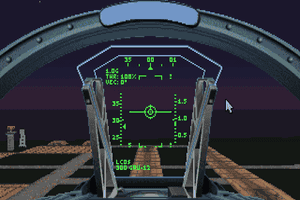
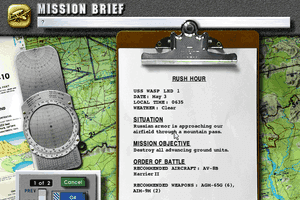
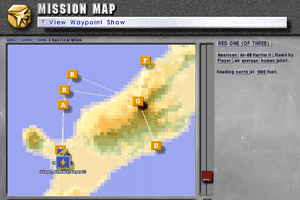
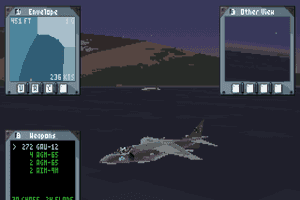
Launched MF.BAT, game worked - took screenshots from the low-res version, CD version uses SVGA mode.
where could i find a no cd for this game ?
no-cd patch and it works fine ;)
Just sayin, but this game requires a CD to play, in which I had lost. please fix.
No comment nor review for this game at the moment.