
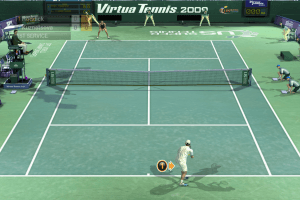
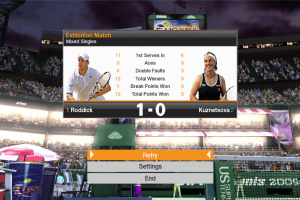
How to Play
The game has been tested on Windows 7 64-bit and Windows 10, it works fine, the game supports widescreen and high resolutions up to 4K. You may experience some small troubles when you play the game on modern systems, check our Guide and Notes for details
Before installation - if you're using Windows 8, 8.1, 10 or 11 - make sure that you enabled DirectPlay if you didn't make it before, read this or this guide how to do it (if you're using Windows 7 or older - just install DirectX from the disc)
Install & play guide:
- Mount the disc image. You will need the utility for mounting disc image files, like WinCDEmu, UltraISO, Alcohol 52%/Alcohol 120% or Daemon Tools Lite
- Install the game (if autorun doesn't work - simply launch the installation from Setup.exe inside the disc)
- It is recommended to install the game not in default path, but in some other, non-system folder, like
C:/Games/Virtua Tennis 2009, so you won't have troubles with NoDVD. Make sure that the installation path contains only English letters! - After you installed the game - use NoDVD, simply copy VirtuaTennis2009.exe from the archive and put it into game directory, agree to replace original file
- Open the directory with the game and find VirtuaTennis2009.exe. Right click on VirtuaTennis2009.exe - Properties - Compatibility - Set "Run this app in compatibility mode with Windows XP SP3" and "Run as administrator"
- Launch the game and play. If the game doesn't work in compatibility mode with Windows XP - try to launch it in compatibility mode with other version of Windows (Win98, Windows ME, Win2000, etc.)
Notes:
- If the installation doesn't start - try to launch Setup.exe in compatibility mode with old version of Windows (98, 2000 or XP). Please note that on old systems may take more time, if installer window "stuck" and doesn't react - wait a minute or two, while it check the files
- European version of the game is using SecuROM DRM protection, which may have issues on modern systems and requires the disc for launch. NoDVD "breaks" DRM protection and allows to run the game without the disc. Polish/Czech version is DRM-Free and doesn't require the disc for launch
- It is recommended to install all versions of Microsoft Visual C++ Redistributable, and NET Framework for the correct work of the game. Also it is recommended to install RAD Video Tools and K-Lite Codec Pack for the correct work of in-game videos
- The game works on DirectX 9, so if you're using Windows 8, 8.1, 10 or 11 - you need to enable DirectPlay: Go to Control Panel, and select 'Programs'. Select 'Turn Windows features on and off', click on 'Legacy Components' and check the box 'DirectPlay'. Select OK, once the installation is done, restart your computer
- You cannot install both Virtua Tennis 3 and Virtua Tennis 2009 at the same time, here's the explanation why it happens. So if you have installed Virtua Tennis 3 - delete it before installing Virtua Tennis 2009
- To change the game settings run Configuration tool (Config.exe) from Start menu or from game folder. And you can choose the language of the game in same Configuration tool (Config.exe), the game has multi-language support. Optionally, you can change configuration manually, in VT3.ini file inside the game folder
- If you have lags or freezes in the game - make sure that you disabled forced Vertical Sync (Vsync) in control panel of your video card. Also, try to choose lower screen resolution in Configuration tool
- Although the console versions of the game had functional multiplayer, the PC version did not have online multiplayer. So don’t be confused if you see a mention of online multiplayer in PC version of Virtua Tennis 3, PC version has only local multiplayer for 2 players on one computer. If you want to play local tennis match with a friend - you will need 2 controllers connected
- If you get error about missing XInput1_3.dll file - download it from our website and put in
C:/Windows/system32directory. If you still get that error - make sure that you have enabled DirectPlay, or, if you use Windows 7 or older OS - install the latest version of DirectX. If you get that error on Windows 8 or newer OS - download DirectX libraries and manually copy dll-files inC:/Windows/system32directory - Only Polish/Czech release had a patch, it was made by local publisher to fix the mistakes of localization. There was no other patches for PC version of Virtua Tennis 2009, however console versions received one patch that improved performance of console versions
- The game has controller support, however first you need to connect both keyboard and controller, then navigate with keyboard to Options and select the controller
- Don't forget to check PCGamingWiki if you have troubles


 Polish
  Czech
Czech 





 Russian




Comments and reviews
Game is fine and no problem with running it, but I've to agree with sheesh, low FPS with every video setting. Tried also with Win7 compatibility but no results
Totally agree with you MaybeTomorrow.
I've been looking through my game database after losing the original one to a SSD dying on me, and have been reinstalling lots of old games that I'd either backed up such as lots of old arcade games from the early 2000's (eg Match Three's Breakouts, Shmups, Tower Defence games etc) and some of the old FPS games such as Vietcong, Battlefield Vietnam and Battlefield 2, Conflict Vietnam, the early Men of Honor and the early call of Duty games, and one of my favorites, Men of Valor, all of which had the ability to create your own servers (still do) and many of those games are still being kept alive by modders and private servers that are still running for those games (usually at weekends).
Most of the latest games are just cash grabs with virtually infinite DLC fluff that adds nothing to the games apart from skins and end up costing a fortune (there are some exceptions such as Icarus and Dune Awakening). Just look at the Train Sims and Microsoft's latest Flight Sims. They look fantastic, but the game play is so shallow. Then you have the MMORPG's, survival and FPS games that sell you lots of in game stuff and keep you served with useless free stuff and add on DLC's that add virtually nothing to the game play, but you feel like you're getting something for free by logging in every day to grab the free thing that's usually a skin, so you carry on. I did that with The Elder Scrolls Online and Fallout 76, the latter for 7 years, until I got bored of the same old same.
FPS keeps being low despite the advice given, doesn't matter what res I set it too or wherever V-Sync is enabled
A proper remaster of this would be a dream. I miss when games were games and not hyperrealistic garbage that all plays, looks, and brainrots the same.
No comment nor review for this game at the moment.