You are on the beta version of My Abandonware. The live site is still myabandonware.com. Your favorites and ratings here are copied to the live site. Comments and other changes are not — we delete them every morning at 08:00 Paris time, when this site goes down for about an hour. Leave feedback through this link to Pastel (email required).
The beta goes down at 08:00 Paris time, in a few minutes. We rebuild the database from the live site. It comes back in about an hour.
Similar to Chrome (2003), there was nothing I could do to get this game to work.
1
viatrufka12 Jun. 2025
It's a good game if you like to die often. Max resolution is 1024x768, opponents shoot quickly and health bar is coming down rapidly. You need to quicksave often.
0
Chad8818 Mar. 2025
Downloaded and installed using the serial key, doubled clicked AdvancedBattlegrounds.exe and picked singleplayer, even changed compatibility to XP and run as admin on both the main .exe and the Single.exe, even tried reduced color mode, screen resolution, and disabled full screen optimization. The game just doesn't launch at all no matter what, just goes to black screen for a second and back to desktop. I don't know what I could possibly be missing here. I'm on Windows 10.
0
AKMARK500018 Feb. 2025
Correctio to my previous comment = ... halfway decent graphics and menu options big enough, in-game video options set everything to the highest it will go, including, RESOLUTION 1024x768 and also, NO Full Screen and FORCE 16Bit Textures! Then, externally, use Borderless Gaming program (I got mine on STEAM).
0
AKMARK500017 Dec. 2024
So to get a full screen with halfway decent graphics and menu options big enough, in-game video options set everything to the highest it will go, including the resolution 1024x768. Then, externally, use Borderless Gaming program (I got mine on STEAM).
1
Kp215 Aug. 2024
Thanks frank for the sn
0
Frank21 Jun. 2024
Serial key : 3UIWH-2W3TP-BBPF3-ZN4CH
1
Ash23 Apr. 2024
How do i open this on Windows 11?
2
Rambo23 Oct. 2023
wrong serial key
-1
Raven_0420 Sep. 2023
Wrong name! This game is called "Chrome"
-2
VGVeteran5028 Feb. 2023
NOT an iso file a useless ccd file & equally useless cue file, no setup or launchable application.
-7
Ketshke20 Dec. 2022
My character moves very slow and hard. It wasn't happened on my older pc so it must be a compatibility issue or framerate issue or something else. Is someone else have a solution for this problem?
0
J.D.26 Nov. 2022
TO AVOID CONFUSION, IT'S BASCIALLY THE SAME GAME "CHROME" FROM 2003, UNDER A DIFFRENT NAME, WITH PATCHES INCLUDED, THAT'S IT. IT'S NOT AN EXPANSION PACK, JUST A PATCHED RE-RELEASE.
4
Bouncer20 Apr. 2022
I need help getting this running I installed the game when I try to launch the single player game it wont start I have Windows 10.
0
hmk16 Dec. 2021
The game does not work, it shows the optimal resolution 1280×1024 60h
-3
Maki25 Oct. 2021
I thought the game named Chrome
0
Clyde3D06 Jun. 2021
A boring pretty game unfortunately.
-6
EmulationNation04 Nov. 2020
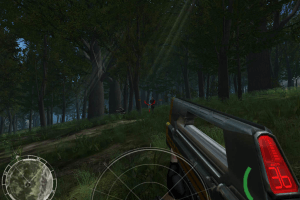
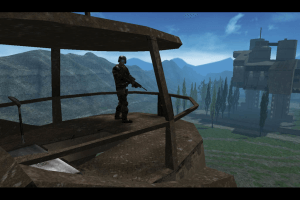
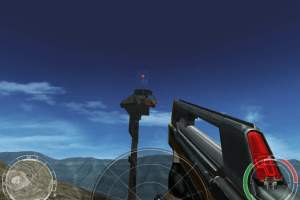
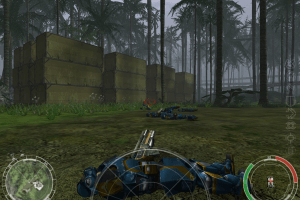
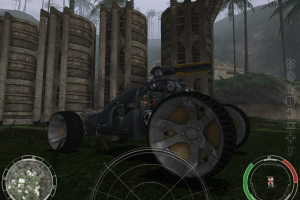
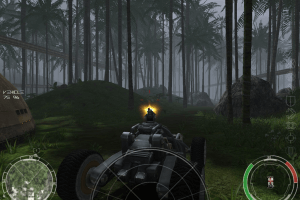
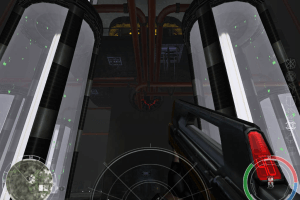
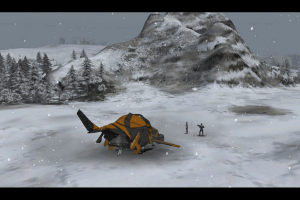
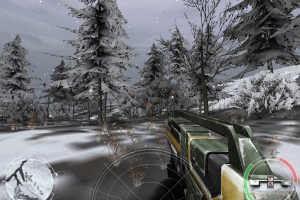
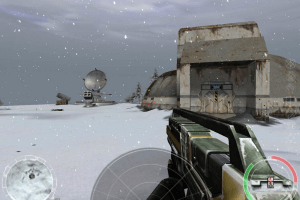
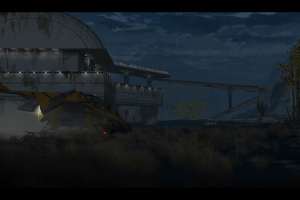
Tested on Windows 10 both with Intel and Nvidia GPU ok. Turn the GFX to max and doesn't look half bad for a 16 year old game.
1
f1223 Apr. 2020
What's the difference between that game and it's predecessor?
-2
Free16 Nov. 2019
I don't find the serial number. I thought it was free.
-11
pa06 Mar. 2019
Vermisse die seriennummer
-9
No comment nor review for this game at the moment.







 English





Comments and reviews
1628 failed to complete installation.
Similar to Chrome (2003), there was nothing I could do to get this game to work.
It's a good game if you like to die often. Max resolution is 1024x768, opponents shoot quickly and health bar is coming down rapidly. You need to quicksave often.
Downloaded and installed using the serial key, doubled clicked AdvancedBattlegrounds.exe and picked singleplayer, even changed compatibility to XP and run as admin on both the main .exe and the Single.exe, even tried reduced color mode, screen resolution, and disabled full screen optimization. The game just doesn't launch at all no matter what, just goes to black screen for a second and back to desktop. I don't know what I could possibly be missing here. I'm on Windows 10.
Correctio to my previous comment = ... halfway decent graphics and menu options big enough, in-game video options set everything to the highest it will go, including, RESOLUTION 1024x768 and also, NO Full Screen and FORCE 16Bit Textures! Then, externally, use Borderless Gaming program (I got mine on STEAM).
So to get a full screen with halfway decent graphics and menu options big enough, in-game video options set everything to the highest it will go, including the resolution 1024x768. Then, externally, use Borderless Gaming program (I got mine on STEAM).
Thanks frank for the sn
Serial key : 3UIWH-2W3TP-BBPF3-ZN4CH
How do i open this on Windows 11?
wrong serial key
Wrong name! This game is called "Chrome"
NOT an iso file a useless ccd file & equally useless cue file, no setup or launchable application.
My character moves very slow and hard. It wasn't happened on my older pc so it must be a compatibility issue or framerate issue or something else. Is someone else have a solution for this problem?
TO AVOID CONFUSION, IT'S BASCIALLY THE SAME GAME "CHROME" FROM 2003, UNDER A DIFFRENT NAME, WITH PATCHES INCLUDED, THAT'S IT. IT'S NOT AN EXPANSION PACK, JUST A PATCHED RE-RELEASE.
I need help getting this running I installed the game when I try to launch the single player game it wont start I have Windows 10.
The game does not work, it shows the optimal resolution 1280×1024 60h
I thought the game named Chrome
A boring pretty game unfortunately.
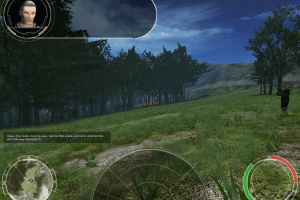
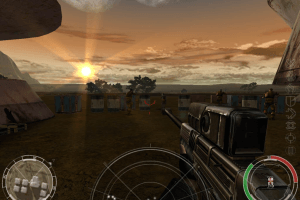
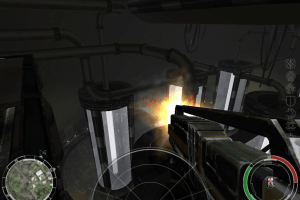
Tested on Windows 10 both with Intel and Nvidia GPU ok. Turn the GFX to max and doesn't look half bad for a 16 year old game.
What's the difference between that game and it's predecessor?
I don't find the serial number. I thought it was free.
Vermisse die seriennummer
No comment nor review for this game at the moment.