
How to Play
Install guide from AbandonSocios
This game works with Windows XP/7/8/8.1/10 but needs to install nGlide for it cause it's a very old game. Tutorial to Install:
- First you need to install the file nGlide. This software is made to run old games on modern PCs.
- Then mount the ISO with a Virtual Driver Software of your choise like Virtual Clone Driver or others. (On Windows 8 and 10 is possible to mount an ISO with Windows Explorer just click right mouse button over the ISO and "Open With" then choose "Windows Explorer" but attention it doesn't work on windows 7)
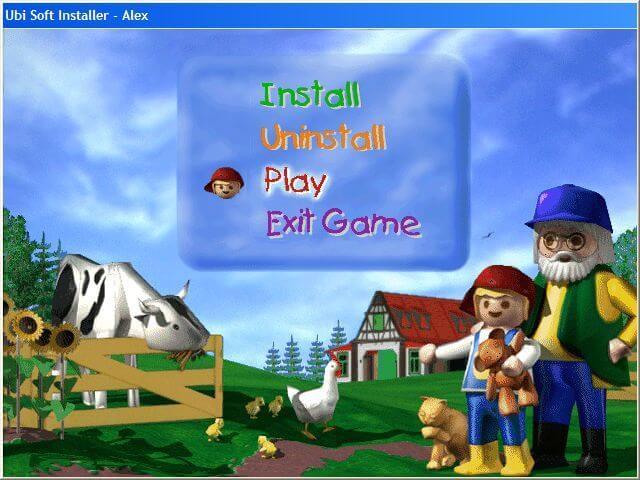
- Run "setup" as administrator and install the game. It should be installed in the following directory:
C:\UbiSoft\Alex Builds His Farm - Then download the "Alternative EXE" fix and open folder that came with the file and copy the files
Alex_D3DandAlex_DFXto your game folder atC:\UbiSoft\Alex Builds His Farmand replace the original files. (These are not crack just an alternative .exe that works). - To start the game go to the game folder on
C:\UbiSoft\Alex Builds His Farmand start the game clicking at the iconAlex_DFX.exeand run as administrator. - As this game has no Crack you will need to keep the ISO mounted on Virtual Driver everytime you wanna play so don't dismount or eject the virtual driver or the game will ask for the CD.
- Attention don't start the game using the icon
Alex_D3D.exethat the game may freeze in the intro or crash during the game. It only runs withAlex_DFX.exe. - And don't use windows 98 compatibility mode or the game may not save. The game runs perfectly without any compatibility mode. Just run as administrator.
- And remember everytime you wanna play mount the ISO again in your Virtual Driver so the game can use it as a CD-Rom
Installation Problem
There is a Problem when you try to install this game if you already installed before other game versions like the Dutch or other languages version cause you need first to Uninstall the old version and manually go to C:\UbiSoft and delete the folder Alex op de Boerderij or other names cause the Uninstaller via Setup doesn't delete this folder. And the game tries to install in the directory C:\UbiSoft\Alex op de Boerderij giving error message cause this Spanish version has to be installed in the directory C:\UbiSoft\Alex Builds His Farm and this option only appears if you deleted the folder Alex op de Boerderij or other names in other languages.
So for example, you first installed the Dutch Version or any other language and wants now to install this Spanish Version.
First mount the Alex en la granja.iso and start the "Setup" as administrator. Now will appear a menu click at "Desinstalar" it will unninstall via setup your Dutch Game Version deleting the registry, and some config files and lines at ubisoft folder at windows: C:\Windows\UbiSoft . But the folder "Alex op de Boerderij" at C:\UbiSoft\ will not be completely deleted so manually go to C:\UbiSoft\ and delete the folder "Alex op de Boerderij"
Now when you install the game clicking at "Instalar" it must show: C:\UbiSoft\Alex Builds His Farm, so it will install correctly without problems.
 English
  French
  German
  Spanish
  Italian
  Dutch
Dutch  Portuguese
  Chinese







Comments and reviews
my setup doesn't work... nothing happens :((
For those that can't get the setup to run on modern OSes, this is down to an issue in the setupubi.exe file
Here you can get an installer that patches it:
https://community.pcgamingwiki.com/files/file/2860-ubi-soft-installer-fix/
I,m can,t instal game please learn how to instal in windows 7
Italian :
https://archive.org/details/voyd99htq_gmail_Alex
Simplified Chinese :
https://archive.org/details/Alex_Builds_His_Farm_Chinese_GB
No comment nor review for this game at the moment.