You are on the beta version of My Abandonware. The live site is still myabandonware.com. Your favorites and ratings here are copied to the live site. Comments and other changes are not — we delete them every morning at 08:00 Paris time, when this site goes down for about an hour. Leave feedback through this link to Pastel (email required).
The beta goes down at 08:00 Paris time, in a few minutes. We rebuild the database from the live site. It comes back in about an hour.
Diabloo_SK i frickin love you bro, i was trying to find the way how to download it without cd licence for a long time and i finally did it.
Thx so much.❤️
1
Hayase29 Jul. 2026
Mi pc supera por mucho los requisitos, tengo instalado un amd Athlon 2 x2, pero en la pestaña de requisitos lo pone muy por debajo de los requisitos, y también pone que puede tener problemas con el directX, estoy usando un sistema operativo modificado, miniOS 7, me costo ponerlo como unidad virtual, y no encuentro los archivos mencionados en comentarios anteriores, ya no c que hacer
Hi this website helped me to correct my game resolution, https://www.wsgf.org/dr/disneys-meet-robinsons/en --------------------------------------------------------- Go to your Game root folder and open Wilbur.exe in a hex editor. Look for AB AA AA 3F and change it to CD CC CC 3F (for 16:10) or 39 8E E3 3F (for 16:9).
Now open Launcher.exe in a hex editor and look for 1280x1024 (as text) and change it to your resolution for example 2560x1440. OR You can make a Shortcut from Wibur.exe and add this string -dxresolution=2560x1440 -dxwindowed
-dxresolution = your resolution -dxwindowed = for windowed mode
Start the Game and select 1280x1024 in the Game Launcher.
2
forallsoftware90s00s10 Apr. 2024
I remember playing this game and never finishing the final part, it's the hardest game I've ever played...but the music is good though
1
NC3204 Jan. 2024
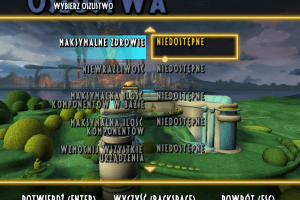
Does anybody knows how to change language? Im trying to get the Polish version running but it seems that the polish strings are missing.
1
Kumiawase16 Nov. 2023
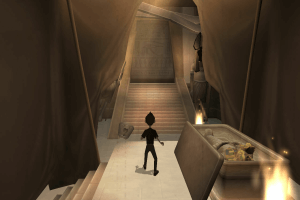
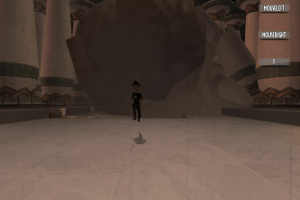
hi, i got this bug afther all the effort that i put in fixing the nonworking launcher and resolution problems, i cant jump in the first large gap at the begining of the game (the one of the sand, wilbur just fell off the broken bridge), i dont know if its a soft block or something but i will really apreciate if someone can help me with this game
3
diabloo_SK16 May. 2023
Top comment
OK so I made comment before idk if it will be displayed but I have a update.
SO in order to play game you have to 1st overcome "Game disk not found in drive" error message it is not complicated and Lostmanc did wrote a setup process to the commets. However I found it a little bit difficult to understand, so here are the steps:
1. Download the game in .zip format (or any other such as .rar ect.) 2. Extract the zip file the file of your choice 3. Open "flt-mtr.iso" file inside the folder you just ectracted 4. Continue doing setup just as you would install normal program. (You will get to the point when you will be choosing "standart instalation" or "advanced instalation". Thats up to you, but note that "standart instalation" will install game to your "program files(x86)" location. If you don´t know where this is located I recommed going for advanced setup, as you will need to access the install folder of the game, also there will be some kind of registration precedure, just press cancel and the program will ask if you really want to skip registration, simply press yes) 5. Once the game is installed head to the folder you just installed the game into (let it opened and just minimalize it as we will need acess to it soon) 6. Open "this PC", you will see that there is a disc which is install disc of the game. Go ahead and double click it to open it. 7. Once opend you will see bunch of folders and .exe files. Open file called "Fairlight" and copy "Wilbur.exe" file 8. Head back to your installation directory (the folder where you installed the game) and delete "wilbur.exe" file in there. 9. paste your copied "wilbur.exe" 10. Run the "Wilbur.exe" file to play the game. It will work, but you wont be able to change resolution (which kinda sucks tbh) ------------------------------------------------------------------------ Here is how to fix it: 1. go to oldgamesdownload.com/meet-the-robinsons/ (it is another game archiving site, such as this one) 2. download thrue "Archive.org" in order to download ZIP file (the game is a lot smaller, becose it misses prerendere cutscenes) 3. extract the ZIP file to location which you can access easily 4. oped this ectracted folder and go to file called "game files" 5. find file called Launcher.exe and simply copy it 6. Head back to the folder where you installed the game and simply replace the "lancher.exe" in the directory. 7. proceed to run the launcher where you can change settings.
And thats it. I hope this will help you guys a little bit. ENJOY :D
11
diabloo_SK16 May. 2023
Hey I have been following your guide Lostmanc and it works for me too, just resolution isnt the best :/
0
LostManC13 May. 2023
so i spent a day or 2 trying to figure this out since the last one i downloaded didnt have the actual cutscenes so i get why people have some problems but its pretty simple if youve replaced some files to get something working pretty much all you need to do is 1 download and then extract the zip file 2 then mount it and access Setup files and click on setup 3 when in setup the only thing you should really do different is send it to a custom files and send it to the folder that you extracted 4 then ur gonna go back to ur mounted DVD drive and copy the willbur file in fairlight folder. 5 then go into the setup folder and delete the wilber file already in there youll notice they are different from the sizes of the file once deleted paste ur new wilbur file into it and use that to launch if everything goes right it should work! NOTE i did try changing somethings from the settings like higher resolution i havent played much of it yet but it works well from what ive seen of it! Hope this helps i know i could of used this! hopefully this saves you about 30$!
1
Ravinga09 Feb. 2023
Esta genial
0
Tom06 Jan. 2023
CZ title: Robinsonovi
-2
Post16 Jun. 2022
Top comment
I cannot get this to run, it just states "Game disk not found in drive" I even tried mounting it through a different program.. Any ideas?
10
Forest14 Jan. 2022
An actually pretty good game. Little finicky on wonder systems, but still very playable. Good soundtrack too!
1
Gabe27 Jun. 2021
I like this game. It's pretty good.
1
No comment nor review for this game at the moment.






 English
  Czech
Czech  Spanish
  French
  Italian
  Polish
  Portuguese





Comments and reviews
Diabloo_SK i frickin love you bro, i was trying to find the way how to download it without cd licence for a long time and i finally did it.
Thx so much.❤️
Mi pc supera por mucho los requisitos, tengo instalado un amd Athlon 2 x2, pero en la pestaña de requisitos lo pone muy por debajo de los requisitos, y también pone que puede tener problemas con el directX, estoy usando un sistema operativo modificado, miniOS 7, me costo ponerlo como unidad virtual, y no encuentro los archivos mencionados en comentarios anteriores, ya no c que hacer
Russian 2-CDs :
https://archive.org/details/1_20260115_20260115_1614
It just showed me pictures. :(
Update : Polish :
https://archive.org/details/rodzinka-robinsonow-pc
Has anyone been able to fix the bug where Wilbur can't jump the large bridge gap in Egypt?
Portuguese title: A Família do Futuro
In Brazil released by Positivo Informática S/A in 2007.
Spanish version :
https://archive.org/details/robinsons_pc_es
Italian :
https://archive.org/details/pc-i-robinson-una-famiglia-spaziale.-7z
Portuguese :
https://archive.org/details/wr-run_202409
French and English (Canadian ?) version provided by someone on Archive.org (with 2 DVD : 1 for English and 1 for French) :
https://archive.org/details/Disney_Meet_the_Robinsons_English_and_French_Versions_WinXP_2007
Hi
this website helped me to correct my game resolution,
https://www.wsgf.org/dr/disneys-meet-robinsons/en
---------------------------------------------------------
Go to your Game root folder and open Wilbur.exe in a hex editor.
Look for AB AA AA 3F and change it to CD CC CC 3F (for 16:10) or 39 8E E3 3F (for 16:9).
Now open Launcher.exe in a hex editor and look for 1280x1024 (as text) and change it to your resolution for example 2560x1440.
OR
You can make a Shortcut from Wibur.exe and add this string -dxresolution=2560x1440 -dxwindowed
-dxresolution = your resolution
-dxwindowed = for windowed mode
Start the Game and select 1280x1024 in the Game Launcher.
I remember playing this game and never finishing the final part, it's the hardest game I've ever played...but the music is good though
Does anybody knows how to change language? Im trying to get the Polish version running but it seems that the polish strings are missing.
hi, i got this bug afther all the effort that i put in fixing the nonworking launcher and resolution problems, i cant jump in the first large gap at the begining of the game (the one of the sand, wilbur just fell off the broken bridge), i dont know if its a soft block or something but i will really apreciate if someone can help me with this game
OK so I made comment before idk if it will be displayed but I have a update.
SO in order to play game you have to 1st overcome "Game disk not found in drive" error message it is not complicated and Lostmanc did wrote a setup process to the commets. However I found it a little bit difficult to understand, so here are the steps:
1. Download the game in .zip format (or any other such as .rar ect.)
2. Extract the zip file the file of your choice
3. Open "flt-mtr.iso" file inside the folder you just ectracted
4. Continue doing setup just as you would install normal program. (You will get to the point when you will be choosing "standart instalation" or "advanced instalation". Thats up to you, but note that "standart instalation" will install game to your "program files(x86)" location. If you don´t know where this is located I recommed going for advanced setup, as you will need to access the install folder of the game, also there will be some kind of registration precedure, just press cancel and the program will ask if you really want to skip registration, simply press yes)
5. Once the game is installed head to the folder you just installed the game into (let it opened and just minimalize it as we will need acess to it soon)
6. Open "this PC", you will see that there is a disc which is install disc of the game. Go ahead and double click it to open it.
7. Once opend you will see bunch of folders and .exe files. Open file called "Fairlight" and copy "Wilbur.exe" file
8. Head back to your installation directory (the folder where you installed the game) and delete "wilbur.exe" file in there.
9. paste your copied "wilbur.exe"
10. Run the "Wilbur.exe" file to play the game. It will work, but you wont be able to change resolution (which kinda sucks tbh)
------------------------------------------------------------------------
Here is how to fix it:
1. go to oldgamesdownload.com/meet-the-robinsons/ (it is another game archiving site, such as this one)
2. download thrue "Archive.org" in order to download ZIP file (the game is a lot smaller, becose it misses prerendere cutscenes)
3. extract the ZIP file to location which you can access easily
4. oped this ectracted folder and go to file called "game files"
5. find file called Launcher.exe and simply copy it
6. Head back to the folder where you installed the game and simply replace the "lancher.exe" in the directory.
7. proceed to run the launcher where you can change settings.
And thats it. I hope this will help you guys a little bit. ENJOY :D
Hey I have been following your guide Lostmanc and it works for me too, just resolution isnt the best :/
so i spent a day or 2 trying to figure this out since the last one i downloaded didnt have the actual cutscenes so i get why people have some problems but its pretty simple if youve replaced some files to get something working pretty much all you need to do is
1 download and then extract the zip file
2 then mount it and access Setup files and click on setup
3 when in setup the only thing you should really do different is send it to a custom files and send it to the folder that you extracted
4 then ur gonna go back to ur mounted DVD drive and copy the willbur file
in fairlight folder.
5 then go into the setup folder and delete the wilber file already in there youll notice they are different from the sizes of the file once deleted paste ur new wilbur file into it and use that to launch if everything goes right it should work!
NOTE i did try changing somethings from the settings like higher resolution i havent played much of it yet but it works well from what ive seen of it! Hope this helps i know i could of used this! hopefully this saves you about 30$!
Esta genial
CZ title: Robinsonovi
I cannot get this to run, it just states "Game disk not found in drive" I even tried mounting it through a different program.. Any ideas?
An actually pretty good game. Little finicky on wonder systems, but still very playable.
Good soundtrack too!
I like this game. It's pretty good.
No comment nor review for this game at the moment.