





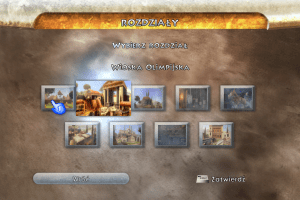
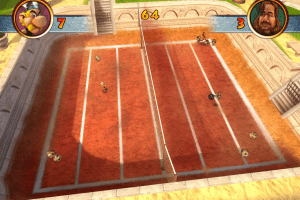
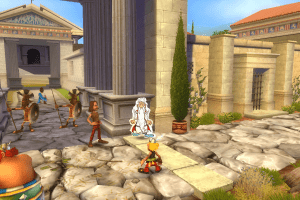
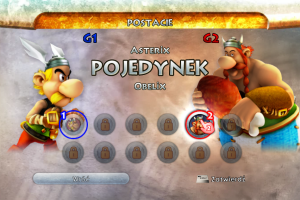
How to Play
Install & play guide (for ISO version, repack install automatically):
- Mount the disc image. You will need the utility for mounting disc image files, like WinCDEmu, UltraISO, Alcohol 52%/Alcohol 102% or Daemon Tools Lite
- Install the game by running setup.exe as an administrator (click right mouse button on setup.exe - Run as administrator)
- Optionally install NoDVD (simply copy paste files in the main directory of the game)
- Launch the game and play.
- If you're using NoDVD - launch the game from AsterixJO_game.
- The game has been tested on Windows 7 64-bit, works fine, the game supports widescreen
Troubleshooting:
- Installer of ISO version has strange glitch when the buttons "Next", "Back" and "Cancel" are blank. But buttons work, just click on white squares
- Do not try to change the language of the game without mounted disc image, the game will freeze.
- If the game doesn't run - install NoDVD, if it didn't help - open the directory of the game and find AsterixJO_game and AsterixJO.exe. Right click on both .exe files - Properties - Compatibility - Set "Run this app in compatibility mode with Windows Vista or Windows 7". Launch the game from AsterixJO_game.
- If you have troubles with installation of the game - run the Setup.exe from command line as an administrator and you will fail at the end after installing TAGES DRM drivers. After that, run the game with NoDVD
 English
  German
  Italian
  Spanish
  Dutch
Dutch 
 Russian
  Czech
Czech  Polish








Comments and reviews
Worked like a charm one I swapped the original application file with the NoCd one, using the European version. Still trying to learn the German prompts. So far got to the jump off point, but can't figure what to do next. But will keep trying until I succeed. :)
Would love to see an English translation.
hello, my game (cz/pl fullrip) is running normally, but when i want to make a new game, and click sinleplayer it crashes. what may be the problem? im playing on windows 10, i didnt download anything, do i have to? i thought i have to install things only when im trying to play ISO
for anyone who has a problem with a black screen
https://www.pcgamingwiki.com/wiki/Asterix_at_the_Olympic_Games#Windows_11_issue
I hope someone still here and can help me hahaha
Ok i did all now and tryed all, after i had proble with the Black Screen, i copied the movie files to the folder and now the game is starting for some second. I see like 1 Second the rotating CD on the right side and then the game Stops without any messages. Im running the game with NoDVD, trying to start it in different ways and its not working sadly. Any Help?
when i try to play it it says "please insert the original dvd" but it is already inserted....
In Czechia released by CD Projekt Czech s.r.o. in 2008.
Yes, upload the original French version for PC if you have it please. Just upload an ISO of the game disk and I will make a full rip (I will pre-install it to skip that SmartScreen nonsense).
Could a french RIP of the game be uploaded? I believe it's the original dubbing too.
But luckilly, it's a full rip.
Sadly, the European ISO version refuses to install because it claims that the "Admin has blocked the setup file" or something. I could only play the European RIP version.
One of the worst video games about Asterix & Obelix. Like, it's just a mini games mostly and that's it. First two games of Asterix & Obelix XXL were better.
DĂNI: Check Documents/Atari/Asterix at the Olympic Games, beacuse there must be "AsterixJO.sav".
I can't create save file, unfortunately
Thank you ;)
It works on Linix with Proton
Thanks for reuploading my ZIPped files:)
No youtuber MACE tohle už hrál a stáhl to přesně odtud (dostal odkaz právě sem na tuto stránku). Určitě to také musel nějak udělat, aby to na svůj PC nainstaloval, jinak by to ani nemohl hrát. Vložit to sem předinstalované každopádně není problém.
To TOM (also in Czech): Díky za radu, ale bohužel i po vypnutí smartscreenu mi to windows odmítl nainstalovat. Upřímně nevím, co s tím :D ale souhlasím, že kdyby to sem někdo nahrál rovnou předinstalované, tak by to bylo nejlepší
Ideální by bylo, kdyby někdo tu hru sem nahrál v předinstalované formě, ať se nemusíme otravovat se SmartScreenem.
To KÁMEN (now in Czech): Jenom je potřeba udělat něco s tím Defenderem - konkrétně to, že při pokusu nainstalovat hru se objeví červená obrazovka od Defenderu (SmartScreen), která varuje, že by ten program mohl být virus, a nedovolí hru nainstalovat, jenže to ten Defender dělá proto, že hra používá zastaralé DRM (protipirátskou ochranu) TAGES, které bere Defender jako vir. Nezáleží ani na tom, jestli je hra v češtině nebo angličtině ani na tom, jestli je sehnána legálně nebo ne, protože SmartScreen by se objevil i u legální kopie. Určitě se najde návod na internetu, jak tu červenou obrazovku od Defenderu vypnout (např. zde: https://www.digitalcitizen.life/how-disable-or-enable-smartscreen-filter-internet-explorer-or-windows-8/) a pak tu hru normálně nainstalovat. Já jsem zase udělal to, že jsem hru předinstaloval na XPčku, kde to normálně šlo nainstalovat a potom přendal ty soubory vytvořené po instalaci na Win10, akorát jsem ještě zkopíroval celou složku "MOVIES" do složky s nainstalovanou hrou, abych neměl místo hry černou obrazovku, a stáhl si odtud NoDVD patch, abych to ISO nemusel mít v mechanice vždycky, když budu chtít hrát.
To KÁMEN: Yes, the CZ/PL version is safe.
Ok, I need genuine answer... Is CZ-PL version safe? Has anyone run into any virus? I am very careful about this and TBH i am pretty scared...
To Kiki: If you mean that red screen by Defender is a virus it's no virus - it's only due the game's DRM (anti piracy protection by TAGES) that's not used anymore appearing no matter if you have this game legally or not. You can install the game on Windows XP and copy the game's files to Windows 10 or 11 or find the way how to deactive the red Defender screen (it should be somewhere on the internet).
The NoDVD patch works for the Czech and the Polish version too (but I think it works for any language version of the game).
Thanks for this great thing (the crack I found on Ulož.to was useless) :)
Nope, it's still not clickable (I can't do it right). But I'd like to add the Czech and the Polish version of the game from this link to My Abandonware.
Thanks in advance,
That black screen appears due the some game's videofile tried to play so before playing it's necessary to copy the whole folder named "MOVIE" from the folder named "Data" (copy "MOVIE" only) in the game's DVD directory to the folder with the already installed game.
when i opened the game only black screen appeared even though i tried everything you have written.
I'd like the Czech version, please.
Isn't there any English version of the game, cause the game doesnt have an option for english language ?
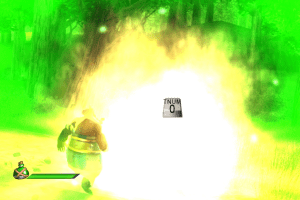
What. The. Actual. Fuck....is a TNUM key?
Any french version?
No comment nor review for this game at the moment.