You are on the beta version of My Abandonware. The live site is still myabandonware.com. Your favorites and ratings here are copied to the live site. Comments and other changes are not — we delete them every morning at 08:00 Paris time, when this site goes down for about an hour. Leave feedback through this link to Pastel (email required).
The beta goes down at 08:00 Paris time, in a few minutes. We rebuild the database from the live site. It comes back in about an hour.
When I try to mount the ISO it says that it's corrupt.
0
Hooblysnoobly14 Mar. 2024
If you get stuck on the white-screen after the EKO software logo, I was able to get through by alt-tabbing out of the program and alt-tabbing back in.
3
sionisti22 Nov. 2022
i get the error "no 3d compatible card could be found" when launching the game
0
Gwampert24 Feb. 2022
gmae crahses too much me sad
1
sah77707 Feb. 2022
I got it to work in Win 10 by doing this: - Mount downloaded disc image files with Daemon tools lite - Install game (default location is fine) - Found installed Garfield.exe and set it to run in Win 7 compatibility mode and as administrator (google how to do that) - From start menu shortcuts run "Configuration" - Set to 1920x1080 and OK - From start menu shortcuts run "Garfield™ - Saving Arlene" - After the EKOSYSTEM.COM intro fades to all-white (the all-white is a bug, and it should show the language select screen instead, but doesn't) press up arrow keyboard key TWICE and then Enter keyboard key (this blindly selects English language) - Alt+Tab twice to minimise and then re-maximise the running game - Game is now up OK and in English Not all of the above steps may be needed (I didn't try different combos). All the best.
2
Timmywiththedynamite27 Nov. 2020
Okay, so I get through the setup, the games installs and everything goes smoothly. When I open the game, I get treated with the Eko Software thing, and the screen just stays white... And nothing happens, I don't know what the problem is, but I'm redownloading the game and going through the process again just to see If it works. If anyone has an explanation on how to get the game running smoothly please tell me.
0
Someguy1420108 May. 2020
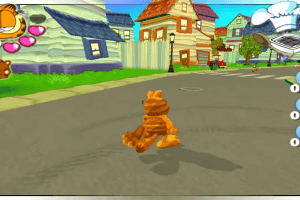
This PC port has an issue with the camera, While moving forward the camera is frozen on the x axis. Weird, hopefully somebody finds a fix.
0
No comment nor review for this game at the moment.



 English



Comments and reviews
When I try to mount the ISO it says that it's corrupt.
If you get stuck on the white-screen after the EKO software logo, I was able to get through by alt-tabbing out of the program and alt-tabbing back in.
i get the error "no 3d compatible card could be found" when launching the game
gmae crahses too much me sad
I got it to work in Win 10 by doing this:
- Mount downloaded disc image files with Daemon tools lite
- Install game (default location is fine)
- Found installed Garfield.exe and set it to run in Win 7 compatibility mode and as administrator (google how to do that)
- From start menu shortcuts run "Configuration"
- Set to 1920x1080 and OK
- From start menu shortcuts run "Garfield™ - Saving Arlene"
- After the EKOSYSTEM.COM intro fades to all-white (the all-white is a bug, and it should show the language select screen instead, but doesn't) press up arrow keyboard key TWICE and then Enter keyboard key (this blindly selects English language)
- Alt+Tab twice to minimise and then re-maximise the running game
- Game is now up OK and in English
Not all of the above steps may be needed (I didn't try different combos).
All the best.
Okay, so I get through the setup, the games installs and everything goes smoothly. When I open the game, I get treated with the Eko Software thing, and the screen just stays white... And nothing happens, I don't know what the problem is, but I'm redownloading the game and going through the process again just to see If it works. If anyone has an explanation on how to get the game running smoothly please tell me.
This PC port has an issue with the camera, While moving forward the camera is frozen on the x axis. Weird, hopefully somebody finds a fix.
No comment nor review for this game at the moment.