You are on the beta version of My Abandonware. The live site is still myabandonware.com. Your favorites and ratings here are copied to the live site. Comments and other changes are not — we delete them every morning at 08:00 Paris time, when this site goes down for about an hour. Leave feedback through this link to Pastel (email required).
The beta goes down at 08:00 Paris time, in a few minutes. We rebuild the database from the live site. It comes back in about an hour.
%PROGRAMDATA% Roaming Disney InteractiveLilo & Stitch Trouble In Paradise And there is the LSConfig Copy this to the folder of your game to stop the error GAME NOT INSTALLED
1
Jiffy21 May. 2026
If the game says Game not installed go to %PROGRAMDATA% find the game folder disney interactive or something like that you will see the ini file just copy to the folder game where you installed it . Now the game wont show Game not installed . But you will have other problems after that . Try tha game in win 95 -98 mod DO NOT PLAY it on XP mode it will say game not installed again. vista is also ok , For me it works the frame rate is slow but other thatn that it works
6 - paraphrased from pcgamingwiki, like the rest: "Right click config.exe, click Properties, click the Compatibility tab, check the Run this program as an administrator box, click Apply and OK. Repeat the previous step for Launcher.exe and lilopc.exe. Run config.exe. It should start and it will add the remaining options to LSConfig.ini. Close config.exe." For me it STILL didn't work, even after removing the custom dinput8.dll or patches folder. I got tired of trying and quit. Not trying on admin - shared laptop.
1
how to run04 Oct. 2025
5. If it does not run, add the following to settings.ini: "[LSConfig] InstallPath=.\" (verbatim, no quotes) Since you're there already, add this after "[LSConfig]": "ModeDepth=32" (verbatim, no quotes)
0
how to run04 Oct. 2025
1. Install normally, BUT DO NOT INSTALL IN PROGRAM FILES or any write-protected folder for that manner. Use for example C:\TroubleInParadise. 2. Apply the Widescreen Fix https://community.pcgamingwiki.com/files/file/2377-lilo-stitch-trouble-in-paradise-widescreen-fix/ 3. Apply the Patch IF YOU CHOSE ENGLISH OR ITALIAN https://community.pcgamingwiki.com/files/file/2452-lilo-and-stitch-trouble-in-paradise-patch/ Correct me if I'm wrong.





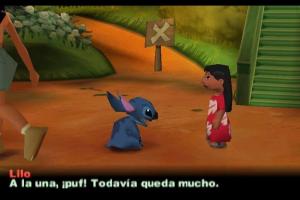

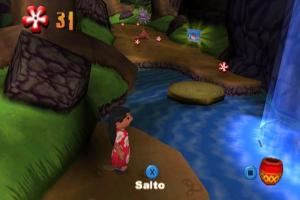
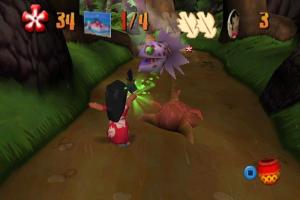




 English
  German
  Spanish
  Finnish
  French
  Italian
  Dutch
Dutch  Norwegian
  Polish
  Portuguese (Brazil)
  Swedish




Comments and reviews
windows key + R there you type %PROGRAMDATA%
%PROGRAMDATA% Roaming Disney InteractiveLilo & Stitch Trouble In Paradise And there is the LSConfig Copy this to the folder of your game to stop the error GAME NOT INSTALLED
If the game says Game not installed
go to %PROGRAMDATA% find the game folder disney interactive or something like that
you will see the ini file just copy to the folder game where you installed it .
Now the game wont show Game not installed . But you will have other problems after that . Try tha game in win 95 -98 mod DO NOT PLAY it on XP mode it will say game not installed again.
vista is also ok , For me it works the frame rate is slow but other thatn that it works
Russian 2011 reissue :
https://archive.org/details/lilo-stitch-trouble-in-paradise
Cannot start it, says game is not installed
6 - paraphrased from pcgamingwiki, like the rest:
"Right click config.exe, click Properties, click the Compatibility tab, check the Run this program as an administrator box, click Apply and OK.
Repeat the previous step for Launcher.exe and lilopc.exe.
Run config.exe. It should start and it will add the remaining options to LSConfig.ini.
Close config.exe."
For me it STILL didn't work, even after removing the custom dinput8.dll or patches folder. I got tired of trying and quit. Not trying on admin - shared laptop.
5. If it does not run, add the following to settings.ini:
"[LSConfig]
InstallPath=.\" (verbatim, no quotes)
Since you're there already, add this after "[LSConfig]":
"ModeDepth=32" (verbatim, no quotes)
1. Install normally, BUT DO NOT INSTALL IN PROGRAM FILES or any write-protected folder for that manner. Use for example C:\TroubleInParadise.
2. Apply the Widescreen Fix https://community.pcgamingwiki.com/files/file/2377-lilo-stitch-trouble-in-paradise-widescreen-fix/
3. Apply the Patch IF YOU CHOSE ENGLISH OR ITALIAN https://community.pcgamingwiki.com/files/file/2452-lilo-and-stitch-trouble-in-paradise-patch/
Correct me if I'm wrong.
Update : Polish :
https://archive.org/details/lilo-stitch-nieziemskie-klopoty
I remember that this game was on display for a few years in the Disneyland Innoventions building. Pretty sure that's the only time I ever played it
Spanish :
https://archive.org/details/DisneysLiloYStitchSpain
Italian :
https://archive.org/details/lilo-stitch-grossi-guai-alle-hawaii-italy-pc-windows-game
Dutch :
https://archive.org/details/lilo_20240516
Portuguese :
https://archive.org/details/pc-lilo-stitch-apuros-no-paraiso-pt-br
Norwegian :
https://archive.org/details/lilo-stich-huba-baluba
Finnish :
https://archive.org/details/lilo_20230204/
Not working, even when applying the crack it says game not installed, otherwise wont even launch once installed
No comment nor review for this game at the moment.