
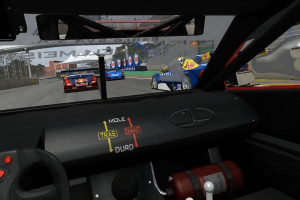
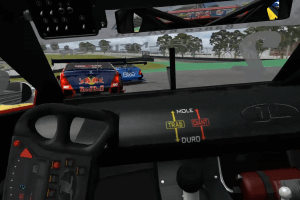
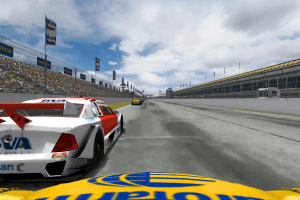
How to Play
Be careful! The game was using GameShield DRM, and some people reported that they had troubles with that DRM. So make sure to use NoDVD before the first launch of the game!
The game with patch v1.70 and NoDVD has been tested on Windows 7 64-bit and Windows 10, it works fine, the game supports widescreen and ultra-high resolutions up to 4K
Install & play guide:
- Mount the disc image. You will need the utility for mounting disc image files, like WinCDEmu, UltraISO, Alcohol 52%/Alcohol 120% or Daemon Tools Lite
- Install the game (if autorun doesn't work - simply launch the installation from Setup.exe inside the disc). It is recommended to install the game not in default path, but in some other, non-system folder, like
C:/Games/GSC, so you won't have troubles with NoDVD - Also make sure that you enabled DirectPlay if you didn't make it before, read this or this guide how to do it (if you're using Windows 7 or older - just install DirectX from the disc)
- Once the game is installed, the settings window will appear - click on "Cancel", that way the game won't launch and the launcher won't install GameShield DRM drivers
- After you installed the game - install the patch v1.70. Don't run the game yet
- Then install NoDVD, simply copy files from the archive and put it into game directory, agree to replace original files
- Open the directory with the game and find GSCConfig.exe and GSC.exe. Right click on both files - Properties - Compatibility - Set "Run this app in compatibility mode with Windows 7" and "Run as administrator"
- Run GSCConfig.exe to select the settings you want, then click OK to save it
- Launch the game from desktop shortcut or GSC.exe and play. If the game doesn't work in compatibility mode with Windows 7 - try to launch it in compatibility mode with other version of Windows (Windows XP, Vista, etc.)
Notes:
- If the installation doesn't start - try to launch Setup.exe in compatibility mode with old version of Windows (98, 2000 or XP)
- NoDVD is required for the launch because the game is using GameShield DRM protection, which doesn't work correctly on modern systems. That NoDVD "breaks" DRM protection and allows the game to work on modern systems
- It is recommended to install all versions of Microsoft Visual C++ Redistributable, and NET Framework for the correct work of the game
- Also it is recommended to install RAD Video Tools and K-Lite Codec Pack for the correct work of in-game videos
- The game works on DirectX 9, so if you're using Windows 8, 8.1, 10 or 11 - you need to enable DirectPlay: Go to Control Panel, and select 'Programs'. Select 'Turn Windows features on and off', click on 'Legacy Components' and check the box 'DirectPlay'. Select OK, once the installation is done, restart your computer
- Run GSCConfig.exe from the game folder if you want to change graphics settings or select the language of the game. The game has support for English, Portuguese (Brazilian) and Spanish languages
- You can use your own music files in game, just put .mp3 file with music in
GSC/Musicfolder
 English
  Portuguese (Brazil)
  Spanish





Comments and reviews
Game Stock Car and Hades 2 from Brasil
Dipendenti scolastici
Dipedenti scolastici primaria
dipedendeti squola primaria media elementare
Dipendenti scolastici dipendenti pubblici scolastici dipendenti
Works flawlessly. A great game in the old gmotor tradition :)
DIPEDENTI PS4 X BOX X S PS5 PC
Hello Brasil
why the setup not Starting ?
Dipendenti scolastici dipendenti PS4 Xbox One PC android
Dipendenti scolastici
Activate code?
Dipendenti PS4 Xbox dipendenti Nintendo switch
Knowing that the Game Stock Car was recently added to this website, the Game Stock Car 2012 could also be added. It is the continuation of the original Game Stock Car, but with cars from the 2012 season. In the original: Peugeot 307 and Chevrolet Vectra; in 2012: Chevrolet Sonic and Peugeot 408.
Can you set this up for a wheel? I need to know before I try to make it work for my wheel.
Performance Tip:
Windowed and Activate all CPU Cores.
I have AA Off
All OK
I Find out what it was,
Simply do not Install Update 1.7
Just copy the No CD on the Skidrow Folder to the Game Folder.
stupid game this work not
this game crash when start a race
No comment nor review for this game at the moment.