











How to Play
Notes:
- The game has been tested on Windows 7 64-bit, Windows 8 and Windows 10, it works fine, the game supports widescreen. If the game doesn't work - try to run the game in Compatibility mode with old Windows, like Windows XP, and as Administrator (right-click on Inferno+.exe -> Properties -> Compatibility)
- It is recommended to install all versions of Microsoft Visual C++ Redistributable and NET Framework for the correct work of the game
- If you have unstable framerate in the game, enable Vsync. If you notice the broken visual effects, try to disable Bloom effects in the launcher
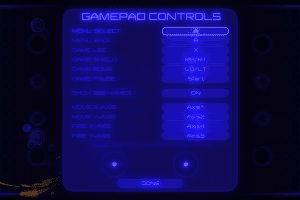
- The game has controller support so you can play it with gamepad, the controls can be configured in Options menu. If the game doesn't recognize your controller - try to use one of the additional tools from PCGamingWiki guide for controllers
 English



Comments and reviews
No comment nor review for this game at the moment.