



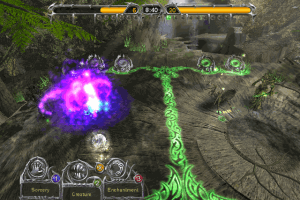
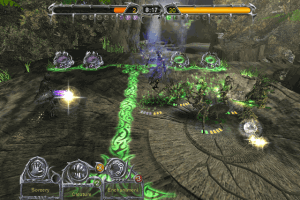
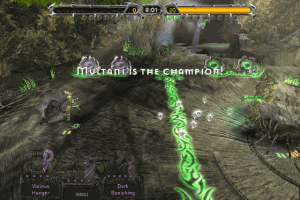
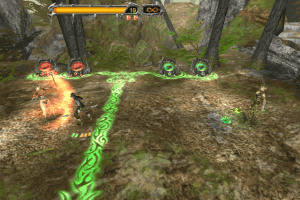
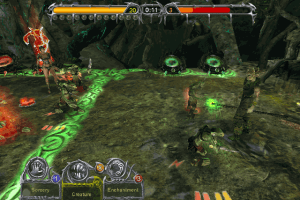
How to Play
MTG Boomer commented:
Here are step by step instructions for installing on Windows 10:
- Download and extract files
- Double click dev-mtg1.iso to mount it
- Run setup.exe from the mounted disk
- Put in CD key:
8DEV-NG6A-3B26-2EKL-LJWY-LNNBwhen asked - Continue installation until asked for the second disk
- Right click and eject the first disk and double click the second disk
- Click Browse and select the second disk and finish installation
- Run the 1.4 patch from the Game Extras section below
- Copy and replace the exe from the NOCD file below to the game's SYSTEM folder
 English







Comments and reviews
Game works fine if following the instructions through lutris
anyone knows where to find the DLC?
After patching to 1.4 and replacing the original exe with the one from NoCD, the main menu shows 1.1 again.
While scanning MTGBattlegrounds.EXE Trojan.Malware.300983.susgen was found :S
French :
https://www.abandonware-france.org/ltf_abandon/ltf_jeu.php?id=5669&fic=liens
Copy and replace the exe from the NOCD file below to the game's SYSTEM folder how to do it?
I followed all the instructions, but when I try to open the game (either from the desktop shortcut or from the exe directly) nothing happens. Does anyone know what's going on?
Error when I launch the nocd exe:
General protection fault!
History: UWindowsViewport::OpenWindow
Worked like a charm on my Windows 11 PC, even with a 2560/1080 Ultra wide resolution. Text get stretched, but gameplay doesn't. No issues at all, thanks guys.
Keeps saying "Invalid Patch File" when I try to run the 1.4 patch from the Game Extras. Any solutions?
Ignore my last, I played this game on both Xbox and PC. I thought the extra cards were on both. But it looks like it was just Xbox.
Does the 1.4 patch support the extra 10 cards? For some reason I have Version 1.01 (from the root menu of the game) When I run the patch .exe above from the SYSTEM folder (C:\Program Files (x86)\Atari\Magic The Gathering - Battlegrounds\SYSTEM) it says it cannot find Magic Battlegrounds - P11 on my computer (even after running it as administrator). Running Windows 10... I followed the guide above. TIA
It works on my win11 PC, only the AMD 7900 XTX does 500 to 650 FPS. Looking for a solution to use de GPU on the processor of how to underclock de 7900 during this game
Works like a champ! The instructions posted above worked and worked with no issues on Windows 11. Thank you so much for those. I did not have to edit the ini file for 1920x1080 widescreen either. I just selected the size in game via options and no crashes or issues, and just played for like 3 hours straight.
Cannot remap the "shield & attack" to Xbox One Controller triggers and that is a limitation of older games. However, using a purchased copy of Joy to Key I was able to remap keyboard keys to the triggers and I am in gaming heaven.
No viruses, no data mining, no hidden bitcoin mining and no funny business, just good ol' battleground game.
Keep in mind that Atari never released all the downloadable goodies that it did on the Xbox edition for the PC, but this game is still a great game to have and play, especially with couch co-op / two players and even better with kids.
9.Copy and replace the exe from the NOCD file below to the game's SYSTEM folder
there is no system folder
The game works come see us on discord. We will help you... and then steal your mana.
https://discord.gg/g8Tz5YvbUA
I would prefer a video tutorial to understand what I'm doing cuz Its asking for a insert disk and wont accept anything.
Game works fine. Changing resolutions crashes the game however just a quick editing in the MTGBattlegrounds.ini and I got 1080p working pretty easily. I'm surprised this game doesn't strech the image, it uses the correct FOV for 16:9. Unreal Engine 1 was rad.
Nevermind.
Its found it the Program Files x86 and then in Atari
Got all the way to the end step.
Where exactly is the Systems folder?
Read People.
Copy and replace the exe from the NOCD file below to the game's SYSTEM folder
It 100% works. God knows what people are doing to get it wrong here. The instructions are simple!
Followed all Directions. Windows stated compatible, Game doesn't open.
the game works perfectly for me, make sure to follow the installation instructions on this page and it'll work flawlessly
Disregard the previous comments. The game works great. Simply don't be a troglodyte and follow the installation instructions to the letter.
You mind elaborating as to how you got it to work like a charm? It seems that everyone else has had no luck.
Serial key is 8DEV-NG6A-3B26-2EKL-LJWY-LNNB, it's included in a .txt on a second iso.
I'm starting to think this all a hoax.
I cant play anything, there is no playable file only .cab .ttd iso and stuff that doen't work.
Needs a CD key, which is not provided
CD key is invalid, what am i doing wrong? I really want to play this game because i used to love it.
Works like a charm!
No comment nor review for this game at the moment.