



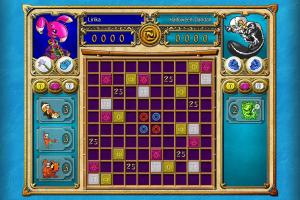
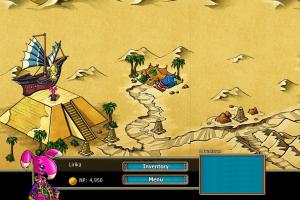
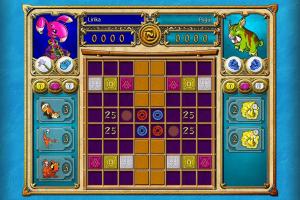
How to Play
The game has been tested on Windows 7 64-bit and Windows 10, it works fine, the game supports widescreen resolutions. You may experience some small troubles when you play the game on modern systems, check our Guide and Notes for details
Install & play guide:
- Mount the ISO image with disc image utility, like WinCDEmu, UltraISO, Alcohol 52%/Alcohol 120% or Daemon Tools Lite, etc. Or extract the files from ISO image with WinRAR or similar tool
- Install the game. It is recommended to install the game not in default path, but in some other, non-system folder, like
C:/Games/Neopets Puzzle Adventure, so you won't have troubles with NoCD - After you installed the game - install NoCD, simply copy Neopets.exe from the archive and put it into game folder, agree to replace the original file
- Right click on Neopets.exe -> Properties -> Compatibility -> Set "Run this app in compatibility mode with Windows XP SP2" and "Run as administrator"
- Launch the game and play. If the game doesn't work in compatibility mode with Windows XP - try to launch it in compatibility mode with other version of Windows (Windows 95, 98, Win2000, etc.)
If that instruction looks too complicated for you, or you have troubles with retail version, you can download the archive with pre-installed version. It includes the full digital version of the game from NickArcade service, which is a bit different from retail release and should work better on modern systems
Notes:
- If the installation doesn't start - try to launch Setup.exe in compatibility mode with old version of Windows (98, 2000 or XP)
- It is recommended to install all versions of Microsoft Visual C++ Redistributable and NET Framework for the correct work of the game. Also it is recommended to install K-Lite Codec Pack for the correct work of in-game videos
- The game works on DirectX 9, so if you're using Windows 8, 8.1, 10 or 11 - you need to enable DirectPlay: Go to Control Panel, and select 'Programs'. Select 'Turn Windows features on and off', click on 'Legacy Components' and check the box 'DirectPlay'. Select OK, once the installation is done, restart your computer
- The game is multilingual, it has 6 languages: English, French, German, Spanish & Dutch, and there's also should be support of Portuguese language but we haven't found how to enable it. You can switch the language by running the game with command line argument of needed language. Create desktop shortcute for Neopets.exe, then right-click on desktop shortcut -> Properties -> in Shortcut tab find Target field and add the argument without quotes:
-l englishfor English,-l germanfor German,-l frenchfor French,-l spanishfor Spanish,-l dutchfor Dutch. For example, if you want to switch the game to French language, the Target field should look like"D:\Games\Neopets - Puzzle Adventure\Neopets.exe" -l french - There's a bug in the game when the audio doesn't work on some systems. Unfortunately, there's no fix for it, looks like it is compatibility issues with some hardware
- For unknown reason, Russian version is not compatible with some video cards. If you run Russian version and see only the blue screen after loading, that means that version is not compatible with your video card. Unfortunately, there's no fix for that bug
- Don't forget to check PCGamingWiki if you have troubles!


 Russian







Comments and reviews
No comment nor review for this game at the moment.