




How to Play
Notes:
- The game doesn't work on modern systems, to play it on modern systems use the fix by beha_r and CyberDemon@. There's two variants of the fix in the archive, make sure to check Readme-file inside
- The game uses the old Indeo Codec for videos, that codec is disabled in modern Windows for security reasons. To view in-game videos, install Windows Media Player 7.1 from the first CD, if that didn't work, install K-Lite Codec Pack. If that doesn't help, install Codinstl from here, it is the Indeo Video 5 codec installer for 32- and 64-bit systems (it is recommended to delete that codec when you won't need it). If the videos still doesn't work after this, here's the Registry file for enabling Indeo Codec in Windows 10; don't forget to "disable" the Indeo Codec afterwards by deleting the Registry key (to see the required Registry path, open the REG-file in Notepad)
- The other option is to play the game on Virtual Machine with old Windows, like Windows 98 or XP. The game should work fine on VMs, and that way all videos will work too. The game has been tested on QEMU + Windows 98, it also should work fine on VMWare. The portable variant by nerd888 that includes the game with QEMU + Spanish Windows 98 can be found here or on our website
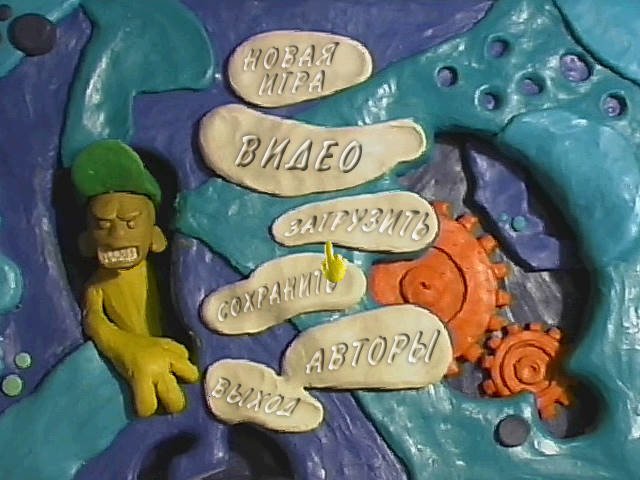
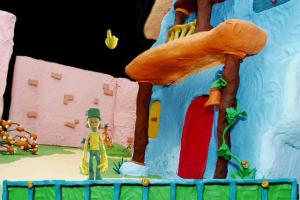
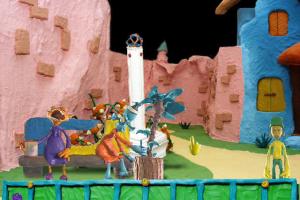
- Even though that this is the Russian game, there's no Russian text or audio in the game except the main menu. If you don't speak Russian, just make a screenshot of main menu with PrtScr button and put the image to Google Translate (press Ctrl+V) or another translation machine that recognize the text on images. To move the main character and interact with objects click with left mouse button, press Spacebar to open/close the inventory, to use the item from inventory left-click on it and then left-click on interactive object; to exit to main menu press Esc button, if you want to save the game, press "Сохранить" ("Save")
- If you stuck at some hard puzzle in the game, here's the walkthrough guide in Russian (use the translation machine). Here's also the walkthrough video
 Russian





Comments and reviews
No comment nor review for this game at the moment.