


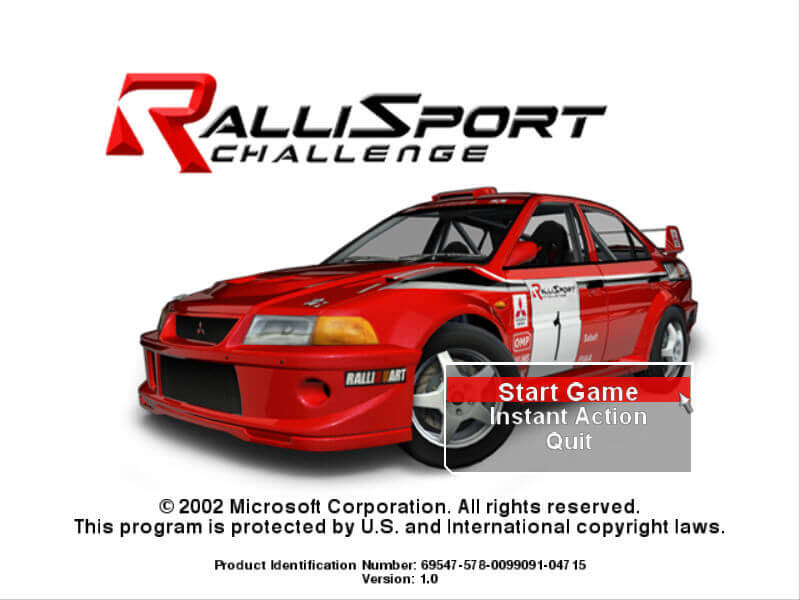
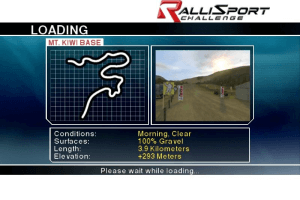
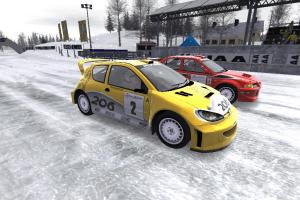
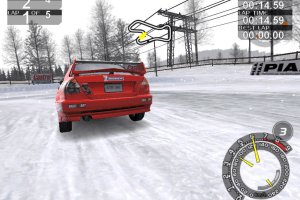
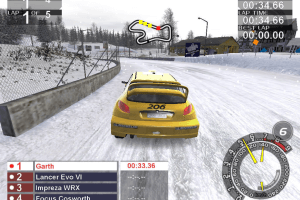
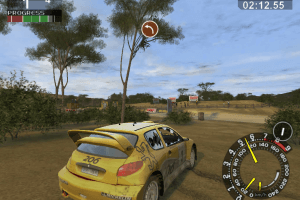
How to Play
The game with Widescreen fix has been tested on Windows 7 64-bit, Windows 10 and Windows 11, it works fine, with fix the game supports widescreen and high resolutions up to 4K. You may experience some small troubles when you play the game on modern systems, check our Guide and Notes for details
Install & play guide:
- Mount the disc image. You will need the utility for mounting disc image files, like WinCDEmu, UltraISO, Alcohol 52%/Alcohol 120% or Daemon Tools Lite
- Install the game. It is recommended to install the game not in default path, but in some other, non-system folder, like
C:/Games/RalliSport Challenge, so you won't have troubles with NoCD or fixes - If you're using Windows 8, 8.1, 10 or 11 - make sure that you enabled DirectPlay if you didn't make it before, read this or this guide how to do it (if you're using Windows 7 or older - just install DirectX from the disc)
- After you installed the game - install NoCD, simply copy RalliSportChallenge.exe from the archive and put it into game directory, agree to replace original file
- Open the directory with the game and find RalliSportChallenge.exe. Right click on RalliSportChallenge.exe - Properties - Compatibility - Set "Run this app in compatibility mode with Windows XP" and "Run as administrator"
- Launch the game and play. If the game doesn't work in compatibility mode with Windows XP - try to launch it in compatibility mode with other version of Windows (Win98, Windows ME, Win2000, etc.)
Here's also similar guide by PlayOldPCGames
How to play the game in widescreen:
- To run the game in widescreen, you will need to use HeX-editor and change some numbers in executable file. Open RalliSportChallenge.exe from NoCD archive with any HeX-editor then edit it like in this guide. Then put that file in game folder, replace original file if needed, run the game and select new resolution in settings
- If it looks complicated for you - you can use Widescreen fix from our website, it has already edited RalliSportChallenge.exe for 1280x720, 1366x768, 1920x1080, 2560x1440 and 3840x2160 screen resolutions. HeX values for other resolutions can be found on PCGamingWiki or WSGF
Notes:
- If the installation doesn't start - try to launch Setup.exe in compatibility mode with old version of Windows (98, 2000 or XP)
- It is recommended to install all versions of Microsoft Visual C++ Redistributable and NET Framework for the correct work of the game. Also it is recommended to install K-Lite Codec Pack for the correct work of in-game videos
- The game works on DirectX 8, so if you're using Windows 8, 8.1, 10 or 11 - you need to enable DirectPlay: Go to Control Panel, and select 'Programs'. Select 'Turn Windows features on and off', click on 'Legacy Components' and check the box 'DirectPlay'. Select OK, once the installation is done, restart your computer
- NoCD is required for the launch because the game is using SafeDisc DRM protection, which doesn't work correctly on modern systems. That NoCD "breaks" DRM protection and allows the game to work on modern systems
- Looks like the game doesn't have framerate limit, so it may work too fast on modern systems. If you feel that the game runs too fast - try to limit the framerate to 60 FPS, for example with dgVoodoo utility. To use it copy the dll-files from the
MS/x86folder, dgVoodooCpl.exe and dgVoodoo.conf to the game folder, open dgVoodoo.conf in Notepad and findFPSLimit = 0, change 0 to 60 to limit the framerate to 60 FPS. Then open dgVoodooCpl.exe and in DirectX tab uncheck "dgVoodoo watermark" and check "Fast video memory access". - And if you want you can limit the framerate to some other value, like to 90 or 120 FPS, experiment and see what is better for you. Alternatively, if you don't want to use dgVoodoo, you can set framerate limit it control panel of you video card, if it has such function, or use some other framerate limit utility, check this page for list of apps that allow to limit the framerate. Also, it is not necessary to limit the framerate if the game works fine on your system
- With dgVoodoo you can run the game with anti-aliasing and texture filtering, to get the best graphics. Such settings are available in dgVoodoo Control Panel (dgVoodooCpl.exe). If you plan to use it with Widescreen fix - don't force any new resolution in dgVoodoo settings, to avoid conflicts
- You can play the game with controllers, if you use Xbox controller - use XInputPlus utility. Check this guide how to configure XInput for the game
- Don't forget to check PCGamingWiki if you have troubles
 English
  French
  Italian







Comments and reviews
having a problem when trying to install setup, when trying to install it gets to about 20% before telling me i need to "insert RalliSport Challenge Disc 2 into drive C:" How do i get past this?
Oh does this game bring back memories.
I played this game for hours and hours. Such a happy camper to see it on here
Thank you AbandonWare! Man this brings back memories! I remember this game being the reason I wanted an OG Xbox lol. Never knew it had a PC port and it works great on Win11 in 4k after following the steps above. I used the ISO version and used NoCD along with Patch. Some issues Ive noticed is my Xbox Elite controller is not fully compatible meaning, no matter which button bind I used for manual transmission it does not seem to work properly. At the very best its extremely laggy to the point I can only play in automatic. Lastly I noticed some frame drops at some parts of races but nothing major.
Did anybody get multiplayer working? When we are trying to start the network game (people joined server, created and joined a game) we get the message "Unable to start game". Single player works fine.
We have updated this page, uploaded more language versions plus some fixes and guide how to use it
the game is good :D
This game is just as bad as i remember
These are the full contents of my registry key.
It is in HKEY_LOCAL_MACHINE\SOFTWARE\Wow6432Node\Microsoft\Microsoft Games\RalliSport Challenge\1.0
"Version"="1"
"Movies"=dword:00000001
"Launched"="1"
"PID"="69547-431-0926236-04821"
"DigitalProductID"=hex:a4,00,00,00,03,00,00,00,36,39,35,34,37,2d,34,33,31,2d,\
30,39,32,36,32,33,36,2d,30,34,38,32,31,00,08,00,00,00,4d,34,32,2d,30,30,30,\
30,36,00,00,00,00,00,00,00,00,3a,d3,f4,2c,d5,92,99,83,79,fd,ef,3d,02,03,00,\
00,00,00,00,4f,3d,29,61,77,4f,34,00,00,00,00,00,00,00,00,00,00,00,00,00,00,\
00,00,00,00,00,00,00,00,00,00,00,31,34,31,30,37,00,00,00,00,00,00,00,c1,18,\
00,00,59,12,ed,b6,00,10,00,00,4a,1a,00,00,00,00,00,00,00,00,00,00,00,00,00,\
00,00,00,00,00,00,00,00,00,00,00,00,00,00,00,00,00,8b,0e,17,67
"EXE Path"="D:\\Games\\RalliSport Challenge"
"CDPath"="V:\\"
"VersionType"="RetailVersion"
"InstalledGroup"="3"
"LangID"=dword:00000009
!!!Pay attention to that line - "EXE Path"=
You have to change it, it must point to the folder where your game is installed. And don't forget the double slashes \\
not working after regedit still nothing
unable to find language registry keys
unable to find language registry keys
I don't know what this error message means, but the above fix solution didn't work for me.
nowadays it doesn't make sense to share it in .mdf, windows 10/11 doesn't support that format
Hi guys! In case you get a registry error when trying to launch the game from the .exe, just download this setup.reg file (just click on Download ZIP located on the right side of the page in case you're a newbie to Github):
https://gist.github.com/Alphare/b07ac8c0184acd0d2d0675c5ed7da7cc
Replace it with the setup.reg that is included with the download links above and double click on it, click yes when it asks you. Now you can play the game from the .exe.
Enjoy! Worked for me at least.
I share with you a link (https://archive.org/details/rallis_dvd-eng) to the video game with two versions (CD-Romx3) and (DVD-Romx1). You only have to mount the CD or DVD image with Daemon Tools or similar utility and copy the Patch NoCD in the installation path of the video game (overwriting the data). To change the resolution it is only necessary to enter the Main Menu\Options\Screen Resolution. Depending on the Patch NoCD you choose, you can select a resolution from 1366x768 to 1920x1200. It is not necessary to touch the Windows registry or do anything else to be able to play.
Slight modification. I needed to Add the reg-file header as well. So create a new text-file, name it .reg and edit it. Paste the following in (without the snipping lines) and then execute the file after saving:
-----------------88--------------------------
add to registry
[HKEY_LOCAL_MACHINE\SOFTWARE\Wow6432Node\Microsoft\Microsoft Games\RalliSport Challenge\1.0]
;New
"LangID"=dword:00000009
unable to find language registry keys
No comment nor review for this game at the moment.