




How to Play
The game has been tested on Windows 7 64-bit and Windows 10, it works fine. You may experience some small troubles when you play the game on modern systems, check our Notes for details
Notes:
- If the installation doesn't start - try to launch Setup.exe as Administrator and in Compatibility mode with old version of Windows (98, 2000 or XP)
- The game doesn't have any DRM protection, so simply install the game, then install the patch v1.41 (it is the latest patch that includes all updates) and play. If the game doesn't work - try to launch it in Compatibility mode with old version of Windows (Windows 98, XP, etc.) and as Administrator
- It is recommended to install all versions of Microsoft Visual C++ Redistributable and NET Framework for the correct work of the game. Also it is recommended to install K-Lite Codec Pack for the correct work of in-game videos
- The game works on DirectX 7, so if you're using Windows 8, 8.1, 10 or 11 - you need to enable DirectPlay: Go to Control Panel, and select 'Programs'. Select 'Turn Windows features on and off', click on 'Legacy Components' and check the box 'DirectPlay'. Select OK, once the installation is done, restart your computer
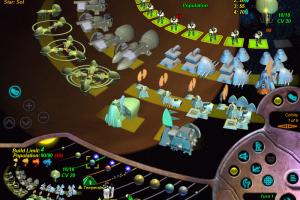
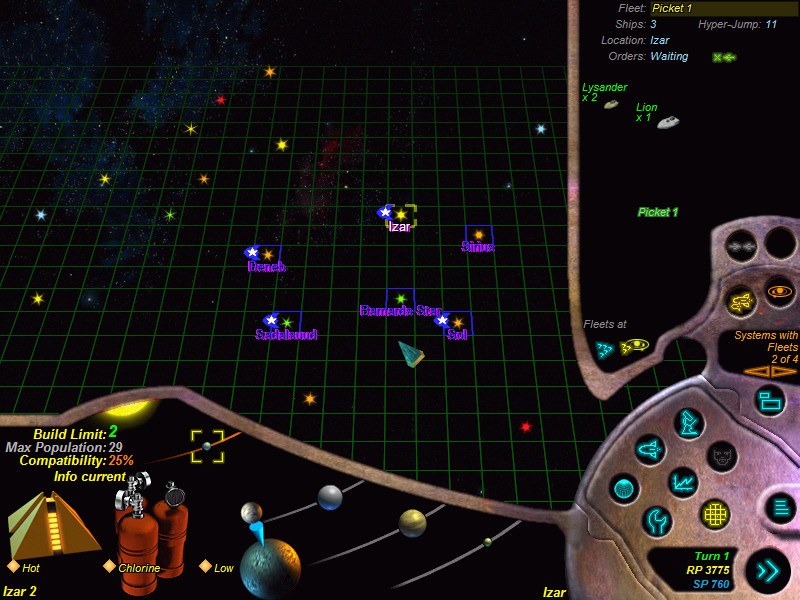
- If you see the pink/purple outlines around the words on global map (here's the screenshot how it looks) - that is the bug of fonts smoothing. If you play the game on modern systems, you can use DDrawCompat to fix that issue, with DDrawCompat you can disable fonts smoothing/anti-aliasing in the game without any changes in your system. Alternative variant is to use Star Name Fix, simply put Star Name Fix.sdb file into game folder. However that fix works 50/50 on Windows 10 & 11 - for some users it worked fine, for others don't. That fix should work fine on Windows 7 and Vista, check this thread for more details (it is on Russian, use the translation machine)
- If you play on old systems, like Windows XP or Windows 2000, you need to turn off the smoothing of screen fonts in systems settings. For Windows 2000 or lower: open the "Effects" tab and deselect the "Smooth edges of screen fonts" checkbox. For Windows XP: in the "Appearance" tab, select "Advanced" and deselect the "Use the following method to smooth edges of screen fonts" checkbox
- The game works only in 800x600 screen resolution. You can try to run the game through dgVoodoo 2 and enable higher resolutions, or select the forced Windowed mode, but we haven't tested it
- The game cannot recognize the mouses with high polling rate and/or high DPI. If the mouse cursor in game doesn't move or move erratically - lower the polling rate of your mouse to 125Hz or lower, it should work fine after that. Also, lower the DPI of your mouse if it didn't work
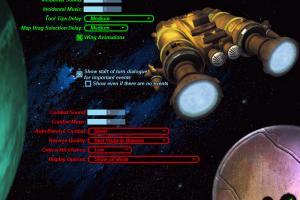
- If you have problem with broken sound effects or disappearing sound - first try to change the sound settings. If it didn't work - set sound quality to 24 bit, 48000 Hz or 24 bit, 44100 Hz. Read this guide how to do that
 English






Comments and reviews
@Mr. Fighting and Installation Bugs
What do you mean "how to install patch"? Simply run exe-file of patch, that's all. If it doesn't work, run the exe-file in Compatibility mode with old Windows and as Administrator
@Trusteft
I added the note about high polling rate to the guide, thanks. The thing is that I have a gaming mouse with high DPI, and when I lowered the DPI the in-game cursor started moving better, so I thought that the problem is only in DPI
How do I install a patch for this game?
I actually bought the game on CD and later digitally.
The mouse skipping is not simply a DPI issue. The problem is with the polling rate of the mouse. The lower it is the better. At 125Hz it should be flawless.
If your mouse software does not support changing it....good luck.
No comment nor review for this game at the moment.