


How to Play
It is recommended to use the attached Rip by Uka to run the game on a modern computers. It is pre-installed version of the game in minimal size - you only need to edit REG-files first (instruction in the archive), then run that REG-files to add changes to Windows Registry, and then run rome.exe in compatibility mode with Windows 2000.
Important note about the bug at the end :
- The game has critical bug at the end part, when it shows error and cannot be continued. It is a problem with the original game and it occurs on any operating system. User lobo.rojo from AbandonSocios forum made the fix for that problem (instruction in the archive). Please note that the fix was made for Spanish version of the game and we don't know if it will work with other versions
 English
  Spanish
  French
  Russian







Comments and reviews
CROOSHI,
I've gone through your step-by-step guide using the downloads listed, but something is still messing up somewhere as the error message I'm getting is "The program could not get some critical informations, you may need to reinstall".
I have no idea what the problem is here.
@Crooshi
I used your setup, then, to fix everything, I did the following.
Copied over the dgVoodoo v2.83 files to the games install directory.
Files: "D3D8.dll", "D3D9.dll", "D3DImm.dll", "dgVoodooCpl.exe".
I did not use dgVoodoo's "ddraw.dll", it just gave errors, instead, I copied over the following: DDraw Compat v0.5.4 "ddraw.dll"
This corrects the Videos while dgVoodoo fixes the screen graphics and the mouse.
Running at screen resolution of 640x480
The only Compatibility Settings set on file:
- Check This Box!: "Run this program as an administrator"
Did not have to set any other permissions or compatibility settings on the .exe file.
Runs flawlessly on Windows 11
Settings used for dgVoodoo v2.83 below:
Make sure that the "dgVoodooCpl.exe" is set properly for the game to start!
Use the setting below!
-------------------------------------------------------------------------------------------------
Under Tab "General" - Nothing, Leave Alone, Already Setup
-------------------------------------------------------------------------------------------------
Under Tab "Glide" - 3Dfx card: Voodoo 2 (8MM/12MB, 2 TMUs) | Onboard RAM: 12 MB
Memory size / TMU: 4096 kB
Resolution: Unforced
Number of TMUs: 2
Filtering: App driven
Antialiasing (MSAA): App driven
UnCheck Box: Disable mipmapping
Check Box: Enable Glide Gamma Ramp
Check Box: Force vSync
UnCheck Box: Force emulating true PCI access
UnCheck Box: 16 bit depth buffer
UnCheck Box: 3Dfx Watermark
UnCheck Box: 3Dfx Splash screen
UnCheck Box: Pointcast Palette driver build
Check Box: Enable inactive app state
-------------------------------------------------------------------------------------------------
Under Tab "DirectX" - UnCheck Box: Disable and passthru to real DirectX
Videocard: GeForce 9800 GT | VRAM: 1024 MB
Filtering: App driven
Mipmapping: App driven
Resolution: Unforced
UnCheck Box: Force filter only if not point sampled
Check Box: Application controlled fullscreen/windowed state
Check Box: Disable Alt-Enter to toggle screen state
Antialiasing (MSAA): App driven
Check Box: Bilinear DD/CPU operations
Check Box: Apply Phong shading when possible
UnCheck Box: Force vSync
UnCheck Box: dgVoodoo Watermark
UnCheck Box: Fast video memory access
-------------------------------------------------------------------------------------------------
**** NOTE ****
NOT using dgVoodoo's "DDraw.dll" file, instead, I copied over and overwritten it with:
DDraw Compat v0.5.4 "ddraw.dll"
This corrects the Videos while dgVoodoo fixes the screen graphics and the mouse.
==================================================================================================
I've gone through and written the best instructions I can manage, as well as other issues and fixes.
1, download "english version (484mb)" AND "Pre-installed version of the game"
2, extract the preinstall, it should have a folder called ROME and 2 registry files.
3, extract the ROME folder somewhere easy (my example is C:\Abandonware\ROME)
4, open rome1.reg in notepad and edit "SAVE"="C:\abandonware\Rome\Save\" so that it's set to where you extracted your ROME folder to.
5, Do the same for Rome2.reg for PATH, DATAC and SCRIPTS.
This is the annoying part, it seems that although it's a preinstalled copy of rome, it still has copy protection, hence the need to download the 484mb image file, so You'll need to mount this through daemontools or whatever virtual drive software you want to use.
6, In Rome2.reg you might have noticed CMO, SOUND and VOX, You'll need to replace the drive to whatever drive you have the rome CD mounted in.
7, double click both registration files.
8, set ROME.exe to launch in windows xp service pack 2 compatibility mode.
So that should get you a fully reliable install, but there are now issues that need addressing on modern hardware.
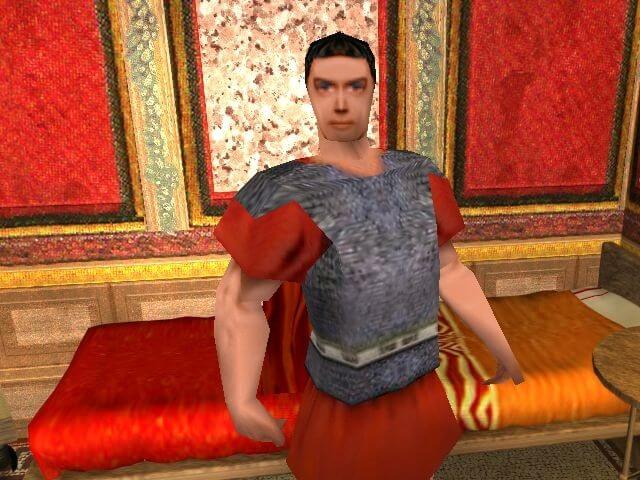
1, If your desktop resolution is above 1080p then all in game characters will have no texture and just be completely white.
2, If you then set your desktop resolution to 1080 BUT still have a second monitor enabled, the game will launch overlapped on both monitors and won't render.
I believe that forcing the game into windowed mode through dxwind or gdvoodoo2 would alleviate any resolution based issues, HOWEVER, I have not been able to run the game through either as each time I try to do so the game throws up an error message on launch claiming that there is not enough vram or hardware acceleration.
Should anyone figure out a way, please leave a comment for the rest of us to follow.
Thank you
More yidshit, I can't stand this.
I can't even install the game. Everytime I try to it says: IDS_QUESTION - entry not found in the string table.
The game starts perfectly fine after the changes to the two .reg-files. Alas as soon as I try to talk to somebody, the game freezes. I use Virtual CloneDrive to mount the CD (the CD is fully accessible).
Edit: Seems the desktop resolution was the issue,changing from 4K to 1080p got it to work.
Installs fine with the fix included,but the characters are all white ,like no graphics on them,tried different compatibility stuff,dgvodoo etc,nothing works.
No comment nor review for this game at the moment.