You are on the beta version of My Abandonware. The live site is still myabandonware.com. Your favorites and ratings here are copied to the live site. Comments and other changes are not — we delete them every morning at 08:00 Paris time, when this site goes down for about an hour. Leave feedback through this link to Pastel (email required).
The beta goes down at 08:00 Paris time, in a few minutes. We rebuild the database from the live site. It comes back in about an hour.
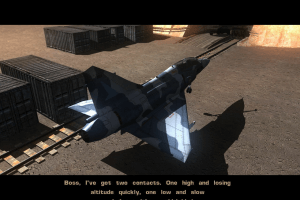
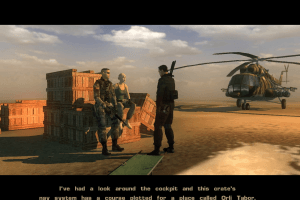
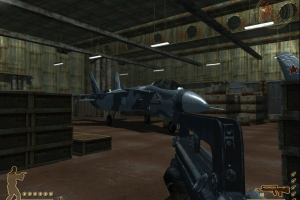
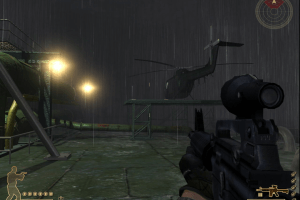
stuck in the very first hangar with jets, its like a military game and they want to do a childish jumping puzzle? FFS you cant make this stuff up its every 3d game ever made.. any future devs STOP locking doors and making lame jumping puzzles. Respect our time. we are NOT 5yrs old
0
Randalmcdaniels11 Aug. 2026
to change resolution with dgvoodoo2 you want to go to the directX tab, go to the middle-right-bottom and choose 1440x1080. Also uncheck the box "Application controlled window state". This will integer upscale even a 320x240 game to 1080p real hardware pixels and its amazing. 100% lossless on the hardware pixels
1440x1080 because thats a 4:3 resolution and old games are 4:3 so the integer upscale will work correctly.
if its a 16:9 game just set it to 1920x1080. And you can choose a lower 16:9 resolution in the games options (1280x720 is also 16:9 so it will be upscaled to 1920x1080)
dgvoodoo2 also has an advanced right click menu that shows options like hide the border in windowed mode.
Games have to be set to fullscreen mode in their video options for integer upscaling to proc
0
Free Race Freak18 Dec. 2025
Also great on Q9300 260 Gtx 177.35 with Vista 64Bit
0
Free Race Freak17 Dec. 2025
To Play the Mark i use this Hardware
Core to Duo E8600 Ati 4850 with Catalyst 8-10 on Vista 64Bit,
0
Sgt.McHale16 Sep. 2025
I didn't expect the music to be so good.
1
sasiya07 Sep. 2025
i want the mark game for free
-3
Ex Free Race Freak05 Dec. 2024
The Best Way i to Play This with High End Hardware on Vista,
0
Fleerix15 Aug. 2024
i should have rated the game lower
-2
Free Race Freak04 Feb. 2024
You should not Play Shooter because:
Bad Optimized
you never can fix this
-2
Xavier07 Jul. 2023
Change FOV: In-Game open console by pressing (~) Type: fov 1.5 (or desired value)
2
Bullseye69626 Aug. 2022
How did you change the resolution with DgVoodoo @SIRDOGE27?
1
SirDoge2714 May. 2022
You can change the resolution using DgVoodoo,it also fixes the lag,but no fix for fov tho.
1
Clyde3D25 Jan. 2022
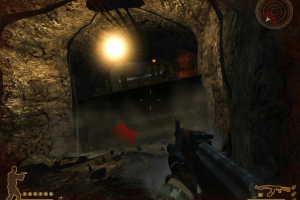
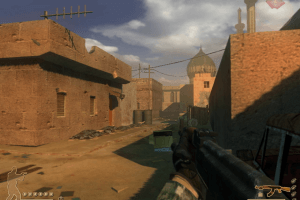
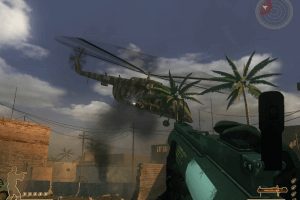
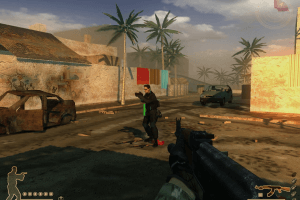
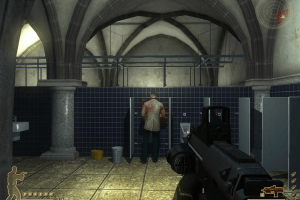
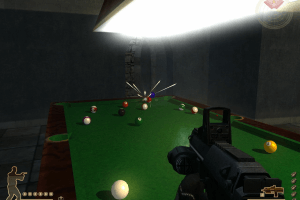
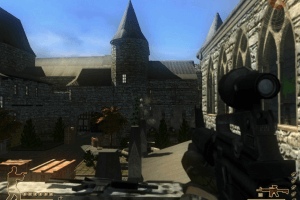
The resolution and FOV are terrible. There is nothing you can do about it either.
0
Morkale23 May. 2021
Game lags constantly. Changing settings doesn't help.
1
No comment nor review for this game at the moment.







 English



Comments and reviews
stuck in the very first hangar with jets, its like a military game and they want to do a childish jumping puzzle? FFS you cant make this stuff up its every 3d game ever made.. any future devs STOP locking doors and making lame jumping puzzles. Respect our time. we are NOT 5yrs old
to change resolution with dgvoodoo2 you want to go to the directX tab, go to the middle-right-bottom and choose 1440x1080. Also uncheck the box "Application controlled window state". This will integer upscale even a 320x240 game to 1080p real hardware pixels and its amazing. 100% lossless on the hardware pixels
1440x1080 because thats a 4:3 resolution and old games are 4:3 so the integer upscale will work correctly.
if its a 16:9 game just set it to 1920x1080. And you can choose a lower 16:9 resolution in the games options (1280x720 is also 16:9 so it will be upscaled to 1920x1080)
dgvoodoo2 also has an advanced right click menu that shows options like hide the border in windowed mode.
Games have to be set to fullscreen mode in their video options for integer upscaling to proc
Also great on Q9300
260 Gtx 177.35 with Vista 64Bit
To Play the Mark i use this Hardware
Core to Duo E8600
Ati 4850 with Catalyst 8-10 on Vista 64Bit,
I didn't expect the music to be so good.
i want the mark game for free
The Best Way i to Play This with High End Hardware on Vista,
i should have rated the game lower
You should not Play Shooter because:
Bad Optimized
you never can fix this
Change FOV:
In-Game open console by pressing (~)
Type: fov 1.5 (or desired value)
How did you change the resolution with DgVoodoo @SIRDOGE27?
You can change the resolution using DgVoodoo,it also fixes the lag,but no fix for fov tho.
The resolution and FOV are terrible. There is nothing you can do about it either.
Game lags constantly. Changing settings doesn't help.
No comment nor review for this game at the moment.