You are on the beta version of My Abandonware. The live site is still myabandonware.com. Your favorites and ratings here are copied to the live site. Comments and other changes are not — we delete them every morning at 08:00 Paris time, when this site goes down for about an hour. Leave feedback through this link to Pastel (email required).

Search more than 30000 retro games
/ Genres / Action / Disney·Pixar Buzz Lightyear of Star Command

Disney·Pixar Buzz Lightyear of Star Command

Windows - 2000

Description from the publisher:

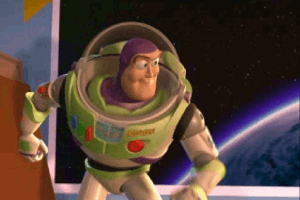
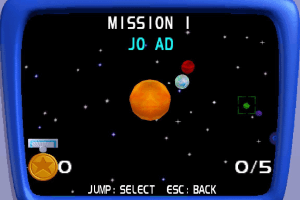
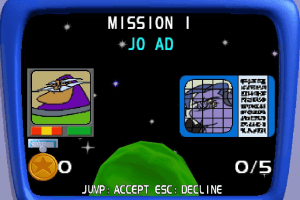
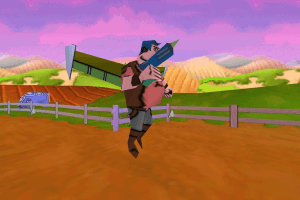
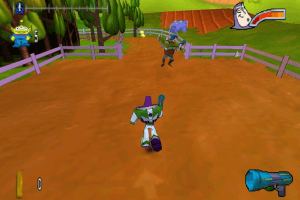
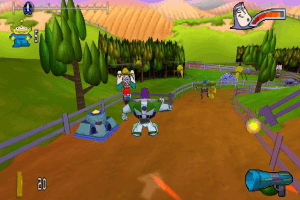
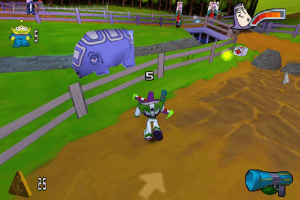
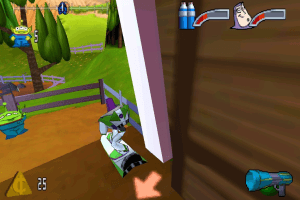
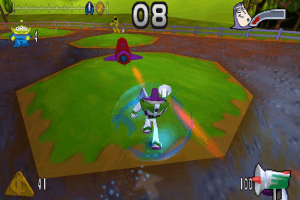
Buzz Lightyear of Star Command features the Space Ranger star himself in a battle against Emperor Zurg. Based on the movie Toy Story, the game finds Buzz exploring seven worlds containing 14 levels while interacting with real-time 3-D characters. Explore Jo-Ad, Trade World, Karn, and Gargantua with jetpacks, hover boards, and jet bikes. Defeat Torque, XL, and Warp Darkmatter with laser guns, lightning guns, and plasma bolts. It all leads up to a final confrontation with Emperor Zurg on Planet Z.
How to Play

Install & play guide:

  • Mount the disc image. You will need the utility for mounting disc image files, like WinCDEmu, UltraISO, Alcohol 52%/Alcohol 102% or Daemon Tools Lite
  • Install the game
  • Also it is recommended to install DirectX from the disc (inside the disc image in "Setup" - "DirectX" folder)
  • After the game has been installed, install dgVoodoo configuration (that config was made thanks to PCGamingWiki guide)
  • Launch the game and play. If the game doesn't run - open the directory with the game and find buzz.exe. Right click on buzz.exe - Properties - Compatibility - Set "Run this app in compatibility mode with Windows 95/98, Windows 2000 or Windows XP".
  • Also try to launch the game, then open Task Manager (Ctrl+Alt+Del by default) and check for processes buzz.exe and rundll32.exe. Close buzz.exe but don't touch rundll32.exe (it's a Windows app for running old apps from 32-bit operational systems, most old games running through rundll32.exe). Now try to launch the game again, it must work. Don't forget to close rundll32.exe process in Task Manager after finishing playing.
  • The game with dgVoodoo has been tested on Windows 7 64-bit, works fine

Troubleshooting:

  • Sometimes the in-game music can disappear, in that case just pause and then un-pause the game, the music will start playing again
  • The game may freeze when you quit it. In that case just close the game process through Task Manager
  • By default the max resolution of the game is 1024x768, if you want to play in higher resolution you can change it through dgVoodoo

Comments and reviews

SIcker 16 Oct. 2026

I played this game in my childhood but i never ended the final mission

0
Pupenfard 24 Aug. 2026

I remember playing this a bit when I was a kid and not being too into it. It took me a while to get it running too, but damn, the game is kinda poo-poo imma be real. Still, a nice bit of nostalgia.
I downloaded the EU ISO version and added the Voodoo config to it, had to tweak it and windows compatibility a bit too, but it worked at the end.

1
sheesh 23 Mar. 2026

The rip used to work but now I keep getting "Not installed correctly" error messages, using the registry.exe does nothing.

0
KASUMI65 15 Jan. 2026

Russian :
https://archive.org/details/20260115_20260115_1602

0
platinumb3rlitz 20 Oct. 2025

is the rip version safe? after checking it on virustotal it says 3 reported it as malicious:
- google (detected)
- ikarus (virus.win32.sality)
- nano-antivirus (trojan.win32.mlwgen.fhnbyx)

are these just false positives? because i'm not sure if i want to risk damaging my pc so i can play this game without the cd

1
n 13 Aug. 2023

it works right up until the game stars it shows the controls but the screen is black and blank pls sort it out i was so excited and getting very happy

3
Paodemel 30 Jan. 2023

When i open the game, it goes till a soundtrack, black screen and 2 brightning bars. If i press ENTER, the game closes...

0
Jack 23 Jan. 2023

For me (Windows 10), when I try to run through the installation process, everything seems to complete, but then the installation stops on the last page, and nothing is clickable except "Exit".

I can see the game directory I chose, and the files are there, but when I click Exit, all of the files disappear.

0
HeckYah 16 Jan. 2023

I love this game. Been looking for fix to get it working.

1
Zaidos 13 Jun. 2022

Ohhhh how the days have gone by... I used to play this a lot when when I was very young

4

No comment nor review for this game at the moment.

Comments posted on the beta are not kept. We delete them at 08:00 Paris time and they never reach the live site. Post on myabandonware.com if you want your comment to stay.

Downloads

Windows version
ISO Version
United Kingdom English
364 MB
Rip-version
United Kingdom English
77 MB
ISO Version

64 bits compatible by memoriesofthedaize

United Kingdom English
363 MB
Disc Image

EU Rerelease

United Kingdom English
442 MB
Disc Image
Germany German
444 MB
ISO Version
France French
362 MB
ISO Version
Italy Italian
361 MB
ISO Version
Portugal Portuguese
329 MB

Extras

Misc Misc 1
dgVoodoo configuration
Windows 1 MB English English

Similar games

Disney•Pixar Toy Story 2: Buzz Lightyear to the Rescue!
4.5/5 - 454 votes
Disney•Pixar Toy Story 2: Buzz Lightyear to the Rescue!
Windows, Mac
2000
Disney·Pixar A Bug's Life
4.7/5 - 65 votes
Disney·Pixar A Bug's Life
Windows
1999
Disney's 102 Dalmatians: Puppies to the Rescue
4.5/5 - 161 votes
Disney's 102 Dalmatians: Puppies to the Rescue
Windows
2000
Disney's Donald Duck: Goin' Quackers
4.5/5 - 168 votes
Disney's Donald Duck: Goin' Quackers
Windows
2000
Disney's Toy Story
4.7/5 - 108 votes
Disney's Toy Story
Windows, Genesis
1995
Disney's Tarzan
4.5/5 - 737 votes
Disney's Tarzan
Windows
1999