



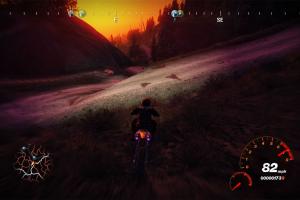
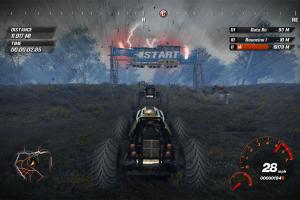
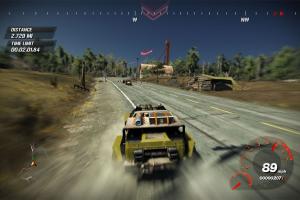
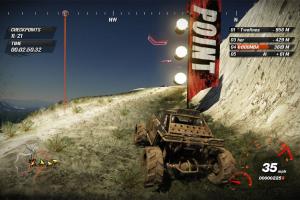
How to Play
The archive with alternative NoDVD showed many generic warnings, because that NoDVD includes the files with "cracked" SecuROM DRM. That NoDVD is safe to use, we added it just in case if someone have troubles with the first NoDVD.
The game with NoDVD and XliveLess has been tested on Windows 7 64-bit, Windows 10 and Windows 11 23H2, it works fine, the game supports widescreen and high resolutions up to 4k. You may experience some small troubles when you play the game on modern systems, check our Guide and Notes for more details
Install & play guide:
- Mount the ISO image with disc image utility, like WinCDEmu, UltraISO, Alcohol 52%/Alcohol 120% or Daemon Tools Lite, etc.
- Install the game (if autorun doesn't work - simply launch the installation from Setup.exe inside the disc). It is recommended to install the game not in default path, but in some other, non-system folder, like
C:/Games/FUEL - After you installed the game - use NoDVD, simply copy all files from the archive and put it into game folder, agree to replace the original files. Then delete SecuLauncher.exe
- The archive with NoDVD includes XliveLess files (xlive.ini & xlive.dll) which disables Games for Windows LIVE (GFWL) in game. You need to delete GFWL if you use NoDVD, otherwise you may get errors
- Open the game folder and find FUEL.exe. Right click on FUEL.exe -> Properties -> Compatibility -> Set "Run this app in compatibility mode with Windows 7" and "Run as administrator"
- Run the Launcher (GameSetup.exe) to configure the game settings
- Launch the game from FUEL.exe and play. If the game doesn't work in compatibility mode with Windows 7 - try to launch it in compatibility mode with other version of Windows (Windows XP, Vista, etc.)
About mods and unofficial patches:
- The game has a lot of mods, you can find most of them on ModDB. The most popular gameplay mod is FUEL: REFUELED, it adds new gameplay features and changes the many aspects of the game; there's also an Unofficial Patch for the game that uses fixes and tweaks from FUEL: REFUELED but without gameplay changes. Fans of the game are still making new mods for the game, like FUEL: AESTHETIC REFUELED or FUEL: Special Edition which are based on FUEL: REFUELED mod
- The most popular graphics mod is FUEL: RESHADED, that includes modified shaders to add more graphics options, such as better weather effects, more quality shadows, improved distance of drawing, etc., to make the game look better. If you play the game with FUEL: RESHADED mod, you'd may want to disable the Motion Blur. For some reason, you cannot disable Motion Blur through Generic Mod Enabler (JSGME.exe), but you can do it by editing config-files: after you copied the new shaders, open fx_blur.phl and change the number in the line
#if ( MOTION_BLUR == 1 ) return float4(0, 0, 0, 1);to#if ( MOTION_BLUR == 0 ) return float4(0, 0, 0, 0);. After that, the Motion Blur will be disabled, here's the comment with example screenshots how the game looks with FUEL:RESHADED mod but without Motion Blur (it's on Russian, use the translation machine; that comment also includes the settings for Nvidia Profile Inspector)
Notes:
- If the installation doesn't start - try to launch Setup.exe in compatibility mode with old version of Windows (98, 2000 or XP)
- It is recommended to install all versions of Microsoft Visual C++ Redistributable and NET Framework for the correct work of the game. Also it is recommended to install K-Lite Codec Pack for the correct work of in-game videos
- The game works on DirectX 9, so if you're using Windows 8, 8.1, 10 or 11 - you need to enable DirectPlay: Go to Control Panel, and select 'Programs'. Select 'Turn Windows features on and off', click on 'Legacy Components' and check the box 'DirectPlay'. Select OK, once the installation is done, restart your computer
- To change the game's language, open Registry Editor (press Win+R -> type regedit.exe), go to
HKEY_CURRENT_USER/SOFTWARE/FUELand change the numbers inUserLanguageID: 1033 for English, 1036 for French, 1031 for German, 1034 for Spanish, 1040 for Italian - There's some bonus items in game that can be unlocked by entering special code in Options -> Bonus Codes menu. Enter the next codes to unlock: Warrior SUV - 18041851, Butterfly livery - 18021974, Lightning Bolt livery - 17121973, Camo Army Helmet - 48992519, Road Addict Jacket - 20061977, Speed Angel Shorts - 91031985. You can see the previews for all bonus items on this page
- The game natively supports wide and high screen resolutions up to 4k. If you want to run the game on ultrawide display or multi-monitor setup, you need to edit the Windows Registry values, check WSGF and this page for instructions. If you want to run the game in non-standard screen resolution, check this guide
- It seems that running the game with DXVK can significantly improve the performance of the game. So if you have low framerate or the game is lagging - run the game with DXVK following this instruction. You can also find the old DVXK v2.1 pre-configured for the game by this link
- If the game runs at a very high frame rate, like 250+ FPS, strange issues may occur, like vehicles lose responsiveness or AI-opponent cars riding too fast. The fix is to enable Vsync in the control panel of your video card or with D3DOverrider tool, or cap the framerate to 60~90 FPS, with one of framerate limiter utilities
- The game was using SecuROM DRM and Games for Windows LIVE (GFWL), use NoDVD to "break" the DRM protection and play without the disc. If you see the error that there's not enough space on the hard drive when you copy NoDVD files - re-install the game in non-system folder, like
D:/Games/FUEL, Windows Protection may block copying of files to system folders (likeC:/Program FilesorC:/Windows). Please note that XliveLess is not compatible with GFWL, you need to delete GFWL if you use XliveLess. Alternatively, you can try to use XLiveLessNess, it is a complete rewrite of GFWL based on XliveLess - If you don't want to use XliveLess, it is possible to play the game with Games for Windows LIVE (GFWL) on Windows 10 & 11. To do that delete GFWL that installs with the game and install this newer version of GFWL that is compatible with Windows 10 & 11. If you plan to play only in the singleplayer, create a local GFWL profile. If you want to play the game in multiplayer, we recommend to check the mods on ModDB
- In-game Anti-aliasing and Anisotropic Filtering don't work on modern systems, enable it from control panel of your video card, or use the mods to return the working Graphics options. To force Anti-aliasing via Nvidia drivers, you need to register the necessary bit in Nvidia Profile Inspector, enter 0x000112C1 (here's the example with SGSSAA, but it also works with MSAA)
- If you have only the white or black textures in game, like here, do the next: in control panel of your video card create a specific profile for the game, and DISABLE the forced Anti-aliasing (AA) mode for FUEL, that solution should work on any system, it was tested on Windows 7 and Windows 10 with both AMD and Nvidia video cards
- If you want to edit Landscape Object Frequency, to see less procedurally-generated landscapes, follow this guide. Please note that it may result in lower performance
- If you want to disable Blood, Motion Blur or mud/dirt/water effects on the screen - check this page for instructions. Here's also the guide how to do it on Steam version
- It is possible to change the in-game Field of View (FOV) with Fuel Camera Modifier tool. Please note that it may be not compatible with some mods, since that tool is for original game without any mods
- You can run the game in Windowed mode by adding
-Wcommand line argument (right click on desktop shortcut -> Properties -> in thePathline add-Wat the end, without quotes, should look like"C:/Games/FUEL" -W). If you have the Steam version of the game, use ThirteenAG's d3d9 wrapper or follow this guide. If you want to play in Borderless Windowed mode, you need to run the game in Windowed mode and use Borderless Gaming app - There's a Debug Mode in the game, that can be enabled following this video guide. In Debug Mode you can use any in-game vehicle, even NPC trucks, change the weather and time of the day (here's also another method how to change the time of the day), drive any vehicle in Free Ride, hide HUD or disable music, and use other features
- The game has full controller support, it should work fine with any type of gamepads. Unfortunately, you cannot change the control mappings for gamepad in game, but you can do it by editing Input.PC file in
FUEL/Inputfolder, check this guide. If the game doesn't recognize your controller - try using one of the additional tools from PCGamingWiki guide for controllers - Brazilian translation patch showed some generic warnings, here's the scan report. It should be safe to use, but for 100% safety you can use it on Virtual Machine
- If you want to play the game on Linux, the unofficial Linux port of the game is available here
- Don't forget to check PCGamingWiki page if you have troubles! Also, we recommend to check Steam forums
 English
  French
  German
  Spanish
  Italian
  Russian




 Czech
Czech  Polish
  Portuguese (Brazil)
  Slovak


Comments and reviews
hi anyone gotthis this working on steam/linux?
I bought this via steam when it was originally released. What appealed to me were the thousands of miles of tracks and roads you could explore, plus the races against AI, which were always quit6e challenging. Everything about the game was (and still is) amazing. The weather and day/night cycles, the different area's of America that were scanned and transferred to the games maps.
This is well worth checking out. I still have a Steam key spare of this game, but at present it's lost amongst around a thousand DVD, Blu Ray disks and over 14 Terabytes of external drives all with backed up games, mods etc. I'm slowly adding all of the disks to a decent database so that I can find that and other games that I've mislaid.
The Repack by MagiPack worked floorlessly. Thanks. :)
good nice i love this this we b
This one is a classic.
Thank you for sharing. I tried to buy the game years ago on Steam, but I missed it on the store by like one day after they stopped selling it.
I have the PS3 game and it is a good game. The game feels like a huge open world version of 1nsane.
No comment nor review for this game at the moment.