You are on the beta version of My Abandonware. The live site is still myabandonware.com. Your favorites and ratings here are copied to the live site. Comments and other changes are not — we delete them every morning at 08:00 Paris time, when this site goes down for about an hour. Leave feedback through this link to Pastel (email required).
The beta goes down at 08:00 Paris time, in a few minutes. We rebuild the database from the live site. It comes back in about an hour.
Tried on steam deck, starts but cannot control. may try with physical keyboard and mouse.
0
bibi16 Nov. 2023
I've managed to start this game in windows 10, by following Jack's instructions. I was also missing a d3drm.dll file. So I've downloaded it, and placed in the games folder. Now the game starts, but when I try to change resolution to 320x240 it crashes.
0
Jack Rainer17 Dec. 2021
Short guide how to run Genocide on modern 64-bit systems: Step 1. Download Full-RIP from this page, extract it. Step 2. Download DxWnd setup from this page, extract it. DO NOT use Win 98/ME/2K/XP Patch, that patch is needed only if you're using WinXP or older OS. On newer OS that patch will give an error Step 3. Open the folder with DxWind setup, you will see "Genocide" folder. Copy all files from Full-RIP folder to that "Genocide" folder Step 4. After that - run Genocide_dxwnd.bat, you will see small window of DxWind, the button "Genocide" should be green. Double-click on that button and game will work. If you want to modify the settings, like to run the game in high resolution, in DxWind app use "Edit" - "Modify". I tested the game today on Windows 7 64-bit, works fine in fullscreen and window modes
P.S. Extra note - the path to the game must not have "Program Files" words in it, better to extract the game in some folder like X:/Games/Genocide or like that
2
Mando13 Aug. 2021
How to run this game on win10 i tryed to run it on compatibility win 95 and reduced screen resolution to 640x480 and still is not working it says aplication error the instruction at 0040a062 referenced memory at 29286574 memory could not be read can you help please?
0
Dumrash04 Nov. 2020
Not work (Win 10-64)
0
Bort06 Sep. 2019
My understanding is that Genocide is built on Abuse's engine.
2
Groogy06 Sep. 2019
How do I run it ? Anyone know ?
0
Is this06 Sep. 2019
Is this a clone of Abuse?
1
No comment nor review for this game at the moment.





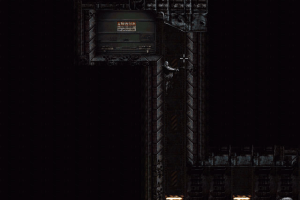
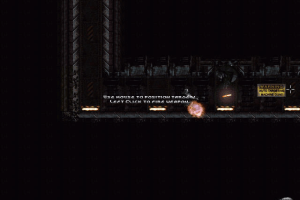
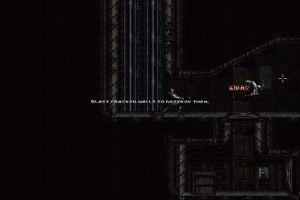
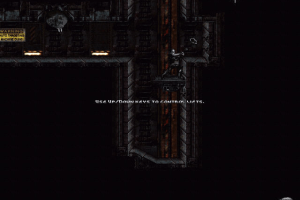


 English





Comments and reviews
Tried on steam deck, starts but cannot control. may try with physical keyboard and mouse.
I've managed to start this game in windows 10, by following Jack's instructions. I was also missing a d3drm.dll file. So I've downloaded it, and placed in the games folder.
Now the game starts, but when I try to change resolution to 320x240 it crashes.
Short guide how to run Genocide on modern 64-bit systems:
Step 1. Download Full-RIP from this page, extract it.
Step 2. Download DxWnd setup from this page, extract it.
DO NOT use Win 98/ME/2K/XP Patch, that patch is needed only if you're using WinXP or older OS. On newer OS that patch will give an error
Step 3. Open the folder with DxWind setup, you will see "Genocide" folder. Copy all files from Full-RIP folder to that "Genocide" folder
Step 4. After that - run Genocide_dxwnd.bat, you will see small window of DxWind, the button "Genocide" should be green. Double-click on that button and game will work. If you want to modify the settings, like to run the game in high resolution, in DxWind app use "Edit" - "Modify".
I tested the game today on Windows 7 64-bit, works fine in fullscreen and window modes
P.S. Extra note - the path to the game must not have "Program Files" words in it, better to extract the game in some folder like X:/Games/Genocide or like that
How to run this game on win10 i tryed to run it on compatibility win 95 and reduced screen resolution to 640x480 and still is not working it says aplication error the instruction at 0040a062 referenced memory at 29286574 memory could not be read can you help please?
Not work (Win 10-64)
My understanding is that Genocide is built on Abuse's engine.
How do I run it ? Anyone know ?
Is this a clone of Abuse?
No comment nor review for this game at the moment.