You are on the beta version of My Abandonware. The live site is still myabandonware.com. Your favorites and ratings here are copied to the live site. Comments and other changes are not — we delete them every morning at 08:00 Paris time, when this site goes down for about an hour. Leave feedback through this link to Pastel (email required).
The beta goes down at 08:00 Paris time, in a few minutes. We rebuild the database from the live site. It comes back in about an hour.
ARNOLD - you should be able to go to the Windows Start Menu and select 'CENEGA' and then 'Gooka.. options'. This will run the launcher.
2
Arnold26 Sep. 2025
dayum how can I launch the launcher to change the audio? I ran the game once, then the launcher is never launched even after reinstall
0
VEED12 Mar. 2025
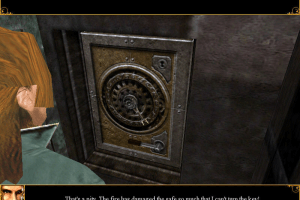
Update. As I have finished the game. I found with resolution 1920x1080 that at least one puzzle when you looked at the dials they were awful and you could not make out the numbers. So I changed resolution down to 800x600 and the dial numbers were very clear.
0
vesuvius09 Feb. 2025
1 install then run autorun
2 Go to options and set the resolution to 1920 x 1080bit, 60hz
3. Crucially, adjust thr 3d sound settings - In advanced options, change 3d sound to Directsound 2d virtualization.
the EAX option remains checked Run the app ( i always run auto play) These should do, VMware isn't needed 🤝 Also this was my first pc game @zeref
0
Zeref10 Nov. 2024
Vesuvious, Veed or anyone who were able to start this game successfully. i need advice from you guys i can't seem to start this game at all it's asking to enter the disc. this game holds a special place in my heart. please help me play this game....
0
Vesuvius13 Oct. 2024
Guys, autorun- options- advanced - change sound to 2d virtualization. I guess that fixes the cpal3d issue
3
Vesuvius09 Oct. 2024
Veed my man, you're the best. I finally launched it properly. ;)
0
veed06 Sep. 2024
On a PC with Win64 I kept getting CPAL3D sound error like NANASLAYER. In the launch settings I choose ADVANCED OPTIONS and changed 3D sound option to Directsound 2D virtualization. I left the Higher Sound Quality (EAX) option ticked on.
I found choosing either of the two Directsound 3D options gave me the CPAL3D error.
I changed to my desktop resolution of 1920x1080 32bit 60Hz in fullscreen and I have played the game a little bit and so far it has worked fine.
4
Janak Tyagi09 Jul. 2022
Game is installed successfully , but while running , starfore protection is saying to restart the pc , after restarting it is again showing the same , done two three times.
2
NanaSLAYER29 Jan. 2022
CPAL3D Error in Win10 x64
-1
Flyboy27 Dec. 2021
Game now running great.had trouble copying 2 files from the crack folder to the game folder as my computer would not let me.so i copy them from another laptop to usb drive useing an iso reader but not installing the game then usb to computer with game.(this is the longway around) but all runs well now.win xp 32bit
0
Flyboy25 Dec. 2021
Sorry for my last comment.have found the crack folder it's not installed with the game on the hard drive.. It's in the virtual drive
1
Flyboy25 Dec. 2021
Been Unable to run this due to starforce protection system asking fo disc key. The instructions say to do a full install .. which i did.it also stated copy both files from the crack folder (which there is not one) to yor game folder....where's the crack folder :-/
-1
No comment nor review for this game at the moment.









 English
  Czech
Czech  Spanish
  Polish





Comments and reviews
Spanish :
https://archive.org/details/Videogame__uhygtfd
Russian bootleg :
https://archive.org/details/DJANATRIS
ARNOLD - you should be able to go to the Windows Start Menu and select 'CENEGA' and then 'Gooka.. options'. This will run the launcher.
dayum how can I launch the launcher to change the audio? I ran the game once, then the launcher is never launched even after reinstall
Update. As I have finished the game.
I found with resolution 1920x1080 that at least one puzzle when you looked at the dials they were awful and you could not make out the numbers. So I changed resolution down to 800x600 and the dial numbers were very clear.
1 install then run autorun
2 Go to options and set the resolution to 1920 x 1080bit, 60hz
3. Crucially, adjust thr 3d sound settings - In advanced options, change 3d sound to Directsound 2d virtualization.
the EAX option remains checked Run the app ( i always run auto play) These should do, VMware isn't needed 🤝 Also this was my first pc game @zeref
Vesuvious, Veed or anyone who were able to start this game successfully. i need advice from you guys i can't seem to start this game at all it's asking to enter the disc. this game holds a special place in my heart. please help me play this game....
Guys, autorun- options- advanced - change sound to 2d virtualization. I guess that fixes the cpal3d issue
Veed my man, you're the best. I finally launched it properly. ;)
On a PC with Win64 I kept getting CPAL3D sound error like NANASLAYER.
In the launch settings I choose ADVANCED OPTIONS and changed 3D sound option to Directsound 2D virtualization. I left the Higher Sound Quality (EAX) option ticked on.
I found choosing either of the two Directsound 3D options gave me the CPAL3D error.
I changed to my desktop resolution of 1920x1080 32bit 60Hz in fullscreen and I have played the game a little bit and so far it has worked fine.
Game is installed successfully , but while running , starfore protection is saying to restart the pc , after restarting it is again showing the same , done two three times.
CPAL3D Error in Win10 x64
Game now running great.had trouble copying 2 files from the crack folder to the game folder as my computer would not let me.so i copy them from another laptop to usb drive useing an iso reader but not installing the game then usb to computer with game.(this is the longway around) but all runs well now.win xp 32bit
Sorry for my last comment.have found the crack folder it's not installed with the game on the hard drive.. It's in the virtual drive
Been Unable to run this due to starforce protection system asking fo disc key.
The instructions say to do a full install .. which i did.it also stated copy both files from the crack folder (which there is not one) to yor game folder....where's the crack folder :-/
No comment nor review for this game at the moment.