You are on the beta version of My Abandonware. The live site is still myabandonware.com. Your favorites and ratings here are copied to the live site. Comments and other changes are not — we delete them every morning at 08:00 Paris time, when this site goes down for about an hour. Leave feedback through this link to Pastel (email required).
The beta goes down at 08:00 Paris time, in a few minutes. We rebuild the database from the live site. It comes back in about an hour.
VirusTotal shows some minor warnings for ISO of Russian licensed version but it's only because of old demo versions on the disc, all installation files are clear, here's the report
Comments and reviews
Mocaa09 Sep. 2026
HOW TO FIX SELF-DAMAGING TRUCKS / CRASHING (Windows 10 & 11 Guide)
If your truck takes instant phantom damage as soon as the race starts, limiting the FPS or changing CPU affinity won't fix it. With the help of Google Gemini, I diagnosed that the issue comes from collision and geometry calculation bugs on modern DirectX versions.
1. Note on the downloads:
I downloaded the game directly from Old Games Download using the ISO version via MediaFire (the MEGA mirror is down/removed).
The Preinstalled version works with this fix as well, but it suffers from stutter/lag. The ISO release runs completely smooth.
2. The Fix (d3d8to9 wrapper):
Download the d3d8.dll file from GitHub:
[https://github.com/crosire/d3d8to9/releases](https://github.com/crosire/d3d8to9/releases) (found under the Assets section of the latest release).
3. Where to place the file (Important!):
The installer creates shortcuts on your Desktop and in Start Menu\Programs, which only contain launcher/uninstall shortcuts. Do not place the file there.
Paste the downloaded d3d8.dll directly into the actual installation directory:
C:\Program Files (x86)\Monster Truck Rumble
(This is the main folder where all the game files, config files, and the primary .exe are located).
4. Launch the game:
Start the game normally. The wrapper translates legacy DirectX 8 calls into DirectX 9, permanently fixing ground collision calculations and stopping all phantom damage!
1
sluggish09 Oct. 2025
Someone fix it for modern systems
0
Daniel16 Nov. 2024
good game but...... in Windows-10 not work
0
notplugandplay01 Jan. 2024
Car gets invisibly damaged making this unplayable
0
mini-z199403 Dec. 2023
Game does work but if you have too high of an fps it messes up the physics completely as another comment mentions. Capping it at 55 - 65 is needed, at 85 it's difficult to climb over stuff & truck takes damage quite a bit. Runs in windows 10 with my 1660 super & Ryzen 5600 ok with an external fps cap set.
0
Someone30 Aug. 2023
This game will only work properly if you play it on older system.
1
Lynx31826 Mar. 2023
Sadly will not work on 64 bit systems, no fix known.
0
POB7509 Nov. 2022
Downloaded the RIP version. App is called Monster Truck Fury and is very slightly different to "MTRumble" at first menus but is clearly the same game. it appeared to work fine - all music and graphics etc. BUT any game you start your truck gets immediate and repeated damage like an invisible giant stamping on it every second. Crunching metal sounds, dented bodywork and all. Critical damage within seconds and game ends. Even practice/free run mode where damage is not meant to register has the same issue. Although it never says critical damage the damage is so frequent you cannot drive. Unplayable. The same weirdness happens with the ISO version. Tried all sorts of compatibility settings. Running Windows 10. Can't get portable version to work. Haven't tried Russian version.
2
greencat14 Dec. 2021
the sound is broken when playing
0
No comment nor review for this game at the moment.





 English
  Russian





Comments and reviews
HOW TO FIX SELF-DAMAGING TRUCKS / CRASHING (Windows 10 & 11 Guide)
If your truck takes instant phantom damage as soon as the race starts, limiting the FPS or changing CPU affinity won't fix it. With the help of Google Gemini, I diagnosed that the issue comes from collision and geometry calculation bugs on modern DirectX versions.
1. Note on the downloads:
I downloaded the game directly from Old Games Download using the ISO version via MediaFire (the MEGA mirror is down/removed).
The Preinstalled version works with this fix as well, but it suffers from stutter/lag. The ISO release runs completely smooth.
2. The Fix (d3d8to9 wrapper):
Download the d3d8.dll file from GitHub:
[https://github.com/crosire/d3d8to9/releases](https://github.com/crosire/d3d8to9/releases) (found under the Assets section of the latest release).
3. Where to place the file (Important!):
The installer creates shortcuts on your Desktop and in Start Menu\Programs, which only contain launcher/uninstall shortcuts. Do not place the file there.
Paste the downloaded d3d8.dll directly into the actual installation directory:
C:\Program Files (x86)\Monster Truck Rumble
(This is the main folder where all the game files, config files, and the primary .exe are located).
4. Launch the game:
Start the game normally. The wrapper translates legacy DirectX 8 calls into DirectX 9, permanently fixing ground collision calculations and stopping all phantom damage!
Someone fix it for modern systems
good game but...... in Windows-10 not work
Car gets invisibly damaged making this unplayable
Game does work but if you have too high of an fps it messes up the physics completely as another comment mentions.
Capping it at 55 - 65 is needed, at 85 it's difficult to climb over stuff & truck takes damage quite a bit.
Runs in windows 10 with my 1660 super & Ryzen 5600 ok with an external fps cap set.
This game will only work properly if you play it on older system.
Sadly will not work on 64 bit systems, no fix known.
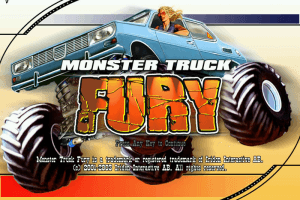
Downloaded the RIP version. App is called Monster Truck Fury and is very slightly different to "MTRumble" at first menus but is clearly the same game. it appeared to work fine - all music and graphics etc. BUT any game you start your truck gets immediate and repeated damage like an invisible giant stamping on it every second. Crunching metal sounds, dented bodywork and all. Critical damage within seconds and game ends. Even practice/free run mode where damage is not meant to register has the same issue. Although it never says critical damage the damage is so frequent you cannot drive. Unplayable.
The same weirdness happens with the ISO version.
Tried all sorts of compatibility settings. Running Windows 10.
Can't get portable version to work. Haven't tried Russian version.
the sound is broken when playing
No comment nor review for this game at the moment.