You are on the beta version of My Abandonware. The live site is still myabandonware.com. Your favorites and ratings here are copied to the live site. Comments and other changes are not — we delete them every morning at 08:00 Paris time, when this site goes down for about an hour. Leave feedback through this link to Pastel (email required).
The beta goes down at 08:00 Paris time, in a few minutes. We rebuild the database from the live site. It comes back in about an hour.
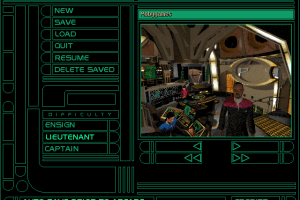
Right mouse click opens the in game menu to load/save/exit
0
Daz26 Oct. 2025
How do I bring up the in-game menu to save/load games?
0
Jim12 Mar. 2025
To run this game on DOSBox. Creat a folder to put DOSBox and game CD files inside. For example: d:\Games\STDS9HARB Creat 3 folders inside this one called CD1, CD2 and CD-ROM. Copy all game CD1 content to the CD1 and CD-ROM folders. Copy CD2 game files to CD2 folder. Rename DOSBox config file to dosbox_DS9.config Creat a short cut to execute DOSBox.exe and add the following arguments: -conf "dosbox_DS9.conf" -noconsole -c Should look like this: D:\Games\STDS9HARB\DOSBox.exe -conf "dosbox_DS9.conf" -noconsole -c
Edit dosbox_DS9.conf file to add the following lines in the [autoexec] section: mount c d:\Games\STDS9HARB mount d d:\Games\STDS9HARB\CD-ROM\ -t cdrom d: c: Exectute the short cut, go to drive D: and install the game at c:\DS9HARB. Exit DOSBox. Change the shortcut arguments to -conf "dosbox_DS9.conf" -noconsole -c "exit" Edit the .conf file to add these two lines after c: line: cd c:\DS9HARB DS9.bat
Game should run normaly. When prompted to change from CD1 to CD2 in game, alt+tab, delete all files from de CD-ROM folder, and copy all CD2 files to CD-ROM folder. I got the original game and still play it, beginning to end, in Windows 11.
4
AIXtreme15 Nov. 2023
Hi, anyone can help me how to install and play this game on Win 11? DOSBox tells me that it ain't a game that runs in DOSBox. Win tells me, that it cannot run the install.exe because it ain't the right system. I need help. Thanks in advance.
1
Drewby170101 Apr. 2021
Downloaded this to have my first go at it. I missed it on its original release and forgot about it until now. Downloaded the files but sadly my system can't figure out what to do with them!
1
Harvey02 Dec. 2020
Played this game when I was like 11/12 in 1998 loved it... great game.!
-1
No comment nor review for this game at the moment.



 English




Comments and reviews
Right mouse click opens the in game menu to load/save/exit
How do I bring up the in-game menu to save/load games?
To run this game on DOSBox.
Creat a folder to put DOSBox and game CD files inside. For example:
d:\Games\STDS9HARB
Creat 3 folders inside this one called CD1, CD2 and CD-ROM.
Copy all game CD1 content to the CD1 and CD-ROM folders. Copy CD2 game files to CD2 folder.
Rename DOSBox config file to dosbox_DS9.config
Creat a short cut to execute DOSBox.exe and add the following arguments:
-conf "dosbox_DS9.conf" -noconsole -c
Should look like this:
D:\Games\STDS9HARB\DOSBox.exe -conf "dosbox_DS9.conf" -noconsole -c
Edit dosbox_DS9.conf file to add the following lines in the [autoexec] section:
mount c d:\Games\STDS9HARB
mount d d:\Games\STDS9HARB\CD-ROM\ -t cdrom
d:
c:
Exectute the short cut, go to drive D: and install the game at c:\DS9HARB.
Exit DOSBox.
Change the shortcut arguments to -conf "dosbox_DS9.conf" -noconsole -c "exit"
Edit the .conf file to add these two lines after c: line:
cd c:\DS9HARB
DS9.bat
Game should run normaly.
When prompted to change from CD1 to CD2 in game, alt+tab, delete all files from de CD-ROM folder, and copy all CD2 files to CD-ROM folder.
I got the original game and still play it, beginning to end, in Windows 11.
Hi, anyone can help me how to install and play this game on Win 11?
DOSBox tells me that it ain't a game that runs in DOSBox. Win tells me, that it cannot run the install.exe because it ain't the right system. I need help. Thanks in advance.
Downloaded this to have my first go at it. I missed it on its original release and forgot about it until now. Downloaded the files but sadly my system can't figure out what to do with them!
Played this game when I was like 11/12 in 1998 loved it... great game.!
No comment nor review for this game at the moment.