




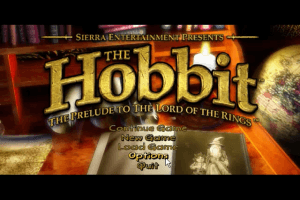
Once upon a time, there was a game publisher who was king of adventure games. With series like Roberta Williams' King's Quest, Sierra could do no wrong; it seemed like they could take any story, throw 'Quest' in the title and have a hit. Culinary Quest! Meter Maid Quest! Well, actually this time it's Hobbit Quest, as Sierra returns to their adventure game roots with the original Middle-Earth tale. The story of Bilbo Baggins' journey from his hobbit-hole to the Lonely Mountain is faithfully told, though there's not much new for the experienced gamer.
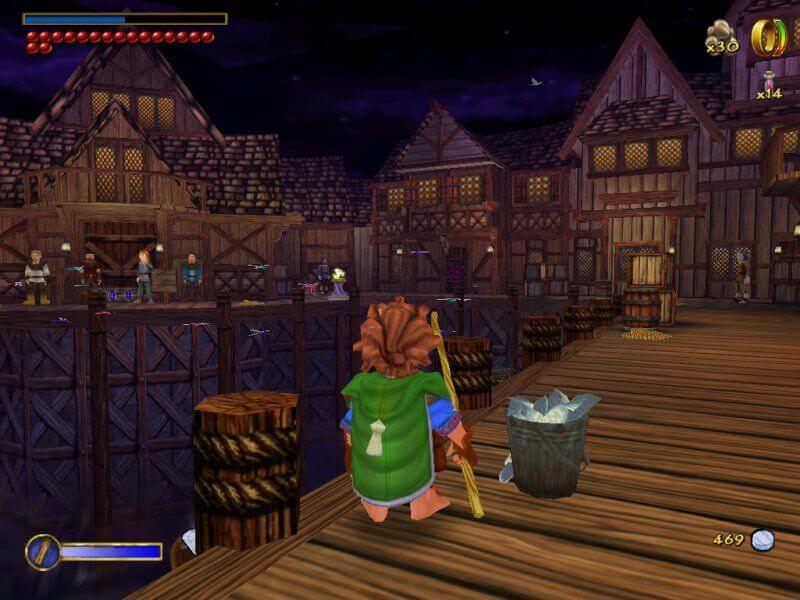
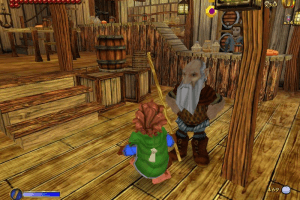
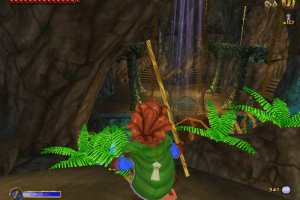
The Hobbit couldn't be more different from the current crop of Lord Of The Rings titles. The novel is written towards a younger audience, and the work of Inevitable Studios has preserved that tone. The visual style will be familiar to anyone who's seen the old animated film; characters have huge eyes and bigger eyebrows, and the story is explained through succinct but hardly complex cutscenes. The graphics engine isn't stunning, but uses bold colors and chunky designs to model its own version of Middle-Earth. A few little framerate drops aside, the look meshes well with Bilbo's adventure.
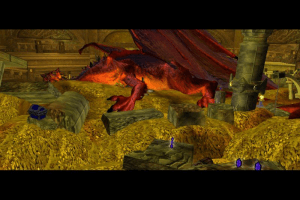
The Hobbit gets off to a bit of a slow start - it does begin in the languid Shire, after all. But before long there's plenty of danger and combat to keep your hairy little feet moving. Each level is fairly linear -- what else are you going to do with a classic story? -- and broken into areas that are keyed around major events in the book, pretty much everything you'd expect to find is here. Trolls, spiders, Gollum, Smaug, and of course the Ring of Power.
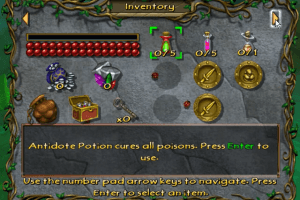
That little bauble will render the wearer invisible... or at least a dim white outline that passes beneath the radar of enemies. Somebody get Sam Fisher one of those things! You'll also spend a lot of time collecting coins (to buy provisions) and little red crystals that translate into extra health. Come to think of it, that reminds us of another classic quest tale popularized by Nintendo, but, um, we forget the name.
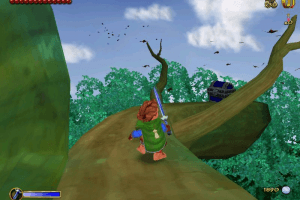
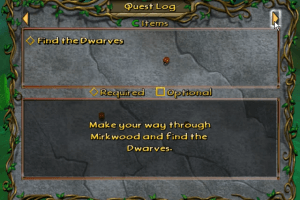
Besides the obvious setpieces, crystals and coins, there's a good variety of gameplay on hand. Given that you've got a ring of invisibility, stealth obviously factors into things - Bilbo is a burglar, after all. There are numerous little side-quests, some of which move the story forward while others simply add color. Platforms are quite abundant, and Bilbo has fortunately developed a predilection for bouncing through the air. There might be a little too much platforming, but the balance isn't bad. Smaller quests and objectives are delivered through small pieces of NPC conversation.
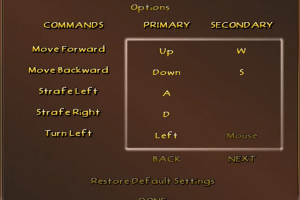
Controls are solid enough that players of any skill level shouldn't find much frustration in the ledge-hopping. You've got your standard jump, attack, sneak and a zoomed aiming mode, which is useful when you've got a pocketful of projectiles. Other movement options are simple and context-sensitive, so climbing ropes, snagging ledges and, er, eating several breakfasts all happen naturally. The right analog stick controls the manual camera view/override, which sadly doesn't stick once you begin to move. But generally, the camera offers a great view with no issues.
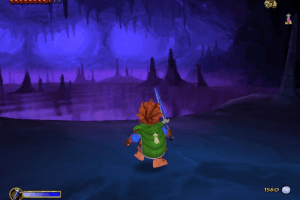
Combat is a bit underdeveloped, however. You've always got a trusty walking-stick, which can stiffly rap the knuckles and jaws of orcs and wolves alike. Too bad it doesn't work on dwarves. You'll also have the glowing sword Sting, which makes nice use of the game's highly capable lighting system to create a warm blue glow of warning whenever danger is near. But there's not much to do with Sting; you'll rely on the basic one-button slash and occasional higher-powered jumping smash. Of course, there's probably a lot more fighting in this Hobbit than Tolkien ever intended, but the options do feel limited.
The Hobbit is a book that many people treat as an old friend; it's something they can go back to year after year without fear of sudden change. So it's fitting, perhaps, that the game translation doesn't rock the boat with design or presentation. Those who have come to Tolkien via Peter Jackson's films (and various game versions thereof) will likely be disappointed by the lighter tone, but The Hobbit is a fine place to start for younger gamers. In that respect, the puzzles, side quests and overall presentation are just about right.
Review By GamesDomain
 English
  German
  Spanish
  French
  Italian
  Polish
  Russian








Comments and reviews
Do i have to download the patches for full rip game?
@CalebAndersonVO
change the resolution in the pause menu ingame and not in the main menu
i maybe the resolution fix is also what did it for me
https://github.com/Chip-Biscuit/The-Hobbit-2003-PC-Fix
Hi im so not good to install stuff but i would like so much to play that i miss that game if someone can help me Hello !
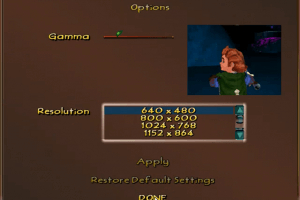
Hey guys! The game runs great so far having followed along with all the directions. That said, I'm running into a bit of an issue with resolution. The game defaults to 640x480, and while I "CAN" change the resolution to my native (3440x1440), it immediately switches back to 640x480 without prompting.
Here's a quick breakdown of my current setup
THE HOBBIT CONFIG
-1.3 Patch
-Compatability Mode: Windows XP Service Pack 3 (tested SP 2 as well)
-Running as Administrator
-Disable fullscreen optimizations (tried this both on and off with no visible change)
MY SYSTEM
-Windows 11 Pro
-Intel Core i9-12900k
-NVIDIA RTX 3080Ti
As a side note, I should mention that when I initially launched the game, the 640x480 image was stretching to fit the screen (21:9 aspect ratio), and now, the image is appearing in its native aspect ratio (4:3)
Any help/input as to what might be causing this would be appreciated!
Fun game, really enjoyed it. Graphics, storyline, artwork, voice-overs everything was well done. Some tougher sections but not terrible. Running on Wine 10.0. The "Setup for English version" installed and worked well. Is there a cash donation mail-in address for MyAbandonware.com?
Italian version provided :
https://archive.org/details/lo-hobbit-pc-games-ita
French version provided by the French website Abandonware France (game name is "Bilbo le Hobbit") :
https://www.abandonware-france.org/ltf_abandon/ltf_jeu.php?id=4405&fic=liens
I downloaded the English full zip version (1.3 patch). I'm using Windows 11, i7 13700f, RTX 4070 Ti Super, 32GB ram, 980 pro ssd, 3440 x 1440, mouse and keyboard, highest settings. Didn't do anything extra to adjust graphics outside of the game. Game loaded and works perfectly, no crashes after a couple hours of playing.
Okay then, one last update:
I just thought I test out the game again after a reboot. Everything seems to be working now - keyboard, mouse and gampad! All good! ^_^
Update: on trying things again, gamepad no longer works at all. The keyboard doesn't move anything up on down in the menu (only the mouse works) but at least it works to control Bilbo. I don't know what I did differently to kill the gamepad but fix the keyboard. Old games...
Still, it should be playable at least?
Hi there,
Having tried and failed to run my old CD-ROM version of this game, I downloaded your patched V1.3 version, along with the NoCD patch and it runs just fine with Windows XP Compatiblity. It even recognises my USB XBox Gamepad, which is great.
The only slight issue I have on the flipside is that the keyboard doesn't work. Any idea what's gone wrong there?
Thanks!
We have updated the game, added more languages and instruction how to run the game on modern systems. We also added Setup that includes all installation files + patch + NoCD, to make it easier for you to install the game
So i got the game to run, but the frames per second are terrrible and it crashed pretty soon. Is there a way to fix this? also how do i instal the patch, I keep trying but an error code in french keeps coming up?
I'm also having this "insert disk 2" bug. Anyone have any tips on it?
@Seamoose
Sorry! I made an oops.
I EXTRACTED it to my desktop, not installed.
I INSTALLED it to the "C:\Program Files (x86)\Sierra\The Hobbit(TM)" folder.
Sorry!
To everybody having trouble with the meridian.exe fix, here is a step by step of how I was able to do it.
1. Find the Meridian.exe file to be copied. Since I installed to my desktop, I found this by first going to:
"C:\Users\*myName*\Desktop\The-Hobbit_Win_EN\The_Hobbit-RAZOR1911\CD1"
Then you can get to the meridian.exe file by opening the ISO file inside the CD1 folder and opening the Razor1911 folder.
2. Copy this file and find the correct folder to paste it into. This seems to be the step that the majority of people are running into issues with. The folder you need to navigate to is not, in my case, the desktop. In other words, it is not where you originally extracted the files to. It is where you INSTALLED it to. For me this was at:
"C:\Program Files (x86)\Sierra\The Hobbit(TM)"
There will already be a meridian.exe file in this folder so make sure you overwrite it when you are copying the file.
I am running Win10, and this is the only change I made to get it to work. Hope it helps.
@Mikey it's a common problem with old games, most of them uses old DirectX versions, like DirectX 8 or 9. Install the old DirectX 9 (if you're using Windows 10, type into Google "DirectX 9 in Windows 10", you will find tutorials how to install it), also reinstall Visual C++ Redistributables packages, it should help
So I have this game running flawlessly and crash-free on my desktop with modern high-end hardware, but I'm getting a strange error on my laptop.
Hobbit Error
CreateDevice failed.
Driver Internal Error
Direct3D Device not initialized.
I am running in XP-SP3 with high DPI disable, as admin etc.
WTF is this problem, its as if my file is missing something.
Works great with all advice but no sound.
Love the hobbit game Im 85 and lve these games I had the hobbit game and gave it to my Brother .as it would not down load in my new computer as it has windows 10 , Thank you I hope it works .LOVE The Hobbit game and had all the harry Potter cp games to , Thank you Barbara
Love this game .played it a few times , BUT have windows 10 hope it loads ???????
JIBBANERBS youre the MAN. Thank you much
Can anyone please help me figure out where the Median file is supposed to go? Like which folder?
hello I install the game but when I want to play I see insert disk1 how can I do
Hi, has anyone been able to download to a MAC or can tell me how to convert?
So I hate to sound dumb, but I am struggling with making the file play without it saying "insert disk one". I know people are saying to copy over the meridian file but I don't exactly understand where, as well as how to "overwrite that file". I downloaded the file straight to my desktop. please help a girl who wants to be nostalgic!
Does anyone else have problems with their right joystick on their controller. The game doesn't recognize it on my xbox 360 controller
I've successfully installed the game, but I am unable to run it, because of an error.
"CreateDevice failed."
and
"Direct3D Device not initalized"
I have tried plenty of solutions but the game does everything but work.
Please help!
Some tips for improving stability:
- Disable fullscreen optimizations in the windows compatibility settings of Meridian.exe.
- Use Windows XP Service Pack 3 compatibility mode
- Disable DPI scaling
With these tweaks I was able to play for 1.5 hrs straight without crashing. SAVE OFTEN.
It says insert disk 2 how do I do that?
Copying the Meridian file over to my installation folder worked!! I'm overwhelmed with nostalgia. Thanks!!
I bought the game back then a bit after it's release and found it fun. Now I've been playing a few hours (it works fine with the patch 2.3) and I still find it fun. Thank you guys at Myabandonware.
After a lot of headache i was able to get it working, if you are getting a insert disk 1 message after installing, you need to copy the Meridian.exe file from the disk one folder into whereever you installed your game and override the existing one, ill post video of the game on youtube. have fun
Can someone help me with the patch? i cant patch it, it just says "unknown version"
Just finished the entire game. There were a quite a few random crashes when in the save menu throughout most levels but if you save frequently it shouldn't be a problem. Install method was moving the meridian.exe like mentioned earlier
Followed the patch and everything works perfectly up until the chicken coop, then the game crashed after collecting the eggs.
Anybody else experience it?
Doesn't let me install game keeps stopping at 73% with an error message
so i got it downloaded, but when i click to play it it says input disk. what do i do?
UPDATE:
Okay so here's what works best if you experience any crashing:
Install the 1.2 patch before you copy over the Meridian file from the Razor1911 folder into the game's main folder. You can find the 1.2/1.3 patch (though I've had more luck with the 1.2 patch) from the pcgamingwiki website.
R-click the game's shortcut/.exe, go in the compatibility tab. You want to run this game for XP SP3 in conjunction with running it as an administrator, and for extra measure (since it is an older game) disable fullscreen optimisations.
One last thing: while the game is locked at 30 fps, force vsync through external means (ie Nvidia Control Panel) in order to avoid potential crashes.
This combo hasn't given me any crashes so far (30 min run, starting over from my post below).
Hey so the game works great, even has a native 1080p resolution.
It's a lot of fun so far (20 min in) but the game has a tendency to crash at seemingly random intervals. Is this a known issue? It's become incredibly frustrating, and even the old official and new unofficial patches don't solve anything.
I'm playing on a W10 device, and I tried different compatibility modes to no avail. Any help would be greatly appreciated.
So, I tried to do the miridian thing and copied it simply to my desktop. When I launch it, something ''almost'' works. but the program stops responding.
JIBBANERBS thanks man you solved it for me.
I found the meridian and copied it, but where am I supposed to paste it? I can't figure that part out
Just made an account here so I'm not really sure wether or not I'm commenting in the right place but I just wanted to say that what @Jibbanerbs suggested in his latest comment worked for me as well. And also @Jibbanerbs, if you're reading this, THANK YOU!
Guys! I figured it out. I'm pretty sure this is the same version from gamePCiso, because someone there had the same issue. Only difference is, they knew how to fix it.
There's a 'Razor1911' folder on disk 1. Inside, you find an application called 'meridian' If you copy it (the application), and paste it into the place where you installed (which has its own 'meridian') you can overwrite it, and the game should run.
Man, I was all hype to play this game. It was one of my old favorites.
Unfortunately, I don't have the computer chops to get around the much hated 'Please insert disk 1"
Also unable to play due to program requesting I insert Disk 1. Hmmm... Will update if I find a way.
All I'm getting after setup is 'Insert Disk 1 to play the game' , even when I launch from a mounted disc image. Installed on HD and SD. Wondered if I could change a setting in .ini, perhaps it was defaulting to Drive D: instead of virtual drive but there's not much of a config file to play with. I'm giving up, but I wish you luck. Any fixes, hope to see them on here.
No comment nor review for this game at the moment.