
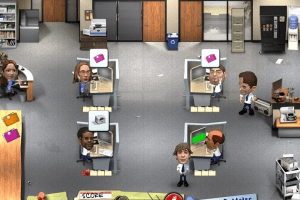
How to Play
ISO image features the demo versions of other games, the installed games requires only about 35 MB of space on hard drive
Notes:
- The game works on DirectX 9, so if you're using Windows 8, 8.1, 10 or 11 - you need to enable DirectPlay: Go to Control Panel, and select 'Programs'. Select 'Turn Windows features on and off', click on 'Legacy Components' and check the box 'DirectPlay'. Select OK, once the installation is done, restart your computer
- If the game doesn't start - add TheOffice.exe to the exceptions of DEP (Data Execution Prevention): Go to
Control Panel -> System Properties -> Advanced System Settings. From theSystem Propertiesdialog, selectSettings. Select theData Execution Preventiontab. Select "Turn on DEP for all programs and services except those I select". ClickAddand use the browse feature to show the path to the program executable you want to exclude, in that case TheOffice.exe inside the game folder. Here's the guide with pictures - Also, try to run the game in compatibility mode with old Windows, like Windows XP, and as administrator
 English







Comments and reviews
This game will cost you $25,000 Schrute bucks.
No comment nor review for this game at the moment.