



How to Play
Gustru commented:
I came across that old LGR video where he says that he tried on many different setups to run the game without success. I will explain how to get it running for anyone who wishes to try that oddity of a game.
It will run on Windows 10 (not tested on older versions nor Win11) with the help of our friend DgVoodoo.
- First, the two files included in the download are a .bin /.cue combo. They act much like an iso. To use these files the way they were intended, you will need a program like the free version of PowerIso or Daemon Tools, then mount the .cue file, not the .bin.
- Open the virtual drive by going into your folders and selecting the virtual drive in question in the section on the left like you would a USB key or an external drive.
- On the CD, you will have 4 different .exe files. The one you want is Install.exe . Right-click it then select "run as administrator" and click "Yes" on the UAC confirmation pop-up that will appear.
- Follow the setup instructions as usual. It will install the game and this Wildtangent Webdriver, which is required in order for the game to work.
- Download the latest version of DgVoodoo from http://dege.freeweb.hu/dgVoodoo2/dgVoodoo2/
- Open the .zip file you just downloaded and extract these files specifically in your Combat Medic folder, where combatmedic.exe is located :
dgvoodoo.exedgvoodoo.confMS\x86\ddraw.dllMS\x86\D3DImm.dll(important)MS\x64\D3D9.dll- Execute dgvoodoo.exe and in the general tab, Change the scaling mode to "stretched, keep aspect ratio". Also change it from "windowed" to "fullscreen" (important or it will crash).
- In the Directx tab of DgVoodoo, change the following settings :
- Videocard : leave it to "dgvoodoo virtual 3D accelerated card" VRAM : 1024MB is more than enough
- Resolution : Leave it to "unforced"
- You can crank the texture filtering up to anisotropic 16x and antialiasing to 8x
- BEHAVIOR : UNCHECK both "disable Alt-Enter to toggle screen state" and "application controlled fullscreen/windowed state"
- Uncheck "DgVoodoo Watermark"
- Leave the rest the way it is
- THE VIDEOS AND GAME CINEMATICS WILL NOT PLAY BUT THERE IS STILL SOUND. TO SKIP, SIMPLY CLICK.
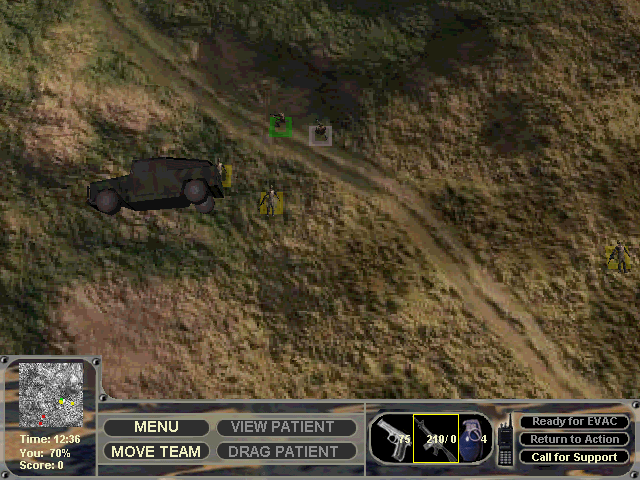
- Once you've started a new game, you'll notice that your mouse is stuck in a small area in the top left corner of the screen and that the controls seem messed up. To fix that, press Escape on your keyboard, the game will do its thing and then open up the menu. simply go back to the game by clicking "continue". The controls will now work properly and you'll be able to "enjoy" the game in a playable state.
- That's all!
 English






Comments and reviews
Works on Windows 11. It's "playable" using GUSTRU's instructions though. For those having issues still, don't feel bad. This game was pure jank when it was released in 2002. It never worked correctly. I had an install when I was a kid on my XP computer that worked right for like a month, then magically started having issues. Never touched it again until now!
Working Win 10 as above except don't change any of the settings in dgvoodoo, just run dgvoodoo and close it down. If I applied some changes to filtering etc it would crash, but leave it as default settings and everything works.
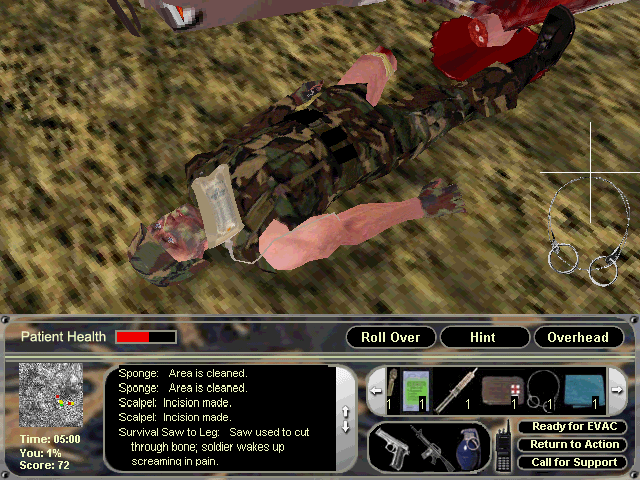
I found the patch for this game online that fixes some of the graphical issues specifically the helicopter graphics. I tested it today and works but I still got an issue with blue and green skin textures on some characters I've yet to resolve. anyways here is the patch for the game:
https://www.patches-scrolls.de/game/933/7
I got it to run on my Windows XP PC pretty good with the exception of certain texture files missing. I actually owned this game back in the day and I still have the original disc (too scratched to read anymore) and I think I remember a patch being released for it back than but its probably lost media these days.
According to LGR, this game is unplayable. It won't start, even if you have the complete game files. Cf. https://www.youtube.com/watch?v=gU2Z_GzPCk8
Think the download is a bust. Contains only two files and no setup exe.
I got "unable to load Actor..." message
No comment nor review for this game at the moment.