You are on the beta version of My Abandonware. The live site is still myabandonware.com. Your favorites and ratings here are copied to the live site. Comments and other changes are not — we delete them every morning at 08:00 Paris time, when this site goes down for about an hour. Leave feedback through this link to Pastel (email required).
The beta goes down at 08:00 Paris time, in a few minutes. We rebuild the database from the live site. It comes back in about an hour.
Just cant launch this thing... Found a cracked version and working perfectly so this page is waste of time...
-1
poox25 Jan. 2026
none of the aforementioned fixes solved the crashing problem for me
just enter the game, set it on Windowed mode, then exit. in the game folder where the .exe is, create a AutoKey script (download autokey, open it, enter new script and copy it in the folder), name it whatever, edit it in NotePad and paste the following text, then save, double-click the script and enjoy game (NOTE that you HAVE to run the script as administrator for it to work/ also, you can edit the resolution to 1920x1080 or whatever ur monitor is):
; Hide the taskbar before starting the game (Windows Vista, 7, 8.1, 10) WinHide ahk_class Shell_TrayWnd WinHide Start ahk_class Button
Game still crashes in cutscenes, compatibility win7 and .bat file on installation folder.
0
Dekiion196927 Nov. 2025
I get a message "Wrong disk inserted" "Please insert the original 'Constantine' CD/DVD. Any help w/ this please. Thank you!
1
Vik12 Nov. 2025
Constantine was crashing for me too at the first cut-scene. Running the game through Steam as a non steam game fixed the problem. I use the crack included in the ISO version below and I run the game in windowed mode. So far so good. Steam uses Proton which is very good at getting older games to work, it just can't fix the 2005 resolution the game uses.
1
CarlosJD27 Sep. 2025
Here is a multilingual installer: Constantine ISO https://archive.org/details/constantine-win-iso
1
KING25 Mar. 2025
My game doesn't save.. any way around this?
0
RandalMcdaniel01 Feb. 2025
Yo this game is MISERABLE to someone with OCD like me. if you miss a spell or a shotgun or a weapon upgrade or something. You can replay previous levels.. Theres even a confusing new button when replaying levels "save bonus item" which it claims is overwriting.. but thats only for cards lol. Not items that actually matter. So in other words, You can NEVER get the item you missed. And this is the kind of game where if you walk left instead of right it will say LEVEL COMPLETE even when you saw a new spell off in the distance. Guess what? You can never get it. Ever.
Ive never seen a bigger oversight in gaming in 34 years of being alive. Makes me want to smash my keyboard
the game is LONG too, so i would have to start a whole new game right now if i wanted the explosive nails
0
RandalMcdaniels26 Jan. 2025
Sorry about the 3x comments in a row but i found a much better fix
create a newdocument.txt file in the same place as constantine.exe, open the newdocument.txt and paste in this line
start /affinity 1111 constantine.exe
now just rename the newdocument.txt to newdocument.bat and launch the game by double clicking that file.
then rename the .txt to .bat and launch the game through that. Then it will work without needing dxwrapper and we get to enjoy more cpu cores than my previous fix
Great game btw!
3
RandalMcdaniels19 Jan. 2025
Was crashing like crazy. Now i can play for hours!
i am using directX wrapper for dx9 games.zip My game is working now. I am using both of these features (although i am not sure which one fixes the game) -Handleexceptions=1 -Singlecoreaffinity=1
Also, Here is a 60fps tool. You need to launch it in ADMIN mode, then launch the game.
if any old game runs very fast, it means you need vsync to limit the framerate. If you cannot enable vsync, Try msi afterburner to limit the framerate to 60 or 30
0
[deleted]09 Oct. 2024
Why the game runs crazy fast?
0
DanM21 Mar. 2024
Love this movie so this is an easy sell. Works great on Windows 10, make sure you install the cracked exe file after installation.
1
cleonzz07 Mar. 2024
k its says i need the disc :/
2
Kay06 Jan. 2024
Additionally to the other fixes mentioned here, installing dxvk fixes almost every other issue, including resolution bugs, tabbing issues and random game freezes. It does, however, make the game crash in some settings menus (like controls), so you have to temporarily disable dxvk if you want to edit those.
1
DeathCold19 Nov. 2023
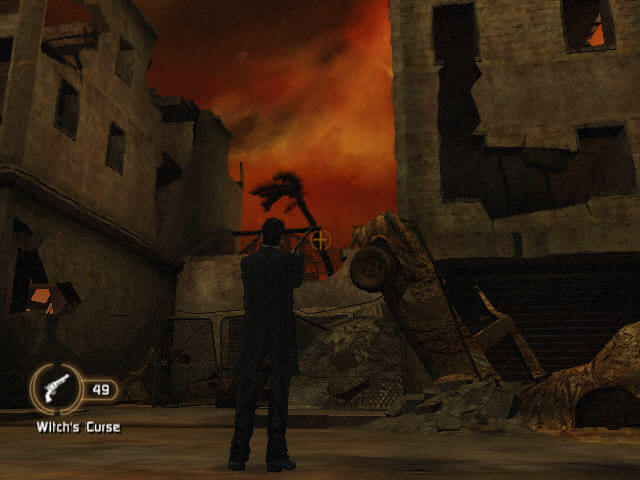
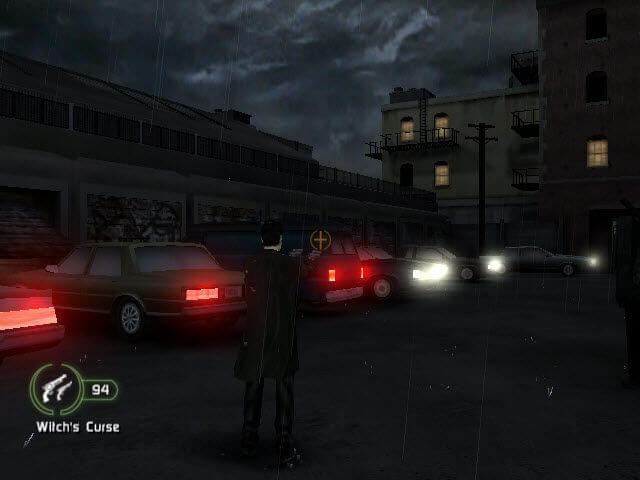
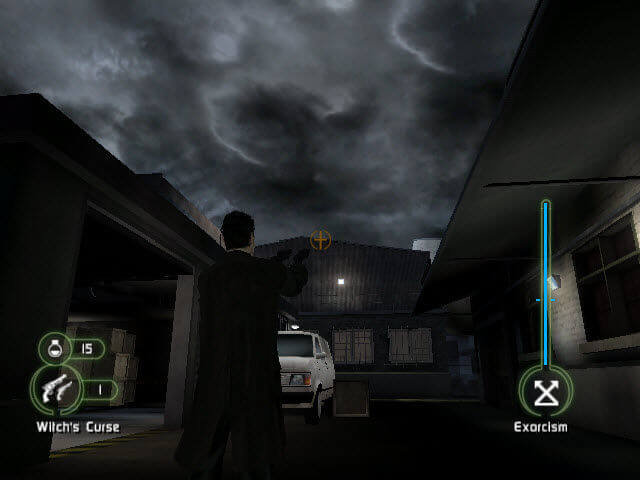
Just beat this game. And it's a cool game. I for some reason thought that this game is kinda like Max Payne, but when I played it, it turned out to be a simple action game based on self title movie. And like I said, it's a cool game despite what people said. Sure, PC port is not perfect in many cases, especially in mouse movement, when your camera is too fast. I even tried to change DPI of my mouse, but then it becomes even worse. So I left it on standard DPI and I got used to it. So yeah, this is underrated game and I would recommend this game for people. Just give it a chance. And if you like 3rd person action games then you will like this game.
0
DeathCold17 Nov. 2023
Cool game. Works on Windows 10 x64 PRO 22H2 just fine. There was one crash tho, when I tried to change video settings, but I fixed that by setting compatibility mode with Windows XP SP3 and that helped.
0
Foodzilla17 Nov. 2023
showing up on the trending page, this must be the work of gmanlives
0
Motta21 Mar. 2023
Porq no lo lo modifican para ejecutarlo en Android es muy bueno
-2
Amnakahr06 Jan. 2023
I copied over the crack, which was on the game iso and was able to play the game.
Everything worked out quite well, except for when I selected controls, which caused the game to crash.
The game itself was a pretty good diversion and was both better and worse compared to the movie. As other people on the internet have said, it is best to watch the movie first then play this game, as it works as a competent companion piece.
0
Deni03 Jan. 2023
I got it working! I copied the crack file to my game directory, and then copied over the Dx9, DirectX9, Launcher and Movies folders and it finally gave me the intro without the white screen or no cd issue
2
LazärheaD22 Nov. 2022
Still holds up, very solid and underrated like the movie!
0
walt23 Aug. 2022
Find Constantine pc game really awesome. When I first played (2005) it caught me up. Love the graphics and the whole story. Appreciate it's available for free dowloading.
0
Xandar13 Jul. 2022
When I try and launch it says "insert CD/DVD Rom"??
0
EU SOU TEU PAI06 Oct. 2021
EU ESTOU COM DOR NO CU!!!
-3
PCY14 Jul. 2021
Copy the file in crack file into the game file. It will work
-1
beaton03 Feb. 2021
got it running, but when i go to the options to change the res it crashes. anyone have stability or compatibility solutions for windows 10?
0
comeonboi02 Dec. 2020
how do you fix constantine game not responding
0
J10 Jun. 2020
Top comment
Zaz
A lot of these old games don't come with "no CD cracks", but if you search on Google for the game name and no CD crack you should easily be able to find one from a site like gameburnworld. I got one for Constantine from there and it works.
9
ZAZ24 Feb. 2020
Sorry games does not work. "Wrong Disk" prompt keeps popping up when you try to launch game. Another dead end.
-6
No comment nor review for this game at the moment.









 English
  French
  German
  Italian
  Spanish
  Czech
Czech  Polish
  Russian





Comments and reviews
Just cant launch this thing... Found a cracked version and working perfectly so this page is waste of time...
none of the aforementioned fixes solved the crashing problem for me
just enter the game, set it on Windowed mode, then exit. in the game folder where the .exe is, create a AutoKey script (download autokey, open it, enter new script and copy it in the folder), name it whatever, edit it in NotePad and paste the following text, then save, double-click the script and enjoy game (NOTE that you HAVE to run the script as administrator for it to work/ also, you can edit the resolution to 1920x1080 or whatever ur monitor is):
; Hide the taskbar before starting the game (Windows Vista, 7, 8.1, 10)
WinHide ahk_class Shell_TrayWnd
WinHide Start ahk_class Button
GameResolutionWidth := 2560
GameResolutionHeight := 1440
Run, Constantine.exe
WinWait, ahk_exe Constantine.exe
; Hide the window border
WinGet, WindowID, ID, A
WinSet, Style, -0xC40000, ahk_id %WindowID%
WinMove, ahk_id %WindowID%, , A_ScreenWidth/2 - GameResolutionWidth/2, 0, GameResolutionWidth, GameResolutionHeight
; Unhide the taskbar when the game closes
WinWaitClose, ahk_exe Constantine.exe
WinShow ahk_class Shell_TrayWnd
WinShow Start ahk_class Button
Return
Russian bootleg :
https://archive.org/details/constantine_202601
Game still crashes in cutscenes, compatibility win7 and .bat file on installation folder.
I get a message "Wrong disk inserted" "Please insert the original 'Constantine' CD/DVD. Any help w/ this please. Thank you!
Constantine was crashing for me too at the first cut-scene. Running the game through Steam as a non steam game fixed the problem. I use the crack included in the ISO version below and I run the game in windowed mode. So far so good. Steam uses Proton which is very good at getting older games to work, it just can't fix the 2005 resolution the game uses.
Here is a multilingual installer: Constantine ISO https://archive.org/details/constantine-win-iso
My game doesn't save.. any way around this?
Yo this game is MISERABLE to someone with OCD like me. if you miss a spell or a shotgun or a weapon upgrade or something. You can replay previous levels.. Theres even a confusing new button when replaying levels "save bonus item" which it claims is overwriting.. but thats only for cards lol. Not items that actually matter. So in other words, You can NEVER get the item you missed. And this is the kind of game where if you walk left instead of right it will say LEVEL COMPLETE even when you saw a new spell off in the distance. Guess what? You can never get it. Ever.
Ive never seen a bigger oversight in gaming in 34 years of being alive. Makes me want to smash my keyboard
the game is LONG too, so i would have to start a whole new game right now if i wanted the explosive nails
Sorry about the 3x comments in a row but i found a much better fix
create a newdocument.txt file in the same place as constantine.exe, open the newdocument.txt and paste in this line
start /affinity 1111 constantine.exe
now just rename the newdocument.txt to newdocument.bat and launch the game by double clicking that file.
then rename the .txt to .bat and launch the game through that. Then it will work without needing dxwrapper and we get to enjoy more cpu cores than my previous fix
Great game btw!
Was crashing like crazy. Now i can play for hours!
https://www.youtube.com/watch?v=L1wSq6YN7vc
i am using directX wrapper for dx9 games.zip My game is working now. I am using both of these features (although i am not sure which one fixes the game)
-Handleexceptions=1
-Singlecoreaffinity=1
Also, Here is a 60fps tool. You need to launch it in ADMIN mode, then launch the game.
https://github.com/unknownproject/Constantine/releases/tag/fpsutil01
if any old game runs very fast, it means you need vsync to limit the framerate. If you cannot enable vsync, Try msi afterburner to limit the framerate to 60 or 30
Why the game runs crazy fast?
Love this movie so this is an easy sell. Works great on Windows 10, make sure you install the cracked exe file after installation.
k its says i need the disc :/
Additionally to the other fixes mentioned here, installing dxvk fixes almost every other issue, including resolution bugs, tabbing issues and random game freezes. It does, however, make the game crash in some settings menus (like controls), so you have to temporarily disable dxvk if you want to edit those.
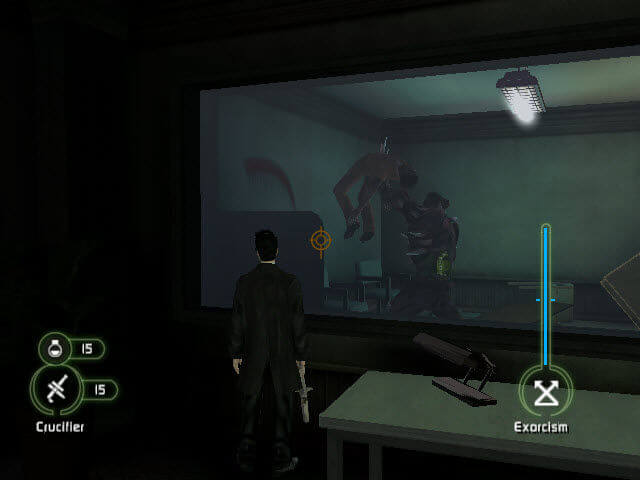
Just beat this game. And it's a cool game. I for some reason thought that this game is kinda like Max Payne, but when I played it, it turned out to be a simple action game based on self title movie. And like I said, it's a cool game despite what people said. Sure, PC port is not perfect in many cases, especially in mouse movement, when your camera is too fast. I even tried to change DPI of my mouse, but then it becomes even worse. So I left it on standard DPI and I got used to it. So yeah, this is underrated game and I would recommend this game for people. Just give it a chance. And if you like 3rd person action games then you will like this game.
Cool game. Works on Windows 10 x64 PRO 22H2 just fine. There was one crash tho, when I tried to change video settings, but I fixed that by setting compatibility mode with Windows XP SP3 and that helped.
showing up on the trending page, this must be the work of gmanlives
Porq no lo lo modifican para ejecutarlo en Android es muy bueno
I copied over the crack, which was on the game iso and was able to play the game.
Everything worked out quite well, except for when I selected controls, which caused the game to crash.
The game itself was a pretty good diversion and was both better and worse compared to the movie. As other people on the internet have said, it is best to watch the movie first then play this game, as it works as a competent companion piece.
I got it working! I copied the crack file to my game directory, and then copied over the Dx9, DirectX9, Launcher and Movies folders and it finally gave me the intro without the white screen or no cd issue
Still holds up, very solid and underrated like the movie!
Find Constantine pc game really awesome. When I first played (2005) it caught me up. Love the graphics and the whole story. Appreciate it's available for free dowloading.
When I try and launch it says "insert CD/DVD Rom"??
EU ESTOU COM DOR NO CU!!!
Copy the file in crack file into the game file. It will work
got it running, but when i go to the options to change the res it crashes. anyone have stability or compatibility solutions for windows 10?
how do you fix constantine game not responding
Zaz
A lot of these old games don't come with "no CD cracks", but if you search on Google for the game name and no CD crack you should easily be able to find one from a site like gameburnworld. I got one for Constantine from there and it works.
Sorry games does not work. "Wrong Disk" prompt keeps popping up when you try to launch game. Another dead end.
No comment nor review for this game at the moment.