You are on the beta version of My Abandonware. The live site is still myabandonware.com. Your favorites and ratings here are copied to the live site. Comments and other changes are not — we delete them every morning at 08:00 Paris time, when this site goes down for about an hour. Leave feedback through this link to Pastel (email required).
The beta goes down at 08:00 Paris time, in a few minutes. We rebuild the database from the live site. It comes back in about an hour.
Artematica - Alias Black Screen Games GmbH. It's impossible to get these things running.
0
Beokos29 May. 2025
Save games are saved in .Artematica Entertainment.flatimage.config folder (press ctrl+h) to show the folder. To play in full screen search for "Default"="1024x768" in file .Artematica Entertainment.flatimage.config/overlays/upperdir/opt/gameimage-games/GAME-NAME/wine/user.reg and change it to "Default"="off"
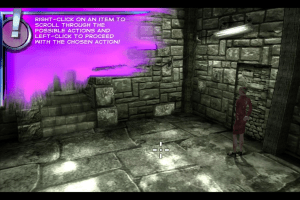
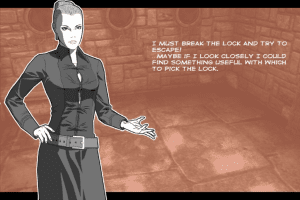
When I started the game everything was fine, but after the cut scene with Eva everything was black, I only saw the cell drops, the cursor, the red arrows indicating movement and the tutorial messages, but I couldn't see anything else , as if it were all a dark room.
There is a way to fix it
0
Robotas08 Oct. 2023
I don´t know how, but all I can see is a Black Screen. I followed the instructions on a Windows 10 PC desktop. I run with and without antivirus on and off. I run with and without DDrawCompat-v0.3.1. I run with all and without the compatibility options (from win 3.11 to win 8, even the recommended system for the game is Win XP/win 2000, according with the original game box). I run in window and in fullscreen. I run with and without changing the config.ini (change fullscreen on/off, change resolution from 1024x768 until 1920x1080). I installed and run from the mounted ISO and depacked ISO. And the final result is always the same: a Black Screen, no sound, no intro movie, no menu, just a Black Screen. What am I missing here?
1
Super Pooper Scooper03 Jul. 2022
To run it in Windows 10: 1. Install the game. 2. Apply Windows 98 compatibility to the game. 2. Extract, copy and paste DDrawCompat-v0.3.1.zip into the root of the game (in the installation folder, same location as game application). 3. Try to run the game from the executable or from the desktop shortcut.







 English
  German
  Dutch
Dutch  Spanish



Comments and reviews
Artematica - Alias Black Screen Games GmbH. It's impossible to get these things running.
Save games are saved in .Artematica Entertainment.flatimage.config folder (press ctrl+h) to show the folder.
To play in full screen search for "Default"="1024x768" in file .Artematica Entertainment.flatimage.config/overlays/upperdir/opt/gameimage-games/GAME-NAME/wine/user.reg and change it to "Default"="off"
Hello, i make Diabolik work on Linux, using WINE and GameImage|FlatImage https://github.com/ruanformigoni/gameimage .
The flatimage file is on https://archive.org/details/artematica-entertainment-flatimage it si 4.6G big Because is contains 3 Artematica Entertainment games
2004 - Martin Mystere: Operation Dorian Gray - English
https://www.myabandonware.com/game/crime-stories-from-the-files-of-martin-mystere-g1m
2007 - Belief & Betrayal - English
https://www.myabandonware.com/game/belief-betrayal-iol
2009 - Diabolik: The Original Sin - English
When I started the game everything was fine, but after the cut scene with Eva everything was black, I only saw the cell drops, the cursor, the red arrows indicating movement and the tutorial messages, but I couldn't see anything else , as if it were all a dark room.
There is a way to fix it
I don´t know how, but all I can see is a Black Screen.
I followed the instructions on a Windows 10 PC desktop.
I run with and without antivirus on and off.
I run with and without DDrawCompat-v0.3.1.
I run with all and without the compatibility options (from win 3.11 to win 8, even the recommended system for the game is Win XP/win 2000, according with the original game box).
I run in window and in fullscreen.
I run with and without changing the config.ini (change fullscreen on/off, change resolution from 1024x768 until 1920x1080).
I installed and run from the mounted ISO and depacked ISO.
And the final result is always the same: a Black Screen, no sound, no intro movie, no menu, just a Black Screen. What am I missing here?
To run it in Windows 10:
1. Install the game.
2. Apply Windows 98 compatibility to the game.
2. Extract, copy and paste DDrawCompat-v0.3.1.zip into the root of the game (in the installation folder, same location as game application).
3. Try to run the game from the executable or from the desktop shortcut.
DDrawCompat-v0.3.1.zip can be downloaded at https://github.com/narzoul/DDrawCompat/releases/tag/v0.3.1
Credit to UCrest
No comment nor review for this game at the moment.