



One of the best games I've played in the 1990s, Magic & Mayhem is a severely underrated real-time fantasy strategy game designed by Julian Gollop, of X-COM fame.
The game is in many ways an improved version of Julian's early Commodore 64 classic Lord of Chaos, but gameplay is much more fine-tuned and addictive. One of the strengths of Magic & Mayhem is the fun storyline that is a bit hackneyed, but very well integrated into the campaign, and develops into a full-blown fantasy intrigue after a few scenarios.
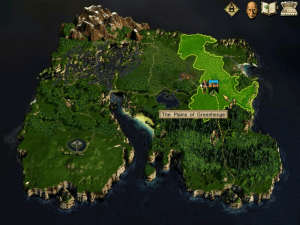
You are a novice wizard, who start off looking for your uncle Lucan who mysteriously disappeared. The game, similar to X-COM and Fantasy General, is mission-based: you must win a scenario before advancing to the next. There are hordes of fantasy monsters to fight, spell ingredients to collect (more on that later), and allies to recruit in hectic battles. In M&M, though, even this gameplay feature is part of the plot: in the first scenario, you learn of an evil wizard who you suspect has something to do with your uncle's disappearance. After you weaken the wizard enough in a magical duel, the culprit teleports out of the map, leaving behind a blue teleport portal. You, of course, follow him... into another map/scenario.
In this way, your goal in each scenario is basically to find the wizard and defeat him to open up his teleport to a new scenario. Within each scenario, the plot unfolds through speech bubbles which are shown when you talk to a friendly character. Some of the scenarios are clever, and there is a few RPG-style traps and puzzles to figure out, most of which are of the simple "find the button to press" type. And the missions themselves are quite varied; although there's invariably a wizard to defeat, you must accomplish sub-goals to trigger his appearance. For example, in Thebes you have to play off two enemy tribes, redcaps and centaurs, against each other. These sub-goals keep the missions from being boring or repetitive.
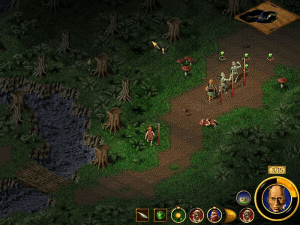
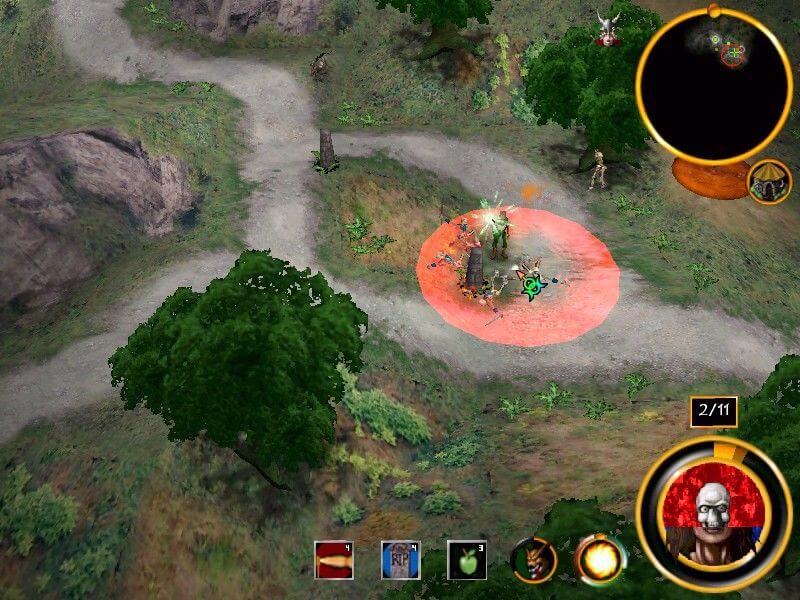
Combat, as in most real-time games, is fast and furious. But fortunately you can hit SPACE to pause the action to give orders to your minions. Talking about minions-- this is where M&M really shines. In a very original concept (at least for anyone who's never played Lords of Chaos, a very crucial factor of success is the different monsters you can summon to aid in your battle. Think of it as several "monster summoning" spell in classic RPG, except here we have numerous such spells, each summoning a unique creature.
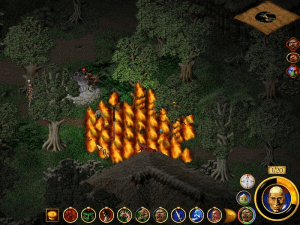
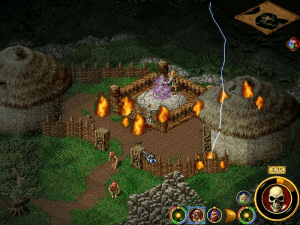
In order to cast any spell, you'll need mana, which can only be collected from magical "places of power" which must be found on each map. In order to ensure a full supply of mana, you must control these places of power by ordering one of your summoned minions to guard it. Needless to say, if THAT minion is killed by the evil wizard's monsters and HE gains control, you're as good as dead if that was the only place of power you controlled. Needless to say, this feature makes for a very interesting strategy facet of the game, as you must carefully find a balance between summoning new creatures, casting defensive spells and at the same time targeting enemy wizards. The terrain is "alive" in that squares can burn, rooves can burn and collapse on creatures causing them damage -- and creatures can also burn.
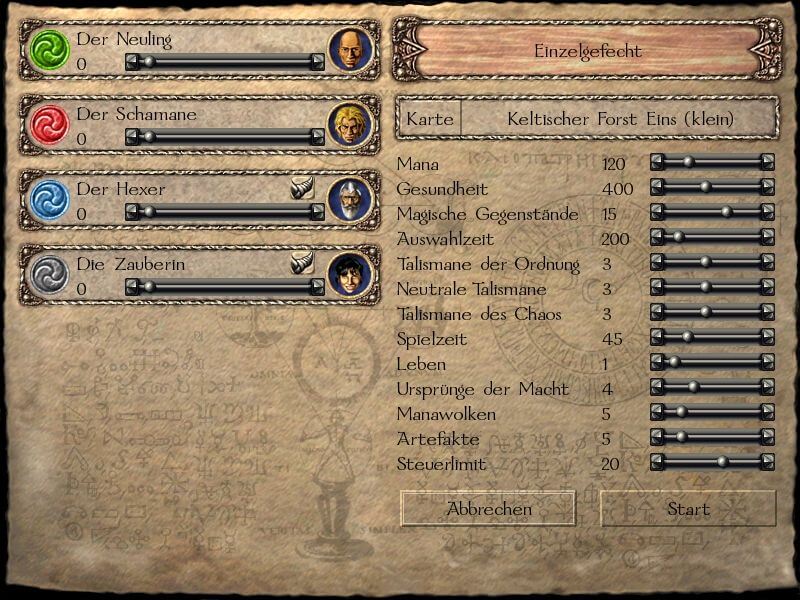
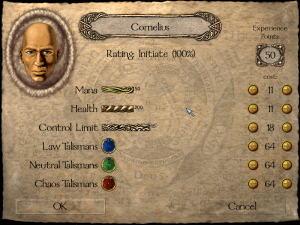
As if that's not enough, M&M also boasts another unique feature: spell ingredients and alignment. By mixing and matching the various ingredients and magical items, dozens of different spells/monsters can be created depending on your lawful, neutral or chaotic use of the ingredients. Unlike RPG games, you don't run out of ingredients once you collect them, and the fact that more powerful ingredients are found only in later scenarios ensures that you won't have access to all the spells/monsters too quickly. Not only that, but the combination of spells and monsters you can create makes for almost unlimited tactical options-- you can cast protective spells on a weak minion to make him stronger, for instance, or increase his speed. The RTS element of the game is therefore very different to anything you're likely to have played before (unless you remember the original Lords of Chaos game). The game also features a "grimoire," a spellbook of sorts that contain a wealth of information about every new spell/monster you gain, characters you have met, and places you have visited.
With respectable AI, very addictive gameplay, and a unique blend of strategy and action, Magic & Mayhem is a must have for anyone with even a slight interest in real-time strategy games. It's unlike any game you've played before, and the sheer depth and scope must be experienced first-hand to be appreciated. Definitely another Julian Gollop masterpiece- highly recommended!
Review By HOTUD
 English
  Spanish
  French
  Italian
  Japanese
  Polish








Comments and reviews
Uploaded my German version here:
https://archive.org/details/mana-der-weg-der-schwarzen-macht
I installed it and applied the 1.1 patch. then pasted the nocd patch and it still says I need to insert the CD. is there any fix for this?
Memories. greets from 2026.
Here's the soundtrack https://archive.org/details/magic-and-mayhem-1998-ost.-7z
To rip the audio from the "Magic-Mayhem_Win_EN_Disc-Image" use "bchunk.v1.2.1_repub.1" to get the tracks into .cdr files and then use "flac.exe" to convert them to .flac files
Simplified Chinese :
https://archive.org/details/MMChs
Update : Japanese version just provided today :
https://archive.org/details/magic__mayham_jp_19990623_win
Spanish version provided :
https://archive.org/details/the-art-of-magic-espanol
Italian :
https://archive.org/details/artofmagic
Polish :
https://archive.org/details/MM_the_art_of_magic_PL
French version provided by the French website Abandonware France (game name is "Arcanes") :
https://www.abandonware-france.org/ltf_abandon/ltf_jeu.php?id=2248&fic=liens
what is iso version?
Did anyone managed to get multiplayer working? I tryed multiplayer between win10 and win11 using Hamachi unsuccessfully. I was able to see server of person on win11 using /remote function described in games readme file. But I was not able to connect to my opponent. Person from windows11 got error could not search ip or something like that when he tried to connect to my.
I was playing this game 24 years ago, its really memories
Ok so I ended up using the US release and I can extract the music. Thing is, I don't know where to place the files (how should I name the files and the folder in the original game) but at least I can play the game with the music if I have the iso mounted.
I got to run the game with the only issue being the audio not playing and idk how to rip the music from the iso (I tried fre:ac)
Thank you so much ! I love this game and I wish that there would be a remake for this or something.
Running on win10, got music & video to work
downloaded the ISO, mounted (using Daemontools) & installed it (make sure to run as admin), installed patch 1.1, installed no-cd fix (find it online, there is .exe and .cfg file, copy both to game directory), installed video codecs (search K-Lite codec pack), then downloaded DxWnd, add new game to it using "Import" option, navigate to DxWnd directory, "exports" folder (it has presets for games), select "Magic & Mayhem" file, then Modify that new option & change the path to go to your game .exe, then (for music) rip the music off of ISO and put it in game directory (DxWnd "Help" menu has directions on how to do this, see Virtual CD Audio tutorial), then change DxWnd Audio setting "Sound - Use Audio files" (turn on expert mode to view Audio settings)
Just tested, it works naitively under Windows 7 without modification. Just need to install AVI video codec for movie to play or it'll just skip movies.
You can either install windows 7 on a physical computer or use VMWAWRE virtual machin in WIn 10 or 11.
The best way to play this is using VMWARE, install WIndows 98. It supports 3D acceleration and works perfectly. Google: JHRobotics, softgpu
Everything says "Load Game" or "Quick Battle". Even the preferences. When starting a new game, the difficulty options all say "Experience points" instead of "Apprentice" "Wizard" etc. from Cupit.
I had the same Issues like Cupit described in that text, only using compability mode win98. Using win10 no wrong descripitions. In Win10 mode, the ingame Videos were not played. So i watched the Videos with win98 Mode and played with win10.
Very good game for a fantasy strategy game with good story and interesting missions.
Has anyone tried running this on Linux? I'm trying to get it to work using Wine but I get an error that says "There was an undetectable problem in loading the specified device driver" - and then the screen turns black.
to get the in-game Music to work download the ISO, mount the .cue Change Deamon tools light's cd drive to B, use Disk Management if Deamon tools wont let you. then run the RIP version with the CUE mounted - that should fix everything
and
install quicktime alternativ player if in game movies are not playing
And running Compatibility Trouble Shooter fixed the text bug
install quicktime alternativ player if FMV's are not playing
And running Compatibility Trouble Shooter fixed the text bug for me
pls i need- play disc- for play, any crack cd?
虽然下载速度依旧在0-2kb徘徊,下载到17%就无法继续下载,但这依然不妨碍我对您的感谢,感谢您免费无偿的提供了这么好的经典游戏。
I have uploaded screenshots if it helps or if anyone is curious, this what the menu text looks like for me:
Preferences
https://prnt.sc/pi4d2p
New Game
https://prnt.sc/pi4bb0
Game Menu
https://prnt.sc/pi4cyk
I am also having this weird main menu issue where the text is all wrong. Everything says "Load Game" or "Quick Battle". Even the preferences. When starting a new game, the difficulty options all say "Experience points" instead of "Apprentice" "Wizard" etc. If I start the game anyway, I am unable to save. It just crashes to desktop when I try. I have the same probem on multiple machines, both Windows 8 and Windows 10. I've tried installing it multiple times from my original 21 year old CD and the download from this sight. I can't find any info on this. I remember having this problem about 3 years ago but I somehow fixed it by accident and don't know how I did. Does anybody have any idea what's causing this let alone how to fix it?
Plays fine apart from the text in the menus which isn't correct, in that the text displayed doesn't match the button. Does anyone else have this problem or know how to fix it?
Running on windows 10
Well.. it doesn't work for me. I mean it says that It need cd to be mounted and it is, but it doen't work.
Another question, does anyone know the ports to forward for this game
Hi. If you want to avoid a sound bug (pickview) that can be really annoying here is the fix.
1) Go to "Sounds" folder.
2) Rename Picview1 and Picview2 to 'Picview1' and 'Picview2'.
3) ¡Done! Happy Gaming.
If you want to try a harder solution but that allows you to just play afterwards, here are some ideas:
Videos can be played in-game with a fix from the Application Compatibility Toolkit, 'VirtualRegistry'. At least that's how I solve it on my PC.
Get the ACT here https://docs.microsoft.com/en-us/windows-hardware/get-started/adk-install . You should download a small installer, follow the instructions. When given the choice, just choose the application compatibility thing (the first in the list, normally). It's actually a very small download, the rest you can leave unticked.
Then launch the Compatibility Administrator 32bit.
Right-click on the 'new' database in the list on the left, then 'Create New'. Enter tha game name, and the executable location (to chaos.exe). Then skip the next page and at 'Compatibility fixes', check 'VirtualRegistry'. You can test this right away (Test Run), and/or simply move on and end the steps without adding anything else.
Then click on your new database and save it (FileSave for example). Give it a database name (e.g. Magic & Mayhem) and then a file name (this will be your backup file, to be opened with the ACT). Then do Fileinstall, or right-clickinstall on the new database. Done!
As to the music, if you mount the CD into a drive which letter is set *before* your actual CD/DVD drive, it should play. Or try B: or A:. Your CD mounting tool may give you the option to easily change letters, or use Windows's Disk Management.= (take care of what drive you're tweaking there!).
Another option would be DxWnd (https://sourceforge.net/projects/dxwnd/files/), which now has tools to emulate CD audio and to change the music volume. The embedded help should explain everything you need. It's longer to fix that way, but if it works, it'll be a 'fire and forget' thing after that.
Yes, videos and music won't work.
That said, even when playing it with the original cd the music has some issues. I feel the best way is to just play the soundtracks Celtic I-IV, Greek I-IV and Medieval I-IV (depending on the realm you're in) with a media player in background. You just need the .mp3 files for that, which can be gathered if you download the iso version below, mount the cue file and rip the tracks.
Regarding the videos: There are negligible imo. But you can find them in the FMV folder on the cd (i.e. the mounted cue file). Intro0.avi and Intro1.avi are the start, watch Celtic.avi once you've left the celtic realm, Greek.avi once you've left the greek realm and Medieval once ... well, once you've finished the game, basically.
Sorry about last post, but autocorrect tried to help me:)
I ment music slider in preferences ofc:)
Anyone knows how to mąkę music play in game? In potions i gry to set volume up but to no effect.
After entering preferences again music slider is set to 0 again.
Playing on Windows 10
Thank you very much, for providing such a great classic game :)
I'm so happy about this
Thank you so much! :D
Thanks so mush!!!
Thanks!
I remember playing this game when i was younger...
Thanks for uploading it!
You are being very helpful! Thanks!
No comment nor review for this game at the moment.