
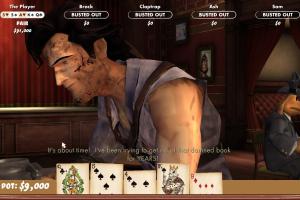
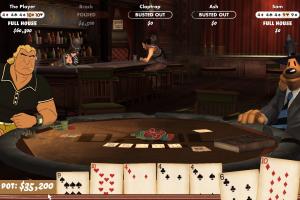
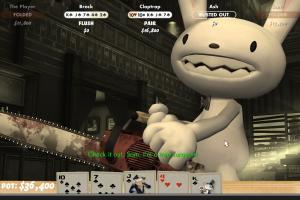
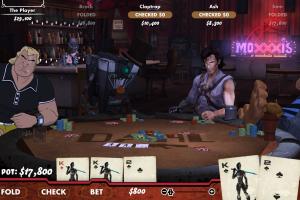
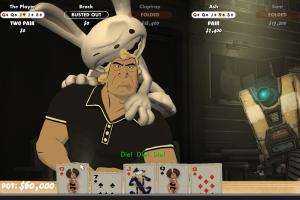

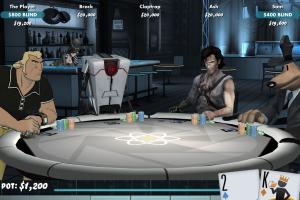
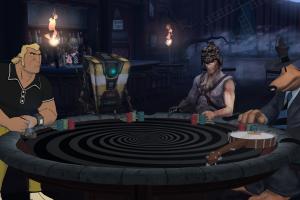


How to Play
The game has been tested on Windows 7 64-bit, Windows 8, Windows 10 and Windows 11, it works fine. You may experience some small troubles when you play the game on modern systems, check our Guide and Notes for details
Install & play guide:
- Mount the ISO image with disc image utility, like WinCDEmu, UltraISO, Alcohol 52%/Alcohol 120% or Daemon Tools Lite, etc. Or extract the files from ISO image with file archiver tool like WinRAR or 7-Zip
- Install the game (if autorun doesn't work - simply launch the installation from Setup.exe inside the disc). It is recommended to install the game not in default path, but in some other, non-system folder, like
C:/Games/Poker Night 2 - The installer should automatically "crack" the game to make it work right after the installation. But if you installed the game and it doesn't work - use NoCD, simply copy the files from the archive and put them into game folder, agree to replace the original files
- Open the game folder and find PokerNight2.exe. Right click on PokerNight2.exe -> Properties -> Compatibility -> Set "Run this app in Compatibility mode with Windows Vista" and "Run as Administrator"
- Launch the game and play. If the game doesn't work in Compatibility mode with Windows Vista - try to launch it in compatibility mode with other version of Windows (Windows XP, Windows 7, etc.)
If the instruction sounds complicated for you - download the archive with pre-installed game, it includes the full game with NoCD, simply extract & play
Notes:
- If the installation doesn't start - try to launch Setup.exe as Administrator and in Compatibility mode with old version of Windows (98, 2000 or XP)
- It is recommended to install all versions of Microsoft Visual C++ Redistributable and NET Framework for the correct work of the game. Also it is recommended to install K-Lite Codec Pack for the correct work of in-game audio and/or videos
- The game works on DirectX 9, so if you're using Windows 8, 8.1, 10 or 11 - you need to enable DirectPlay: Go to Control Panel, and select 'Programs'. Select 'Turn Windows features on and off', click on 'Legacy Components' and check the box 'DirectPlay'. Select OK, once the installation is done, restart your computer
- If the game doesn't start or crashes, here's some methods that can help. First unplug any controllers/gamepads or other peripherals, leave only keyboard & mouse. Make sure that you enabled DirectPlay, also it is recommended to install DirectX End-User Runtimes. Download and install Microsoft Visual C++ 2010 if you don't have it. Always run the game in Compatibility mode with old version of Windows and as Administrator; it looks like the game works the best in Compatibility mode with Windows Vista
- If you have the errors about missed/not working dll-files: if you get the errors about missed dinput8.dll or d3dx9_41.dll files, install DirectX End-User Runtimes; if you still get the error about missed dinput8.dll after that - download dinput8.dll and put it in game folder, next to PokerNight2.exe. If you get the error about not working or missed MSVCP100.dll file - install Microsoft Visual C++ 2010
- If the game doesn't respond on "Click anywhere" screen or crashes right after the click: download dinput8.dll and put it in game folder, next to PokerNight2.exe, also try to run the game in different Compatibility modes (with Windows 98, XP, Vista, etc.) and always run it as Administrator. If it didn't work, here's the method that can help: delete any old savegames files, they should be located in
Documents/Telltale Games/Poker Night 2folder (file name is pnati2.save); if you have Steam version and don't see savegame files in yourDocumentsfolder, savegame files might be located inSteam/steamapps/compatdata/234710/pfxfolder - The game has support of high and wide screen resolutions up to Ultra HD 4K. But by default the game natively supports only the 16:9 screen ratio, if you play on any other screen ratios you will see the black bars on the sides. If you want to play on ultra-wide display or multi-monitor setup, you will need to use CheatEngine tool to hack the game files to get the correct HOR+ and get rid of black bars, check WSGF page for instructions
- If you want to play in Windowed mode, you can toggle to it by pressing Alt+Enter. If you want to play in Borderless Fullscreen Windowed mode, you will need to use extra tools, check PCGamingWiki guide for the full list of such tools
- If you have a problem with broken sound effects or cracking/disappearing sound - first try to change the sound settings. If it didn't work - set sound quality to 24 bit, 48000 Hz or 24 bit, 44100 Hz. Read this guide how to do that
- If you have the Steam version of the game, we recommend to check this guide about the most common technical troubles on Steam version of Poker Night 2
- Don't forget to check PCGamingWiki if you have troubles, it is very useful!
 English




 Russian


Comments and reviews
BEES_0
OF COURSE NOT,ITS A PC GAME
can this game be played on the go? would it work on my cell?
is this the full version with everything in the game?
this website may be the goat
Hey, that's pretty good!
No comment nor review for this game at the moment.